Fix X3DAudio1_7.dll Is Missing Error on Windows (2026)
Fix the X3DAudio1_7.dll is missing error on Windows 10 and 11. Covers DirectX reinstall, system file repair, and manual DLL restoration steps.
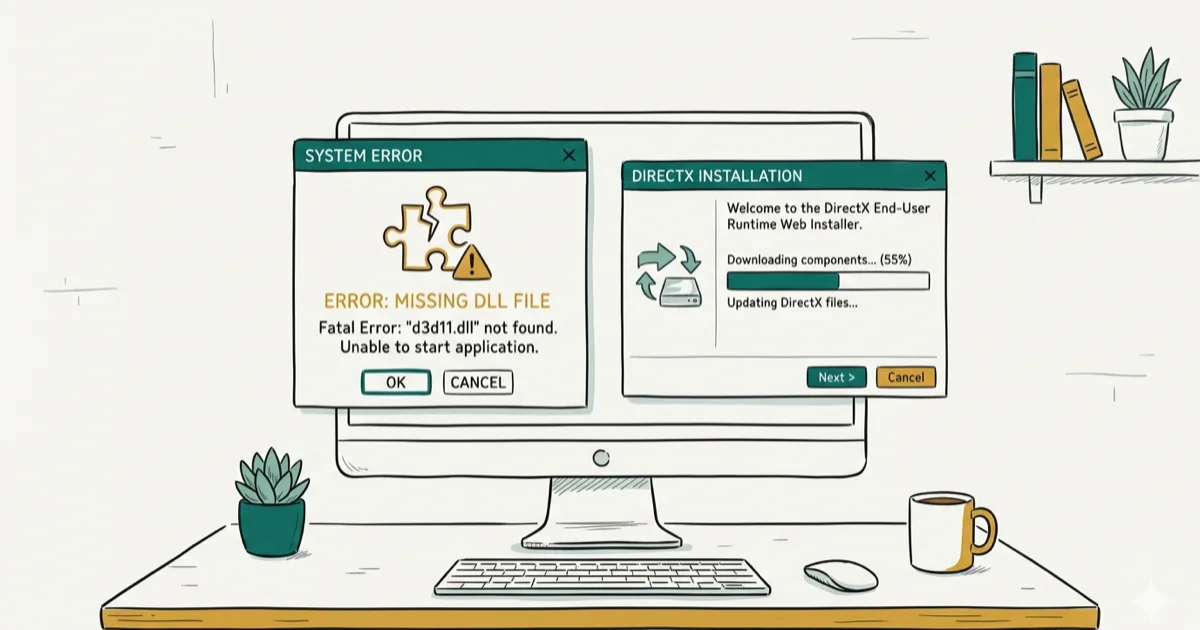
Quick AnswerInstall the DirectX End-User Runtime Web Installer from Microsoft's website. This restores the missing X3DAudio1_7.dll file and fixes the error for most games and applications. If it persists, reinstall the specific game or application that's showing the error.
The X3DAudio1_7.dll error appears when you launch a game or application that needs a DirectX audio component that’s missing from your system. It usually affects older Windows games or apps that expect legacy DirectX files not included with a default Windows 10 or 11 install.
- X3DAudio1_7.dll is part of DirectX and handles 3D audio processing for games
- Installing the DirectX End-User Runtime from Microsoft fixes the error in nearly every case
- Running SFC /scannow repairs corrupted system files that may have deleted the DLL
- Never download DLL files from random websites because they often contain malware
- Reinstalling the affected game restores its required DirectX components automatically
#What Causes the X3DAudio1_7.dll Missing Error?
X3DAudio1_7.dll belongs to the DirectX SDK’s audio library. Games built with older versions of DirectX (9, 10, or 11) specifically depend on this file for 3D spatial audio processing. When the file is missing, renamed, or corrupted, the game can’t load its audio engine and throws the error at launch.
Incomplete DirectX installation is the most common cause. Windows 10 and 11 ship with DirectX 12, but skip legacy DLLs. Microsoft’s DirectX page confirms that the End-User Runtime provides 40+ extra DLLs.
Antivirus false positives sometimes quarantine the DLL. Check your quarantine folder if the error appeared suddenly.
Corrupted game installations happen after interrupted updates, disk errors, or forced shutdowns during patching. This is especially common on systems with directory path errors that affect file operations. Games may also trigger error 0x80070070 when Windows runs out of disk space during installation or patching, which compounds the DLL loading problem because the game can’t write its required components to disk properly.
#Installing the DirectX End-User Runtime
According to Microsoft’s DirectX download page, the DirectX End-User Runtime Web Installer adds legacy DirectX components that Windows doesn’t include by default. This is the official Microsoft fix.
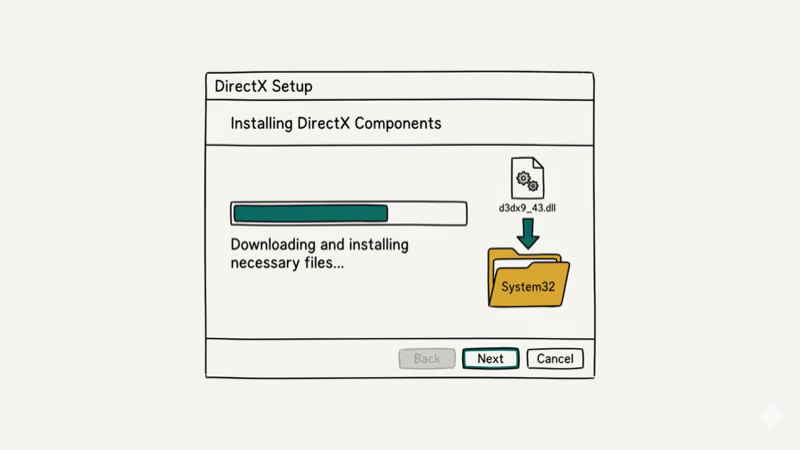
- Download the DirectX End-User Runtime from Microsoft’s download center
- Run the installer and accept the license agreement
- Let it install (takes about 1-2 minutes)
- Restart your PC
- Launch the game or application again
The DirectX Runtime installer restores legacy files such as X3DAudio1_7.dll for older games and applications. The installer only adds missing files and doesn’t overwrite newer DirectX 12 components.
#Can SFC and DISM Repair Missing DLL Files?
If the DirectX installer doesn’t fix the error, corrupted Windows system files may be interfering with DLL loading.
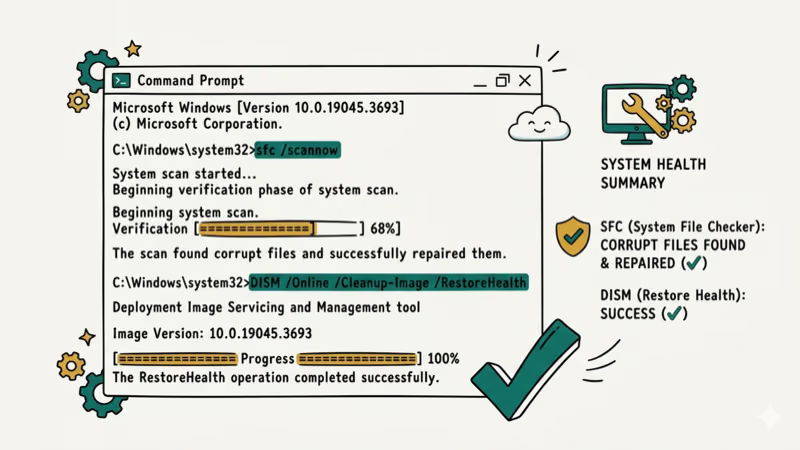
Run System File Checker:
- Press Windows + S, type cmd, right-click Command Prompt, select Run as administrator
- Type
sfc /scannowand press Enter - Wait 10-15 minutes for the scan to complete
- Restart your PC if it reports “Windows Resource Protection found corrupt files”
Run DISM if SFC can’t repair:
- Open Command Prompt as administrator
- Type
DISM /Online /Cleanup-Image /RestoreHealthand press Enter - Wait 15-20 minutes (it downloads repair files from Windows Update)
- Run
sfc /scannowagain after DISM completes
According to Microsoft’s system file repair guide, SFC verifies over 2,000 system files against known good copies. When it finds a mismatch, it replaces the corrupted file automatically. If your system also shows stop errors like 0x0000003B, SFC often finds related file corruption.
#Reinstalling the Game or Application
The affected game or app may have shipped with the required DLL, and its local copy got corrupted or deleted.
For Steam games:
- Open Steam and go to your Library
- Right-click the game and select Properties
- Go to Installed Files and click Verify integrity of game files
- Steam checks every file and redownloads any that are missing or corrupted
For other platforms:
- Uninstall the game through
Settings>Apps - Redownload and reinstall from the original source
- Make sure to run the DirectX installer first before launching
Verification on Steam takes 2-5 minutes depending on game size. Steam’s file verification can redownload missing or corrupted DLL files from the game installation. If you’re dealing with Windows error 0x00000050 or other system-level crashes alongside missing DLL errors, the issue might be deeper than just game files.
#Why You Should Never Download DLL Files From Websites
Searching for “X3DAudio1_7.dll download” returns dozens of websites offering the file. Don’t use them.
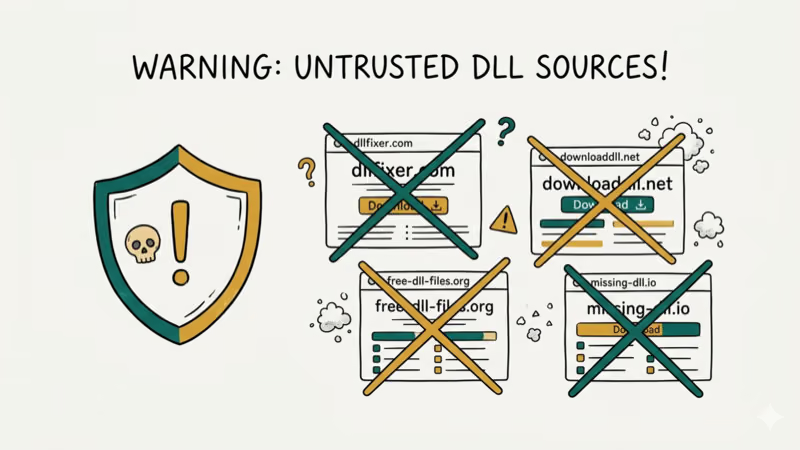
PCMag’s DLL error guide warns that third-party DLL download sites commonly bundle files with malware or outdated versions. The file you download might work temporarily but could introduce security vulnerabilities or system instability.
The official fix is always to install the full DirectX End-User Runtime from Microsoft or to reinstall the application. Both methods guarantee you get the correct, signed version of the DLL from a trusted source. If someone has already placed a downloaded DLL in your System32 folder, delete it and run the DirectX installer instead to get the legitimate copy.
#Checking Your Visual C++ Redistributables
Some games depend on both DirectX and Visual C++ Runtime libraries. A missing or outdated Visual C++ Redistributable can cause DLL errors that look identical to DirectX problems.
Go to Settings > Apps > Installed apps and search for “Visual C++.” You should see multiple versions (2010, 2012, 2013, 2015-2022). If any are missing, download them from Microsoft’s Visual C++ page. Install both the x86 and x64 versions. This also resolves related errors like error code 0x8007042c that some users see alongside DLL issues.
Older games may require both DirectX Runtime and a specific Visual C++ Redistributable to launch. Systems with low memory issues may struggle to install these runtimes and should free up RAM first.
#Bottom Line
Install the DirectX End-User Runtime Web Installer from Microsoft first since it fixes nearly all X3DAudio1_7.dll errors in under 2 minutes. Run SFC if the DirectX installer doesn’t work, and verify game files through Steam or reinstall the game as a last step. Never download individual DLL files from random websites.
#Frequently Asked Questions
Is X3DAudio1_7.dll a virus?
No. It’s a legitimate Microsoft DirectX component that handles 3D audio processing. If your antivirus flagged it, it’s a false positive. Whitelist the file and restore it from quarantine.
Can I just copy the DLL from another computer?
Don’t bother. DLL versions vary between systems, and an incompatible copy causes crashes. Install the DirectX Runtime instead.
Why does this error only affect certain games?
Games built with DirectX 9, 10, or early 11 depend on legacy audio DLLs that Windows 10 and 11 don’t include by default. Newer games using DirectX 12 have their own audio APIs and don’t need X3DAudio1_7.dll at all. That’s why only older titles trigger this error.
Will Windows Update fix this automatically?
No. Windows Update installs DirectX 12 runtime updates, but it doesn’t add legacy DirectX components. You need the separate DirectX End-User Runtime installer for DLLs from older DirectX versions. This has been the case since Windows 10 launched.
Does this error happen on Windows 11?
Yes. Windows 11 includes DirectX 12 Ultimate but still lacks legacy DLLs from older DirectX versions, just like Windows 10. The fix is identical on both operating systems.
Can I prevent this error from happening again?
Keep the DirectX End-User Runtime installed. Once installed, it persists through Windows updates and system changes. The only scenario where the DLL might disappear again is if an aggressive antivirus quarantines it, a disk error corrupts it, or you do a clean Windows reinstall without running the DirectX installer afterward.
What if the error appears for multiple games?
Good news. The DirectX End-User Runtime fixes all of them at once. One installation restores every legacy DirectX component for your entire system.
Does reinstalling Windows fix DLL errors?
A clean Windows install fixes almost everything, but it’s extreme overkill for a missing DLL. The DirectX Runtime installer takes 2 minutes. A Windows reinstall takes over an hour and erases everything. Always try the simpler fix first.

Best Laptop for Running LLMs in 2026: Memory Comes First
The best laptop for running LLMs is a memory purchase first. Compare MacBook unified memory against NVIDIA laptop VRAM, and see what each tier really runs.

How to Run a Local LLM on Windows: A 2026 Setup Guide
Run a local LLM on Windows with LM Studio or Ollama. Pick a model that fits your GPU memory, keep every prompt offline, and skip the monthly bill.

Bluetooth Not Working on Snapdragon X? Fixes for 2026
Bluetooth not working on your Snapdragon X Copilot+ PC? Generic audio, mice, and keyboards work, but vendor apps often lack an ARM build. Fixes inside.

Docker Desktop and WSL2 Not Working on Snapdragon X? Fix It
WSL2 runs fine on Snapdragon X, but Docker Desktop ARM is Early Access and throws WSL errors. Use WSL2 plus native ARM64 Ubuntu and Docker Engine.