Facebook Something Went Wrong Error: 8 Fixes That Work
Fix the Facebook "Something Went Wrong" error by clearing cache, disabling extensions, turning off VPN, resetting the app, and checking outages.
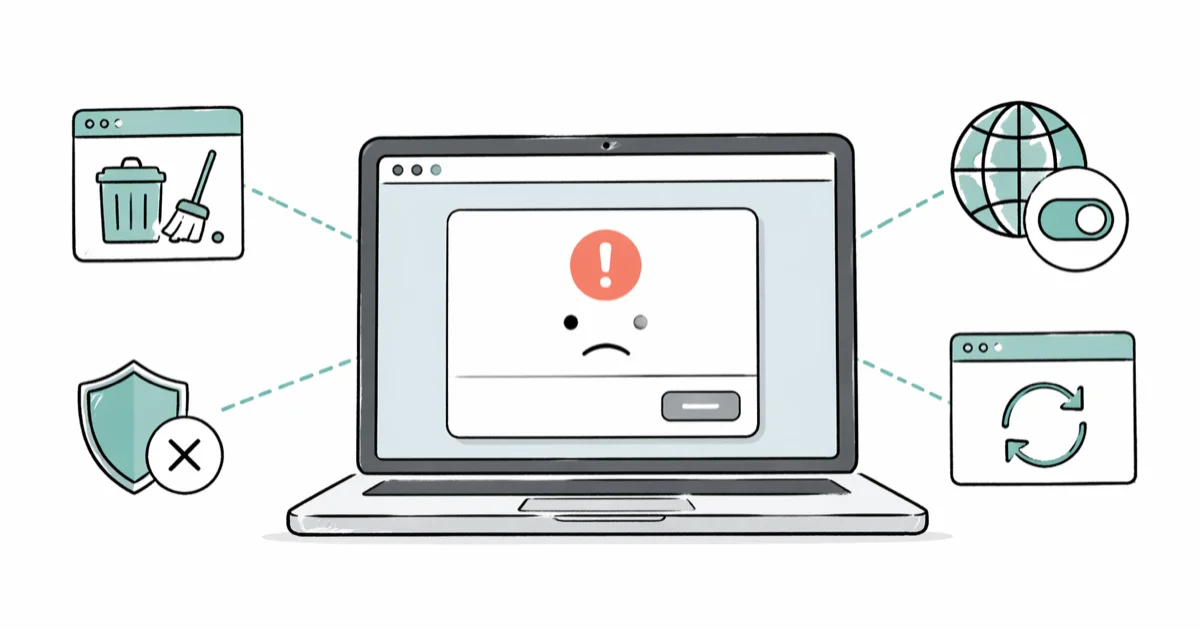
Quick AnswerClear your browser cache and cookies, then reload Facebook. If the error sticks, log out and back in, disable ad blocker extensions, turn off your VPN, or try a different browser. The error usually points to corrupted cached data, a flagged IP, or a short server-side hiccup.
The Facebook “Something Went Wrong” error can block everything: feed, login, posting, and even Marketplace listings. Start with the cache fix, then work down the list through extensions, VPN, mobile app storage, and outage checks.
- Clearing browser cache and cookies is the first desktop fix to try
- Facebook server-side updates can trigger the error; waiting 30 to 60 minutes often fixes it
- Ad blocker and privacy extensions can break Facebook’s feed
- Free VPN servers pool IP addresses, which Facebook flags and blocks on sign-in
- iPhone network reset wipes saved Wi-Fi passwords and Bluetooth pairings, so note them first
#What Triggers the Facebook Something Went Wrong Error?
Facebook throws the same generic “Something Went Wrong” message for at least four different problems, which is why one fix rarely covers every case.
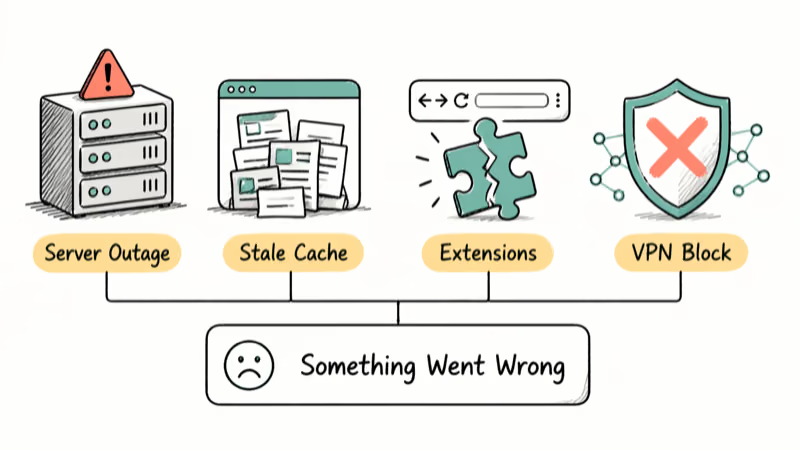
Server-side outages on Facebook’s end come first. Meta’s status page confirms that feed loading, login, and Marketplace each have separate service layers, so an issue with one service can show up as a generic error elsewhere.
A Facebook-specific outage can trigger this error even when Instagram and WhatsApp still work. A sharp vertical spike on Downdetector usually means the outage is real, not something isolated to your account.
Stale browser data is the next most common cause. Cached JavaScript from an older Facebook session conflicts with the newer code Facebook pushes every few days, and the site bails out with this message instead of loading. Clearing cache and cookies forces a clean copy of Facebook to load.
Browser extensions sit behind the rest. Ad blockers like uBlock Origin and privacy tools like Ghostery modify page scripts on the fly, and Facebook’s frontend is sensitive to that interference.
VPN services are another recurring trigger because Facebook’s login security flags sign-in attempts from IP addresses that belong to known VPN pools. If the error shows up inside the Facebook mobile app rather than a browser, corrupted app data is usually the real cause. Our clear Facebook cache guide covers the mobile version in detail.
#Clear Facebook’s Cache and Cookies in Your Browser
This fixes the error more often than anything else on desktop. Cached files from older Facebook pages conflict with the new code, and wiping them forces a clean load.
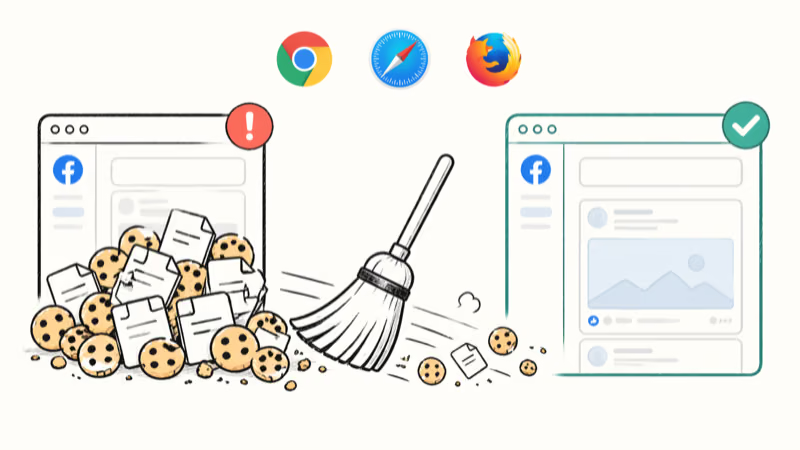
Google Chrome:
- Press Ctrl + Shift + Delete on Windows or Cmd + Shift + Delete on Mac
- Set Time range to All time, then check Cookies and other site data and Cached images and files
- Click Clear data, quit Chrome, and reopen it
Go back to facebook.com. Google’s clear cache and cookies help page confirms that the All time setting is the one that clears everything for the affected site, which is what you want here.
Safari on Mac: Open Safari > Settings > Privacy, click Manage Website Data, type facebook in the search box, click Remove All, then quit and reopen Safari.
Firefox: Shortcut is the same as Chrome. Pick Everything as the time range and clear both cache and cookies.
Microsoft Edge: Same shortcut again. Edge shares Chrome’s clearing interface because both are Chromium-based.
#Log Out and Back In to Refresh Your Session Token
A full logout forces Facebook to mint a fresh session token, which clears up problems caused by stale login credentials. This is faster than clearing cache if you suspect the login side is the issue.
On desktop, click your profile picture in the top right and hit Log out. Wait 10 seconds. Log back in.
On mobile, tap the menu icon (three lines) in the app, scroll to the bottom, and tap Log Out. Sign back in. If you get stuck at the login step, our Facebook session expired guide covers that specific error.
#Disable Browser Extensions and Turn Off VPN
Extensions are a quiet source of this error because they modify pages after Facebook’s code loads. The fastest test is an incognito window. Open one with Ctrl + Shift + N in Chrome (or Cmd + Shift + N on Mac) and go to facebook.com.
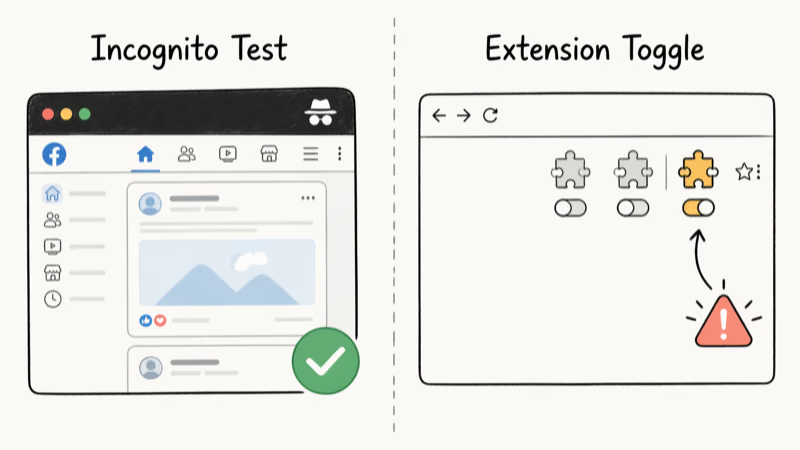
If Facebook loads clean in incognito, an extension is your problem. Open chrome://extensions (or about:addons in Firefox), disable every extension, and reload Facebook.
Re-enable extensions one at a time, reloading Facebook after each. The one that brings the error back is the culprit. Some ad blockers can break the Facebook feed specifically while leaving the login page and Marketplace working, which is what makes this bug hard to spot.
VPN connections trigger the error too. Facebook flags logins from IP addresses associated with known VPN exit nodes, especially on free services that pool IPs across users. Turn off your VPN and reload Facebook. If your VPN is the cause, switch to a premium provider with residential IPs, pick a server in your own country, or add Facebook to your VPN’s split tunneling list so the app bypasses the VPN.
#Why Does the Mobile App Show This Error?
The Facebook app keeps its own cache separate from your browser, so browser fixes don’t help the app. Clearing app storage is the mobile equivalent.
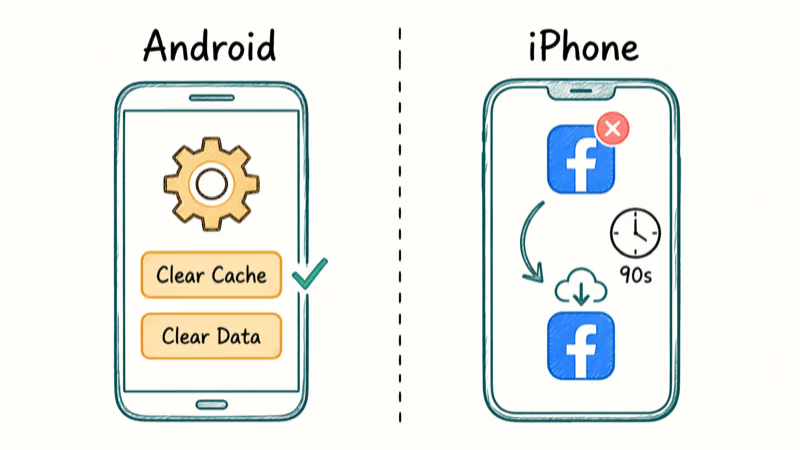
On Android (Samsung, Pixel, OnePlus):
- Open
Settings>Apps>Facebook>Storage - Tap Clear Cache first and reopen the app
- If the error is still there, tap Clear Data, which signs you out but keeps your Facebook account intact
Clear Cache is the first Android app-storage fix to try; Clear Data is the next step when cached app files are not the only problem.
On iPhone and iPad: iOS doesn’t let you clear an app’s cache directly. The workaround is to delete and reinstall the app. Long-press the Facebook icon, tap Remove App, then Delete App, and reinstall from the App Store.
If clearing app data didn’t help, your network settings might be the problem. On iPhone, go to Settings > General > Transfer or Reset iPhone > Reset > Reset Network Settings. On Android, open Settings > General Management > Reset > Reset Network Settings. This wipes saved Wi-Fi passwords, VPN configs, and Bluetooth pairings, so write them down first.
#Try a Different Browser (or a Private Window First)
Switching browsers narrows the problem fast. If Facebook loads in Firefox but fails in Chrome, the issue lives in Chrome: cache, extensions, or a broken profile.
Try Firefox, Microsoft Edge, or Safari on Mac. If the error still shows up across every browser on the same computer, the problem is either your network or a server-side outage on Facebook’s end.
According to 2021 Facebook outage background, check whether other sites load normally. If everything else works and only Facebook breaks, Meta’s servers are the bottleneck.
For related Facebook problems, see why Facebook notifications aren’t working or the fix for Facebook not loading pictures.
If you get the same vague error message on YouTube instead of Facebook, our dedicated YouTube Something Went Wrong guide covers that platform’s version and walks through fixes that are specific to Google’s video service.
#Check If Facebook Is Down for Everyone
Before spending 20 minutes troubleshooting your own setup, rule out a server-side outage. Two sources are worth checking.
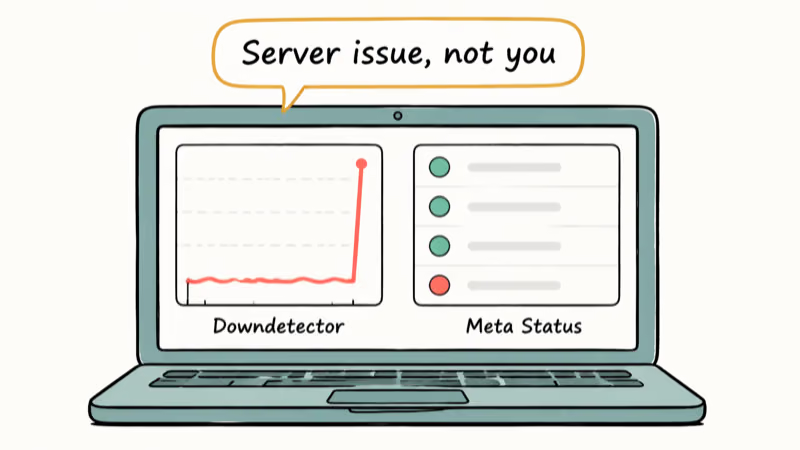
Downdetector aggregates user reports in real time. If the graph shows a sharp vertical spike in the last hour, Facebook is probably down for a lot of people and there’s nothing to fix on your end. Meta’s own status page at metastatus.com reports confirmed incidents with timestamps, though it sometimes lags Downdetector by 15 to 30 minutes because Meta only lists outages once they’ve been verified internally.
Twitter and Reddit fill the gap. A search for “Facebook down” surfaces live user posts, and a noticeable volume jump can appear before Meta’s status page catches up. Reddit’s r/facebook subreddit tends to be one of the first public places where a widespread error gets discussed in detail, and the top comment on an active outage thread usually has the workaround that’s working for most people at that moment.
#Contact Facebook Support (Last Resort)
Only contact Facebook after every method above has failed and the error has held for more than 24 hours. Facebook’s support pipeline is slow and impersonal, so try the easier fixes first.
Go to Facebook’s Help Center and select Report a Problem from the menu. Describe the error specifically: include your browser name and version (Chrome 124, Safari 17, etc.), your operating system, and whether the error hits desktop, mobile, or both. Screenshots help.
Facebook doesn’t reply individually to these reports, but enough flags from users push the bug up the engineering queue. Most widespread issues get patched inside 24 to 48 hours.
If you’re locked out of your account entirely, try a different device on a different network. Your friend’s phone on mobile data is a solid test. If Facebook loads there, your setup is the problem; if it doesn’t, the problem is with Facebook or your account. For related issues, see why Facebook Dating isn’t showing up or the fix for Facebook Messenger not working.
#Bottom Line
Start with the browser cache and cookies clear on Chrome or Safari. That one step directly targets the stale files that often trigger the “Something Went Wrong” error when Facebook’s servers are up.
If the error holds, disable your ad blocker or privacy extension, turn off your VPN, and reset network settings on your phone in that order. When Facebook fails across every device and network you own, Meta’s servers are the bottleneck and waiting 30 to 60 minutes is the fix.
For the mobile app specifically, Clear Cache on Android or a full reinstall on iPhone 15 clears app-side corruption in under two minutes.
#Frequently Asked Questions
Why does Facebook keep saying “Something Went Wrong” every time I open it?
Corrupted cached data is the most common cause, so clear your browser cache and cookies, or on mobile use Clear Data in the app settings. Repeated errors also point to a VPN flagging your IP as shared or suspicious.
Will clearing my cache delete Facebook messages or photos?
No. Everything you’ve saved or sent lives on Facebook’s servers. Clearing cache only removes temporary files stored locally on your device, like cached images and session cookies. Your messages, photos, posts, and friends list are untouched.
Can I check if Facebook is down for everyone or just me?
Check metastatus.com and Downdetector.com. If both show active spikes, Facebook’s servers are down.
Why did this error start right after a Facebook update?
Facebook rolls out frontend updates in staged waves, and bugs that slipped through testing can hit a subset of users while leaving others fine. That’s why you sometimes see the error when your friend on the same network doesn’t. In most cases, Facebook patches the issue within a week.
Do browser extensions cause this error even if they worked last week?
Yes, and it happens more often than people expect. Extensions hook into Facebook’s JavaScript at load time, so any frontend update on Facebook’s side can break an extension that worked fine last week. Ad blockers, privacy extensions, and script managers like Tampermonkey are the most common offenders. The fastest test is an incognito window; if Facebook works there and fails in your normal window, an extension is the cause.
Does Facebook Lite avoid this error on Android?
Facebook Lite uses simpler HTML and fewer JavaScript dependencies, which makes it less prone to the “Something Went Wrong” error on low-end phones and slower networks. The trade-off is a stripped-down interface with fewer features, no Reels, and limited video support. We recommend trying Facebook Lite on Android if the regular app keeps failing even after a cache clear and reinstall. It loads noticeably faster and takes much less storage than the full Facebook app.
Is this error linked to my account being restricted or banned?
Usually not. Account restrictions trigger specific messages like “Your account has been temporarily locked.” The generic error is a tech issue. If you still suspect a restriction, our Facebook Jail guide walks through what to check.
Why does the error only show up on Facebook Marketplace?
Marketplace runs on a separate service layer from the main feed. It loads its own listings, images, and chat threads, so an issue isolated to Marketplace usually points to a service-specific outage rather than a general Facebook problem. Check metastatus.com specifically for Marketplace incidents and wait 15 to 30 minutes before retrying.

Google Messages Error 3100: Why RCS Is Broken on Galaxy
Google Messages RCS error 3100 hits Galaxy owners after phone or carrier switches. Google told 9to5Google a fix is coming. Here's what actually helps.

Is This Bank App Real? Spot a Fake App on Your Home Screen
A bank app can land on your home screen from a web page with no install warning. Learn the checks that tell a real banking app from a phishing web app.

Apps Crashing After iOS 27 Update? Fix Order (2026)
Apps crashing after the iOS 27 update? Update the app in the App Store first, then offload and reinstall to clear stale cache, then restart. The fix order.

Do AI Translation Earbuds Work Offline? What to Know
Do AI translation earbuds work offline? A few do with downloaded language packs, but most need the cloud. Here's what works offline and what you give up.