iPhone Camera Shows a Black Screen: 7 Fixes (2026)
iPhone camera showing a black screen? Remove accessories, test both cameras and the flash, clean the lenses, restart, update iOS, or arrange service.
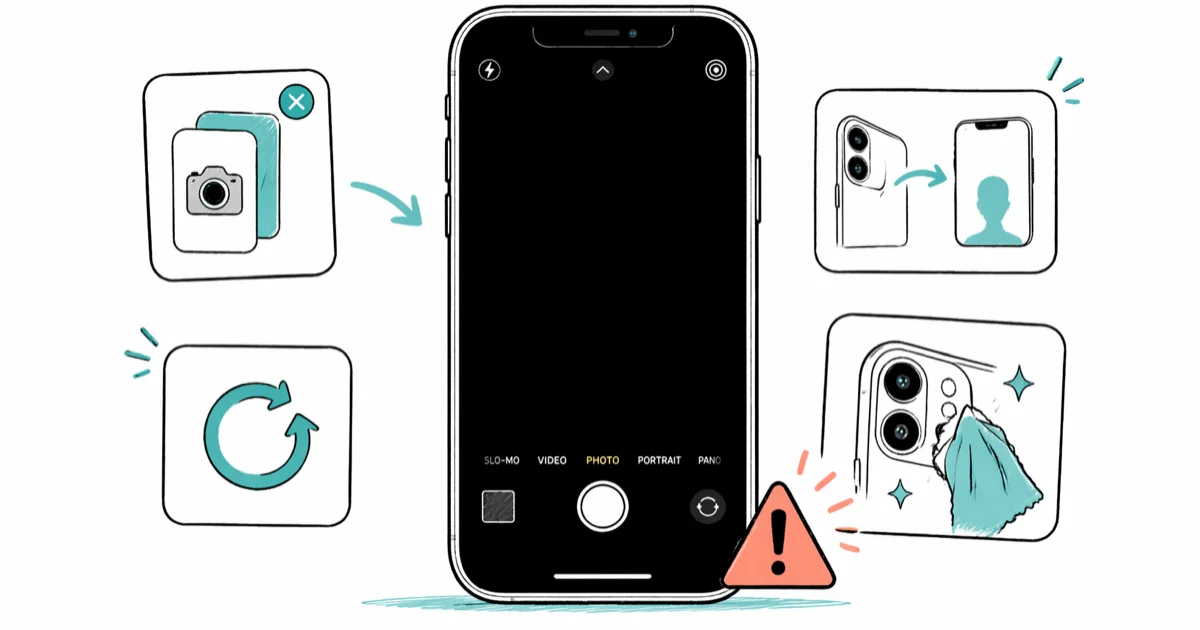
Quick AnswerRemove any case or magnetic camera accessory, test the flash and both cameras, clean the lenses, then restart your iPhone. Install any pending iOS update; if the camera remains black, arrange service.
When Camera opens to a black viewfinder, start with Apple’s non-erasing checks: remove accessories, test the flash and both cameras, clean the lenses, restart, and update iOS. These seven steps keep those checks ahead of settings resets or service.
- Remove any case, film, lens attachment, or magnetic accessory before testing
- Check the flashlight and switch between front and rear cameras to record what works
- Clean the lenses with a microfiber cloth, then restart and update the iPhone
- Reset All Settings is optional and does not erase photos or apps; an iPhone restore does
- If the camera or flash still fails, use Apple’s service path for diagnosis
#What Causes an iPhone Camera Black Screen?
Software and hardware. Those are the two buckets.
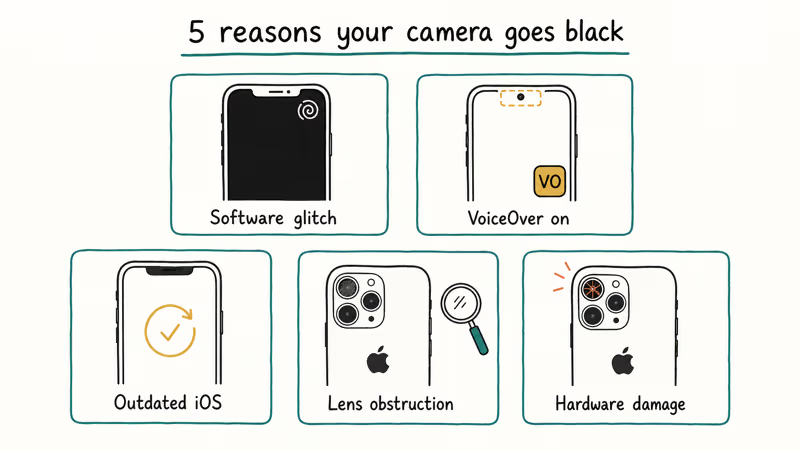
An app or system state issue can leave the Camera app open with a dark viewfinder. Closing and reopening the app is a low-risk first check, but the symptom alone does not reveal the cause.
Software version is another check, not a diagnosis. According to Apple’s camera troubleshooting page, the supported steps include restarting the device and updating to the latest iOS.
An obstruction or magnetic accessory can affect the camera. Apple specifically says to remove cases, films, or accessories that block the camera or place a magnet near it, then test again.
Physical damage or a failed part is possible when the camera remains black after the supported checks. That requires inspection; a black viewfinder does not identify the failed component by itself.
#Fastest Software Fixes to Try First
Start with these reversible checks and note which camera or flash function changes.
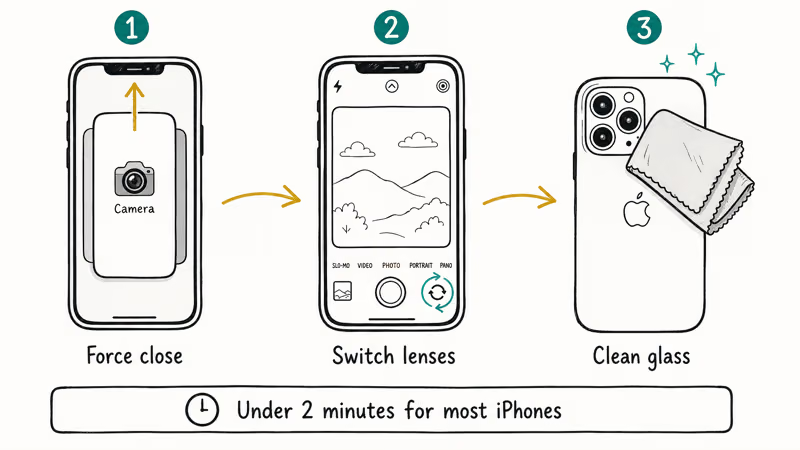
#1. Force Close the Camera App
On Face ID iPhones, swipe up from the bottom and pause to open the App Switcher. Swipe the Camera card off the top of the screen. On Home button models, double-press Home and swipe Camera upward.
Tap the Camera icon to relaunch. If the viewfinder returns, test photo and video capture before treating the problem as resolved.
#2. Remove Accessories and Test Both Cameras
Remove any case, film, lens attachment, or magnetic mount. Test the flashlight from Control Center, then open Camera and switch between the front and rear cameras.
Write down whether the flashlight works and whether one or both cameras show an image. According to Apple’s camera and flash checklist, you should test both the flash and the front and rear cameras before service.
#3. Clean the Lens
Wipe both lenses with a microfiber cloth and check that no case edge or film covers them.
A cracked lens cover, debris, or an accessory can affect the image. Don’t insert tools or liquid into the camera area.
#Restart and Software Checks
If the accessory, flash, and lens checks did not help, restart and update before resetting settings.
#4. Restart Your iPhone
Use Apple’s restart instructions for your model, then test photo, video, flash, and both cameras again. A normal restart and a force restart use different button sequences; use the model-specific page if the screen is not responding.
#5. Update iOS
Go to Settings > General > Software Update and install any pending update. Follow the onscreen network and power requirements for your device.
A pending update is worth installing because it’s part of Apple’s current camera checklist. The support page doesn’t promise that a particular point release will fix every black-viewfinder case. Test both cameras after the update finishes.
#How Do You Fix a Persistent Camera Black Screen?
If the supported camera checks did not help, one non-erasing settings reset remains before service. Make a current backup first.
#6. Reset All Settings
Go to Settings > General > Transfer or Reset iPhone > Reset > Reset All Settings. This resets system settings without deleting photos, apps, or messages.
The iPhone restarts automatically. Test both cameras right after it boots. This returns system preferences to defaults without deleting photos, apps, or messages. It isn’t part of Apple’s short camera checklist, so skip it and go directly to service if you don’t want to rebuild your preferences.
#7. Get Camera Service
According to Apple’s camera troubleshooting page, a camera or flash that still doesn’t work after these checks may need service. Report whether the flashlight works, whether one camera works, and whether a case or accessory changes the result.
Book an appointment through Apple Support. Cost depends on the model, diagnosis, region, and coverage, so get a current estimate for your device.
#Signs Your Camera Needs Hardware Repair
Stop home troubleshooting and arrange service if you see visible damage or liquid exposure.
If both cameras and the flashlight fail after a restart, record that combination for the technician. It narrows the symptom but does not prove a particular component failed.
A new rattle after a drop or visible cracks near the camera should be reported to the technician. Don’t open the phone to inspect internal parts.
If your iPhone screen is flickering as well, mention that separate symptom. A black screen on the display itself needs display troubleshooting rather than a camera-only checklist.
#Before Camera Service
Make a current backup if the iPhone remains usable. Check Settings > General > About > Parts and Service History on supported models and note any Camera message. Apple’s genuine-camera guidance explains the messages and repair options.
Use Apple’s current estimate for your model and coverage. Independent Repair Providers can have access to genuine Apple parts, but their work is covered by the provider’s terms rather than Apple’s warranty or AppleCare plan.
#Bottom Line
Force close Camera, remove accessories, test the flash and both cameras, and clean the lenses. Then restart and install any pending iOS update.
If those steps don’t work, optionally Reset All Settings or go directly to service. A full erase isn’t part of Apple’s camera checklist and shouldn’t be used merely to prove the problem is hardware.
Related issues:
#Frequently Asked Questions
Why does my iPhone camera suddenly show a black screen?
The symptom can come from an app state, an accessory, an outdated system, damage, or a failed part. The viewfinder alone does not identify which cause applies, so work through the checklist in order.
Can switching cameras fix an iPhone camera black screen?
It’s a useful test. Apple’s camera checklist asks you to check both the front and rear cameras so you can report whether one or both are affected.
Will a factory reset fix an iPhone camera black screen?
Don’t use a factory reset as a routine camera test. It erases the iPhone, and Apple’s camera checklist moves from restart and update to service. Back up and seek diagnosis when the supported checks fail.
How can I tell if my camera problem is hardware or software?
There is no conclusive home test. Record whether the flashlight works, whether one or both cameras are affected, and whether removing accessories changes the result. Visible damage or a persistent failure after Apple’s checklist needs professional diagnosis.
Is a brief black screen when opening the Camera app normal?
A brief transition can occur while Camera opens or switches lenses. If the viewfinder remains black, use the checklist rather than a fixed time threshold.
How much does Apple charge for iPhone camera repair?
The estimate depends on the model, diagnosis, region, and coverage. Use Apple’s current repair estimate for the exact device.
Should I try third-party repair shops for camera issues?
Compare the provider’s parts, technician qualifications, and warranty terms. Apple says Independent Repair Providers can access genuine parts, while their repairs are covered by the provider rather than Apple’s warranty or AppleCare plan.

Mac mini M6 vs M5 Pro: Which Model Should You Buy?
Mac mini M6 vs M5 Pro compared on price, memory, ports, displays, and real workloads. Find the better 2026 Mac mini for your desk and budget.

Apple Siri Settlement: Who Qualifies and How to Claim
Apple's $250 million Siri settlement covers iPhone 15 Pro and iPhone 16 models bought June 2024 to March 2025. See who qualifies and how claims work.

iOS 26.6.1 Security Update: What Apple Fixed and Who Gets It
Apple released iOS 26.6.1 on August 17 with 29 security fixes, including an IPSec interception bug. See what it patches, who gets it, and how to update.

iPhone Adaptive Power: How It Works and When to Use It
Learn how iPhone Adaptive Power works, which models support it, what it changes, and when Low Power Mode is still the better battery-saving choice.