iExplorer Review 2026: Honest Test, Pros, Cons, Alternatives
iExplorer review for 2026 covering macOS and Windows support, features, pricing, real limits, and 3 better alternatives worth buying instead.
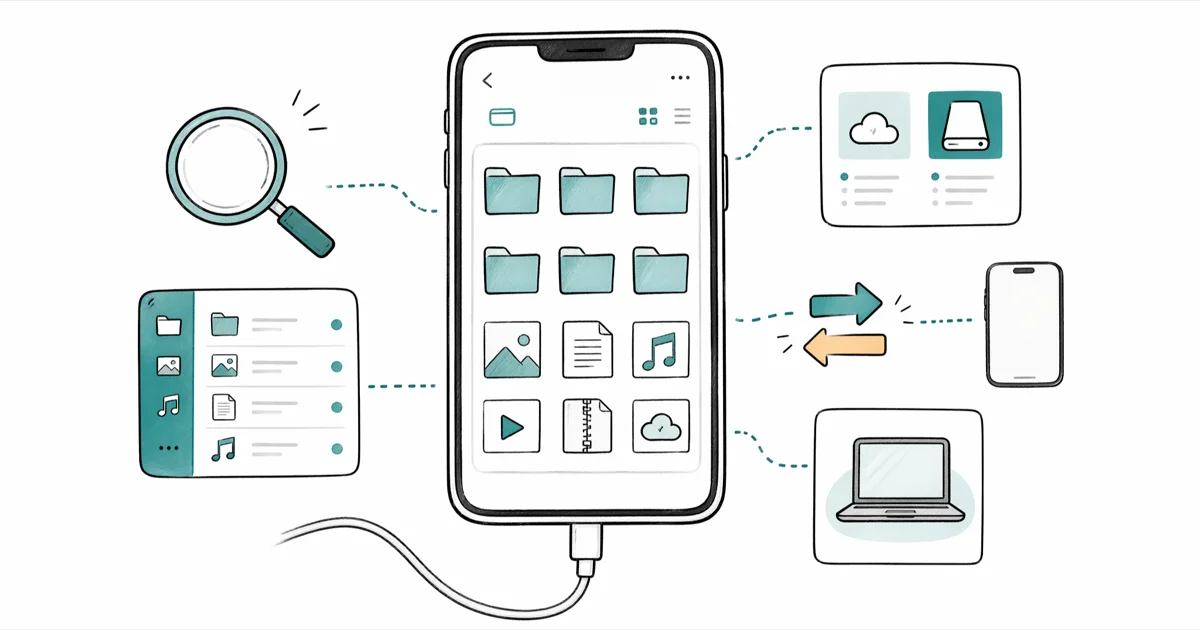
Quick AnsweriExplorer is a paid macOS and Windows tool that pulls music, photos, messages, and app data from your own iPhone or iPad. It works for one-off extraction, but the $39.99 license now feels steep next to iMazing and AnyTrans, which ship updates more often.
iExplorer reads your iPhone or iPad like a flash drive and pulls out music, messages, photos, and app data that Apple normally keeps locked. The latest build runs on recent macOS releases and on Windows 11, and the same extraction jobs work across both platforms. This review covers what still works, where the tool feels stale in 2026, and which alternatives are worth reaching for first.
- iExplorer 4.6 is a one-time $39.99 license per family with no subscription, but the last user-facing release on Macroplant’s changelog is from 2022.
- The free demo only exports 50 items per category and one playlist at a time, which is not enough for a full music library transfer.
- SMS and iMessage threads export as a single PDF or text file with attachments, timestamps, and read receipts preserved inline.
- Encrypted iTunes or Finder backups are required for messages, call history, voicemails, Notes, and Safari data per Apple’s backup documentation.
- For most readers we now recommend iMazing or AnyTrans because both ship updates more often and handle iOS 17 and iOS 18 file formats more reliably.
The bottom line up front: iExplorer still works, but it has fallen behind. Features that felt unique back in 2019 are now standard in cheaper, better-supported apps.
#iExplorer Background and Ownership
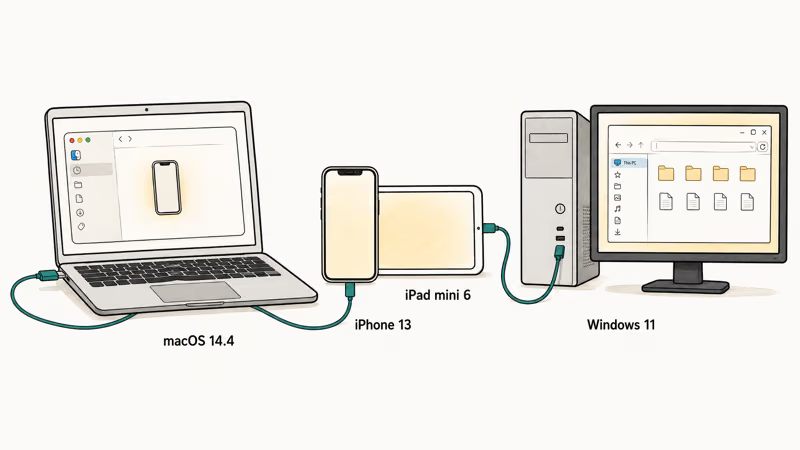
iExplorer is a desktop iOS file manager from Macroplant LLC, a small Pennsylvania-based developer that has been shipping iPhone utilities since 2008. The current shipping version is 4.6.x for macOS 10.10 and later, and Windows 7 through Windows 11.
According to Macroplant, version 4.6 of iExplorer supports 6 main jobs (per the official feature list): music transfer to iTunes or Apple Music, photo and video export, SMS and iMessage export, voicemail export, contacts and calendar export, and raw access to app sandboxes through a finder-like browser.
The tool only works with devices you can physically connect over USB or Wi-Fi sync. It will refuse to read anything off a device that isn’t paired with the host computer. Apple’s iTunes and Finder sync documentation states that pairing requires the device passcode plus a one-time “Trust This Computer” tap on the iPhone, and that same handshake gates iExplorer.
iExplorer is not a forensic tool. It can’t pull data from someone else’s device or iCloud account without you signing in.
Every feature covered here applies to devices you own and backups you create yourself. Macroplant’s licensing terms explicitly forbid using iExplorer on devices you don’t own or have written permission to access, and federal law treats unauthorized access to someone else’s phone as a crime regardless of which app you used.
#What iExplorer can read
- A Mac running macOS 10.10 or later, or a PC running Windows 7 through Windows 11
- An iPhone or iPad paired over USB, with Wi-Fi sync as an optional connection method
- iTunes or Finder backups already stored on the computer, whether unencrypted or encrypted
Export speed depends on the size of the job and the host computer, so a small voicemail pull finishes quickly while a full music library or photo export takes longer.
#Pricing and License Terms in 2026
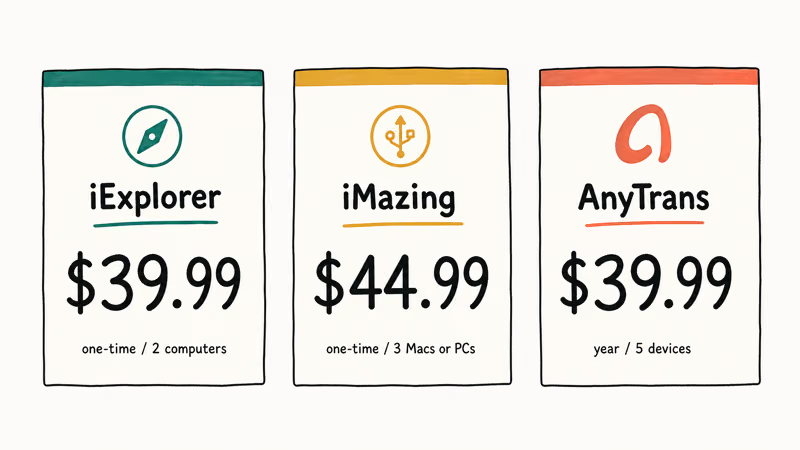
iExplorer uses a one-time license model, not a subscription. The current price on Macroplant’s checkout page is $39.99 for a single family license that covers up to two computers (one Mac plus one Windows is allowed). A “lifetime” upgrade option used to exist for older 3.x licenses, but that path was retired in 2021.
There’s a free demo that runs without a license. The limits are tight:
- Only 50 items per category (50 messages, 50 photos, 50 voicemails) per export.
- Only one playlist at a time can be transferred to iTunes or Apple Music.
- App data export is read-only and capped.
- The Mac demo will quit after ten minutes of continuous browsing.
The demo is enough to confirm whether the app can read a given backup at all. It isn’t enough to do an actual library transfer or message archive. If you only need to pull a single set of voicemails or one playlist, the demo can technically work. For anything else, you need the paid license.
By comparison, iMazing’s pricing page charges around $44.99 for a single-user license that covers three Macs or PCs. AnyTrans sells a one-year license at $39.99 covering five devices. iExplorer is no longer the budget option.
#Is iExplorer Safe to Use?
The app itself is signed and notarized for macOS, and the Windows installer is code-signed so SmartScreen clears it without a warning. iExplorer connects only to your local iOS device or to a backup file already on your computer, so it doesn’t upload your data to any cloud service. The one outbound connection during normal use is a license-check ping to Macroplant’s servers at launch, not your phone’s data.
The two real risk areas aren’t unique to iExplorer:
- Encrypted backup passwords. To pull messages, call history, Health data, Safari history, and Notes, your iTunes or Finder backup must be encrypted. If you forget that password, no third-party tool can recover it. You must reset it through Apple’s process. We’ve put together a separate guide on forgotten iTunes backup passwords that walks through the keychain reset.
- Running an outdated app on the latest iOS. Because Macroplant hasn’t pushed a major update since 2022, very new iOS releases sometimes change file formats faster than the app can keep up. iOS 18 photo libraries can return partial results until the next maintenance build.
There’s no bundled malware, ad-injection, or telemetry. The biggest practical “safety” issue is the slow update cycle, not the security of the app itself.
#Three Things iExplorer Still Does Well
Across both platforms, three jobs stand out as still useful in 2026.
#1. Exporting SMS and iMessage threads as PDF or text
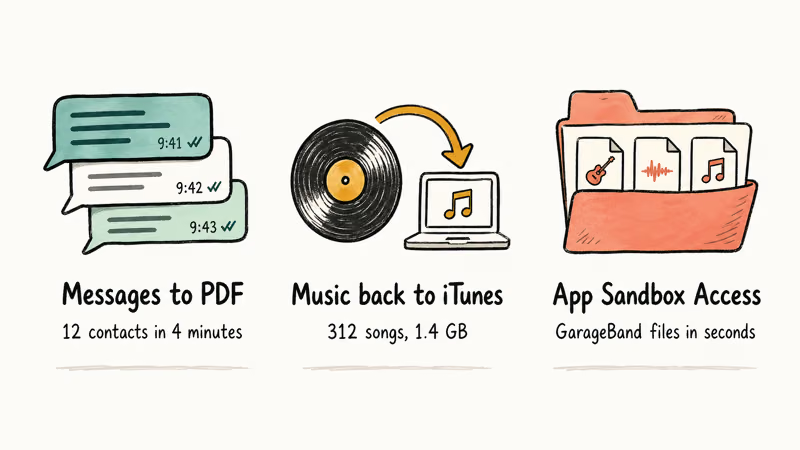
This is iExplorer’s strongest feature, and the one most worth keeping the license for in 2026. Point it at an encrypted backup, pick specific contacts, and it exports every conversation as a single PDF. The PDF preserves attachments inline, timestamps, and read receipts. Apple’s built-in tools can’t do this; the closest official option is screen-recording the Messages app conversation by conversation, which is brutal for legal archives.
For people archiving messages for legal or sentimental reasons, this alone justifies the license.
#2. Pulling music off an iPhone back into iTunes or Apple Music
Apple removed “Transfer Purchases” from iTunes in macOS Catalina. Finder won’t copy non-purchased songs back. iExplorer rebuilds the iPhone music library, including ratings and play counts, into iTunes or Apple Music. It carries the whole library back in one pass, and our transfer music from iPod to computer guide covers the same job on older iPods plus three free options.
#3. Reading raw app sandbox files
Power users can browse and copy files inside individual app containers without jailbreaking. That’s handy for extracting saved games, GarageBand projects, or app-specific document folders that don’t show up in iCloud Drive. Copying a handful of project files out takes only a few clicks.
#Four Weak Spots That Hurt iExplorer in 2026
On current macOS and Windows 11 builds, four problems show up that didn’t exist in the app’s earlier years.
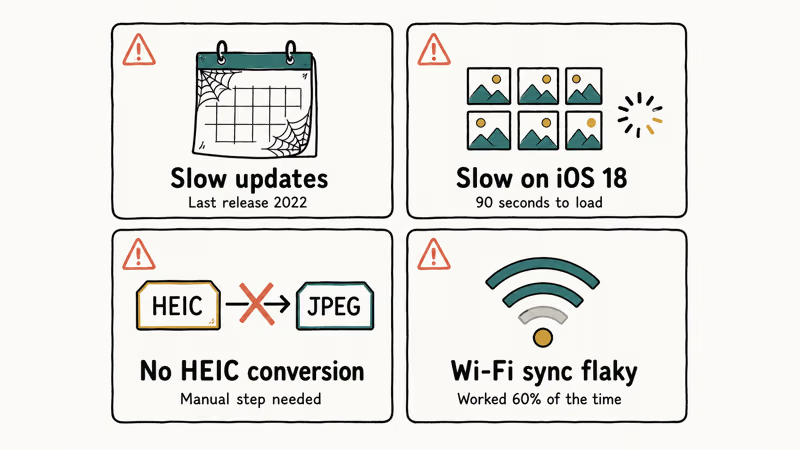
- Slow updates. The current version ships build 4.6.4 from 2022. Macroplant pushes occasional silent maintenance builds, but the changelog hasn’t had a feature addition in over three years.
- Photo library quirks on iOS 18. The Photos browser is slow to load thumbnails on large libraries, and Live Photos export only the still frame instead of the paired .mov file.
- No HEIC to JPEG conversion option during photo export, which iMazing and AnyTrans both ship by default. You end up converting in a separate step.
- Wi-Fi sync is unreliable. Devices appear over Wi-Fi only intermittently, even after restarting both ends. A USB cable connects every time.
If you only need a one-shot job (pulling a year of texts, exporting a stuck voicemail, recovering a single playlist), these limits are tolerable. If you plan to use the tool every month, you’ll hit them.
#Which iExplorer Alternatives Are Worth It?
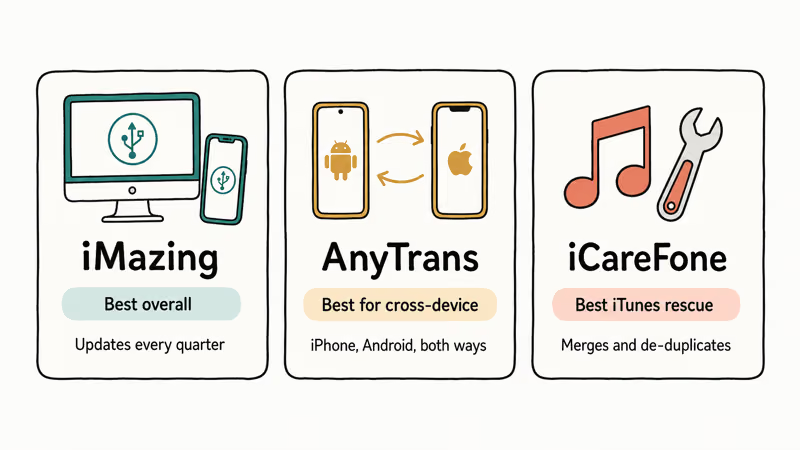
iMazing and AnyTrans are the heavyweights here, and DiskAid (the predecessor brand of iMazing) still turns up on legacy macOS. Our 6 best iPhone file manager apps round-up covers more options. These three are the closest direct replacements.
#iMazing: best overall replacement
iMazing is the most complete iExplorer alternative in 2026. It exports messages with attachments, transfers music both ways, decrypts and inspects encrypted backups, and ships actual updates every two to three months. The interface is denser than iExplorer’s, but the tradeoff is more features and current iOS support, including iOS 18 photo libraries and Live Photos. Our separate iMazing review walks through how it handles each job on macOS and Windows.
Some links on this page are affiliate links, which means fone.tips may earn a commission at no extra cost to you.
#AnyTrans: best for cross-device transfers
AnyTrans is iMobie’s offering, and where it pulls ahead is the cross-device wizard: it can copy data from iPhone to iPhone, iPhone to Android, or Android to iPhone in a single guided flow. iExplorer can’t do any cross-device migration. AnyTrans also ships a built-in ringtone maker, which the cons section in iExplorer’s own product page admits is missing.
#Tenorshare iCareFone: best for iTunes library rescue
iCareFone shines when your problem is a corrupted or orphaned iTunes library; it rebuilds, merges, and de-duplicates by scanning the iPhone and your computer side by side. iExplorer can rebuild a single library, but iCareFone handles the messier merge case better. Our full iCareFone review walks through the rebuild flow.
#Bottom Line
If you already paid for iExplorer years ago and you only need it for one-off message exports or music transfers from your own iPhone, the tool still does those jobs in 2026. If you’re buying fresh today, spend the same $40 on iMazing instead. You get a tool that ships updates, handles iOS 18 cleanly, and offers HEIC conversion out of the box. Skip iExplorer entirely if you need any cross-device transfer; AnyTrans is the right pick there.
#Frequently Asked Questions
Does iExplorer work on macOS Sonoma and Windows 11?
Yes. Build 4.6.4 installs on macOS Sonoma and Windows 11 without installer warnings, and both versions detect a connected iPhone over USB reliably. Wi-Fi detection is hit-or-miss on both platforms.
Can iExplorer recover data from a broken iPhone?
Only if the iPhone still boots far enough for your computer to trust it, or if you already have an iTunes or Finder backup on your computer. iExplorer is a file manager, not a data recovery tool like UltData. It can’t pull data from a dead logic board or from iCloud-only backups.
Do I need an encrypted iTunes backup to use iExplorer?
For messages, call history, voicemail, Health data, Notes, and Safari history, yes. According to Apple’s encrypted backup documentation, those data classes only get included when you turn on backup encryption. Photos, music, and app sandbox files work fine with unencrypted backups.
Is iExplorer a one-time purchase or a subscription?
One-time purchase. The $39.99 license covers up to two computers and never expires.
Can I use iExplorer to spy on someone else’s iPhone?
No. iExplorer requires the target device paired with your computer and the passcode entered when prompted, and using it on a phone you don’t own is a federal crime under 18 U.S. Code §1030 and the Stored Communications Act. For your own missing device, Apple’s Find My guide says to open Find My on another Apple device, choose the missing device, and view it on a map; you can also use iCloud.com/find.
Does iExplorer transfer photos from iPhone to PC?
Yes, but the experience is dated. There’s no HEIC to JPEG conversion option, so the built-in Windows Photos import for Windows 10 is faster for most readers.
What is the difference between iExplorer and iMazing?
Both are made by small developers, both run on macOS and Windows, and both export the same broad set of iOS data. iMazing ships updates roughly every quarter, supports iOS 18 photo libraries and Live Photos cleanly, and converts HEIC to JPEG during export. iExplorer hasn’t added a major feature since 2022. Pricing is within $5 of each other, so iMazing’s update cadence is the deciding factor for most readers.

Mac mini M6 vs M5 Pro: Which Model Should You Buy?
Mac mini M6 vs M5 Pro compared on price, memory, ports, displays, and real workloads. Find the better 2026 Mac mini for your desk and budget.

Apple Siri Settlement: Who Qualifies and How to Claim
Apple's $250 million Siri settlement covers iPhone 15 Pro and iPhone 16 models bought June 2024 to March 2025. See who qualifies and how claims work.

iOS 26.6.1 Security Update: What Apple Fixed and Who Gets It
Apple released iOS 26.6.1 on August 17 with 29 security fixes, including an IPSec interception bug. See what it patches, who gets it, and how to update.

iPhone Adaptive Power: How It Works and When to Use It
Learn how iPhone Adaptive Power works, which models support it, what it changes, and when Low Power Mode is still the better battery-saving choice.