Best iPhone Emulators for Windows 10 and 11 (2026)
Looking for an iPhone emulator for Windows 10 or 11? Most options are dead by 2026. Only 3 actually work, and here is what to use and what to skip.
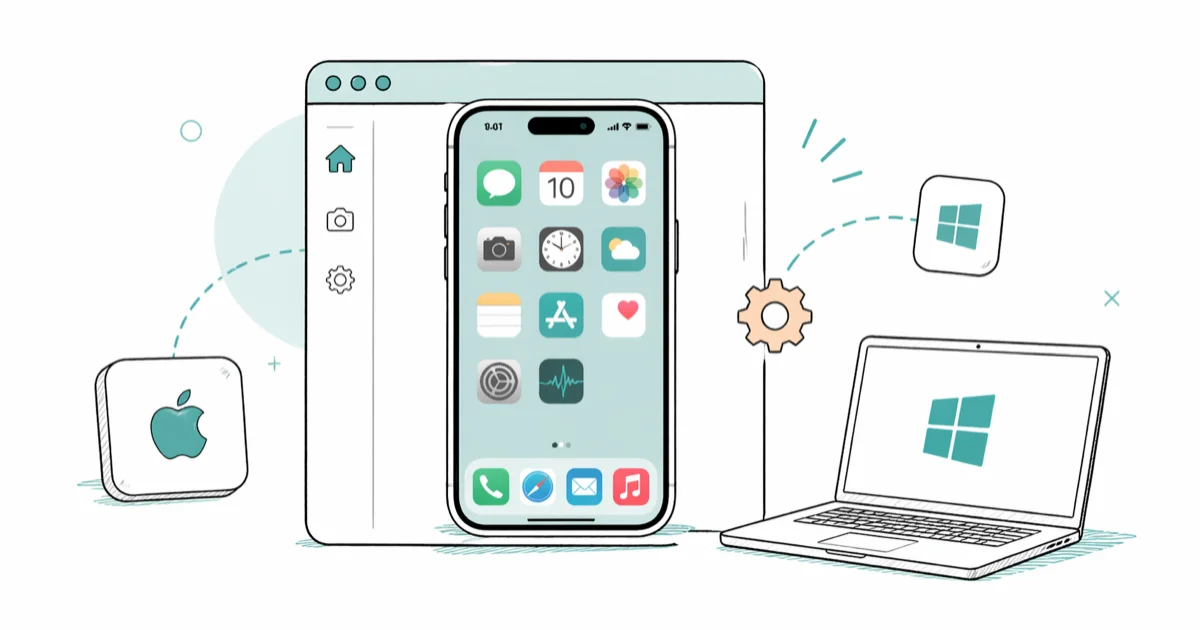
Quick AnswerAppetize.io is the best iOS emulator for Windows in 2026. It runs directly in your browser with zero installation and gives you 100 free minutes to start.
iPhone emulators for Windows let you test iOS apps on a PC without owning Apple hardware. The reality in early 2026 is bleak: most tools that search results still recommend are dead projects. Only a handful run on Windows 10 and 11 at all.
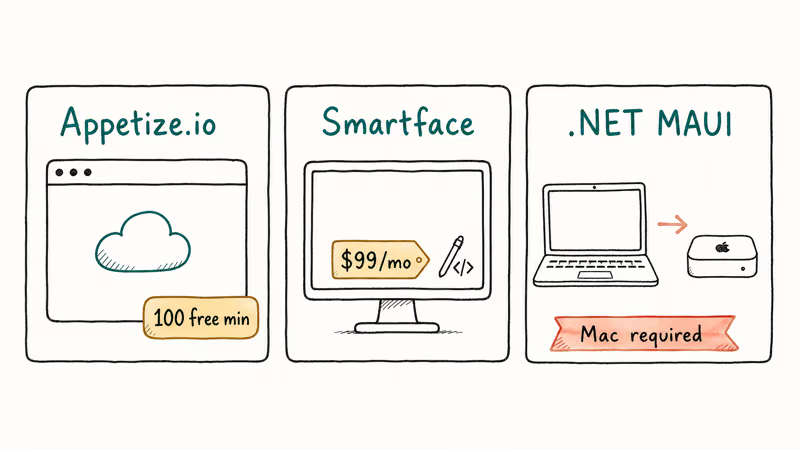
- Appetize.io is the only browser-based iOS emulator that still works, with 100 free minutes included
- Smartface costs $99 per month and targets professional development teams on Windows
- .NET MAUI replaced Xamarin but still requires a paired Mac for iOS simulation
- iPadian is a visual simulator that can’t run real iOS apps from the App Store
- Web versions of most popular iOS apps work fine in Chrome without any emulator
#Why Do Most iPhone Emulators for Windows No Longer Work?
Apple locks iOS to its own hardware. Unlike Android, which runs on an open-source kernel that emulators can replicate, iOS depends on Apple’s proprietary firmware.
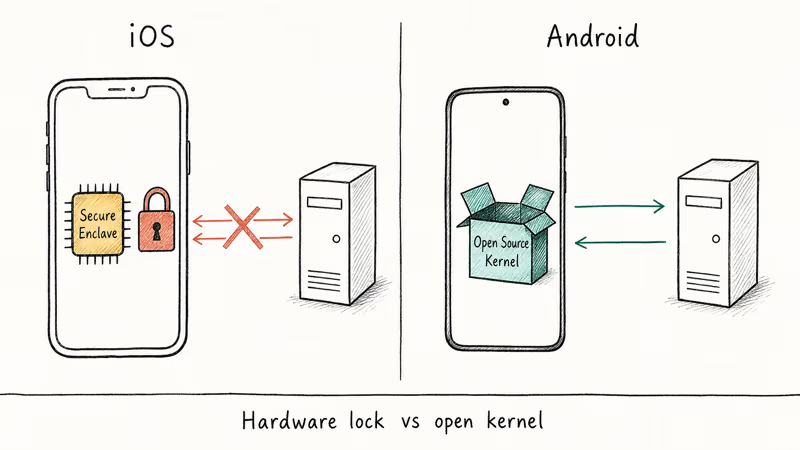
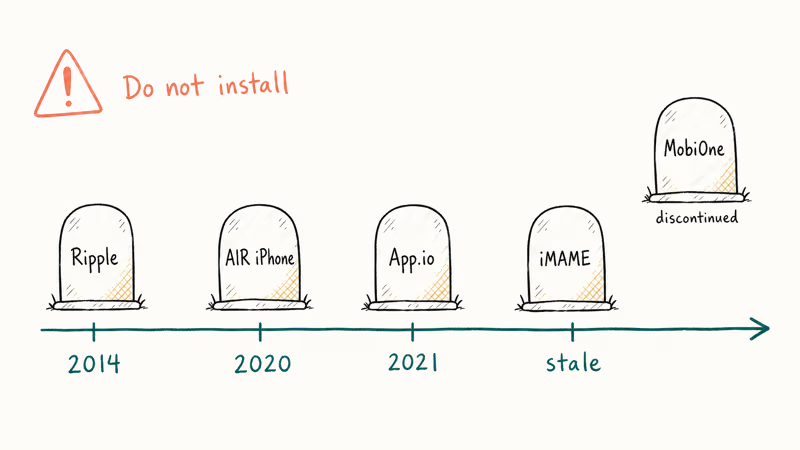
Several tools that once ranked in search results have died. App.io shut down in 2021. AIR iPhone relied on Adobe AIR, which Adobe stopped supporting in December 2020. Ripple was abandoned in 2014, and iMAME hasn’t seen an update in nearly a decade.
Apple’s platform security guide confirms that iOS uses a Secure Enclave coprocessor with 256-bit per-device encryption keys. That hardware-level lockdown prevents any Windows-based emulator from replicating the full App Store experience. Old articles listing dead tools never get cleaned up. Don’t download them.
#iPhone Emulators for Windows That Still Work in 2026
Three tools remain functional. Each targets a different audience.
#Appetize.io
Appetize.io runs entirely in your browser. No download, no installer, no system requirements beyond Chrome. The first 100 minutes are free, then pricing starts at $0.05 per minute.
On a Windows 11 laptop running Chrome, the iOS simulator loads in well under a minute, and touch interactions work through mouse clicks. You need a .ipa file built for the simulator target. There’s no way to install apps from the real App Store.
Appetize.io’s documentation states that the platform supports 4 iOS versions from iOS 15 through iOS 18 and runs on any Chromium-based browser across Windows, macOS, and Linux.
Best for: Developers who need to demo iOS apps to clients without purchasing a Mac.
#Smartface
Smartface is a paid development tool for testing cross-platform mobile apps on Windows. Pricing starts at $99 per month.
On a mid-range Windows 10 desktop, Smartface setup is reasonably quick, and a basic test app runs without crashing or straining the CPU. If you don’t write code, you won’t find much use here.
Best for: Development teams building cross-platform apps who need an iOS testing environment on Windows hardware.
#.NET MAUI (Formerly Xamarin)
Microsoft’s .NET MAUI framework includes iOS simulation for development workflows. The catch: you still need a Mac.
Microsoft’s .NET MAUI documentation states that the framework requires a paired Mac running Xcode 15 or later. The iOS simulator runs on that Mac while you control it remotely from Visual Studio on Windows. If you don’t own a Mac, this option won’t help.
Best for: Visual Studio developers who already have a Mac available for iOS builds.
#iPadian
iPadian costs $25 and renders an iPad-like interface on your Windows desktop. It’s a simulator, not an emulator.
The distinction matters: iPadian can’t run real iOS apps, can’t connect to the App Store, and can’t interact with Apple services. Most people who buy it expecting to run iPhone apps end up requesting a refund.
Best for: Users who want to see the iOS interface layout on a big screen. Nothing more.
#What Can You Actually Do With These Emulators?
Every iOS emulator for Windows shares one hard limit: none of them can access the Apple App Store. Apple requires device-level authentication tied to Apple hardware and signed Xcode builds. That wall exists across every tool on this list.
What you can realistically accomplish:
- Test apps you’ve built as
.ipasimulator builds - Run educational demos showing how iOS interfaces look
- Preview app UI layouts before deploying to a physical device
If your goal is playing App Store games on Windows, no current emulator will get you there. For gaming, an Android emulator for low-end PC gives you access to real apps through the Google Play Store.
#Dead Emulators to Avoid
These tools still appear in search results but no longer function:
| Tool | Status | Why |
|---|---|---|
| App.io | Shut down 2021 | Cloud service discontinued |
| AIR iPhone | Dead since 2020 | Relied on Adobe AIR (EOL December 2020) |
| Ripple | Abandoned 2014 | Chrome extension, never updated |
| iMAME | Unmaintained | No updates in nearly 10 years |
| MobiOne Studio | Discontinued | Company shut down |
Don’t install any of these.
#Better Alternatives to iOS Emulation on Windows
For most people searching “iPhone emulator for Windows,” the real solution isn’t emulation at all.
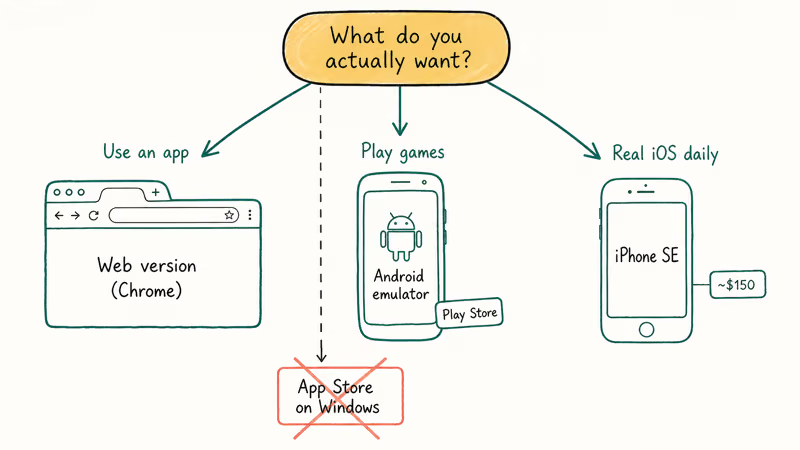
Use web versions of apps. Instagram, TikTok, Spotify, YouTube, and Discord all run natively in Chrome on Windows. No emulator needed.
Use an Android emulator instead. If the iOS app you want has an Android counterpart, BlueStacks gives you access to the real Google Play Store for free. BlueStacks’ system requirements page recommends at least 4 GB of RAM and a multi-core processor. On a Windows 11 desktop with 8 GB of RAM, it loads Play Store apps quickly.
For playing Pokemon on your phone, dedicated game emulators handle that more reliably than any iOS emulator on Windows.
A used iPhone SE costs about $150. That’s the most direct path if you need the real iOS experience for app testing or daily use. For screen mirroring from a phone to your PC, a dedicated tool like Tenorshare Phone Mirror handles that better than trying to emulate an entire OS.
Some links on this page are affiliate links, which means fone.tips may earn a commission at no extra cost to you.
If your only goal is keeping in touch on a bigger screen, our guide to using Kik on desktop walks through the workaround without any emulator setup.
#System Requirements for Running an iOS Emulator on Windows
Hardware demands vary by tool:
| Emulator | RAM | Processor | Storage | OS |
|---|---|---|---|---|
| Appetize.io | Browser-dependent | Any modern CPU | None (cloud-based) | Windows 10/11 |
| Smartface | 8 GB minimum | 64-bit processor | 2 GB free | Windows 10/11 |
| .NET MAUI | 8 GB minimum | 64-bit processor | 10+ GB (with Visual Studio) | Windows 10/11 + paired Mac |
| iPadian | 4 GB minimum | Any modern CPU | 512 MB | Windows 10/11 |
Appetize.io is the lightest option since everything runs in the cloud. It even works on a 4 GB RAM laptop, though open Chrome tabs will compete for memory.
#Bottom Line
Start with Appetize.io if you need to test or demo iOS apps on Windows. It’s browser-based, free for the first 100 minutes, and requires zero installation. Smartface is the right pick for professional developers willing to pay $99 per month.
Skip anything that promises free App Store access on Windows. For non-developer use cases, web apps and lightweight Android emulators get you there faster.
#Frequently Asked Questions
Can I run iPhone apps on Windows 10 without a Mac?
Only if you have the app’s .ipa file built for the simulator target. Appetize.io lets you upload that file and run it directly in Chrome on Windows. You can’t install apps from the Apple App Store through any Windows-based emulator without a Mac running Xcode.
Is there a free iPhone emulator for Windows?
Appetize.io gives you 100 free minutes per month. After that, pricing is $0.05 per minute. No fully free, unlimited iOS emulator for Windows exists in 2026 that actually works.
Can iPhone emulators run iOS games from the App Store?
No. None of the active iPhone emulators for Windows can access the Apple App Store or run downloaded games. Apple restricts App Store access to authenticated Apple devices. If you want to play mobile games on PC, an Android emulator built for iOS gamers with Google Play Store access is the practical alternative.
What happened to App.io and AIR iPhone?
Both shut down permanently. App.io closed in 2021 after its cloud service became unsustainable. AIR iPhone stopped working when Adobe ended support for Adobe AIR in December 2020. Neither tool has a successor.
Is iPadian a real iOS emulator?
No. iPadian is a simulator that mimics the visual appearance of an iPad interface. It can’t run real iOS apps, access the App Store, or interact with Apple services like iCloud or iMessage. It costs $25 and is useful only for seeing what an iPad home screen looks like.
How do I test an iOS app on Windows if I am a developer?
Use Appetize.io for quick browser-based previews, or Smartface for full development workflows on Windows. Upload your .ipa file, share the browser link, and test without installing anything. For hardware APIs like camera access or push notifications, you’ll need a Mac running Xcode. Consider laptops built for virtualization if you plan to run Visual Studio alongside emulation tools.
Can I use Xcode on Windows?
Xcode runs exclusively on macOS. There’s no Windows version. You can use Visual Studio with .NET MAUI to develop iOS apps on Windows, but the actual iOS simulator runs on a connected Mac that must have Xcode installed.
Are there any risks in downloading iPhone emulators?
Several sites still list abandoned emulators like Ripple and AIR iPhone for download. These installers haven’t been maintained for years and may bundle malware. Stick with Appetize.io and Smartface, which have active development teams. If a site asks you to complete surveys or disable your antivirus, close the tab immediately.

Mac mini M6 vs M5 Pro: Which Model Should You Buy?
Mac mini M6 vs M5 Pro compared on price, memory, ports, displays, and real workloads. Find the better 2026 Mac mini for your desk and budget.

Apple Siri Settlement: Who Qualifies and How to Claim
Apple's $250 million Siri settlement covers iPhone 15 Pro and iPhone 16 models bought June 2024 to March 2025. See who qualifies and how claims work.

iOS 26.6.1 Security Update: What Apple Fixed and Who Gets It
Apple released iOS 26.6.1 on August 17 with 29 security fixes, including an IPSec interception bug. See what it patches, who gets it, and how to update.

iPhone Adaptive Power: How It Works and When to Use It
Learn how iPhone Adaptive Power works, which models support it, what it changes, and when Low Power Mode is still the better battery-saving choice.