How to Fix iPhone Keeps Restarting After iOS Update (2026)
Fix iPhone restart loops after an iOS update with a force restart, app updates, a settings reset, SIM checks, and a final iTunes or recovery restore.
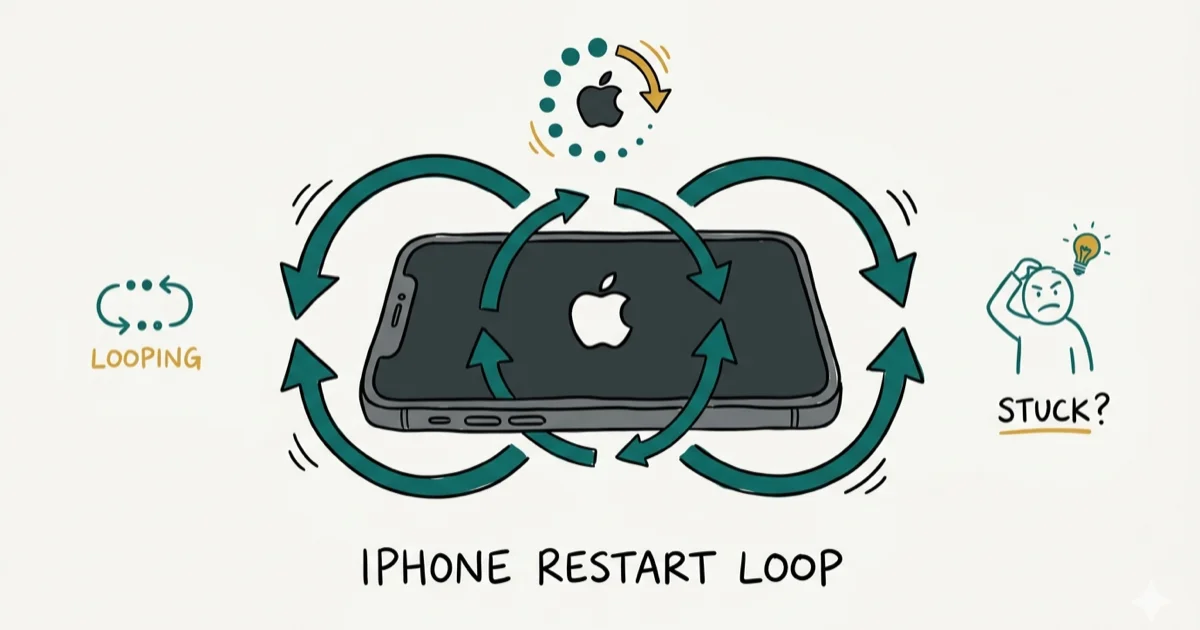
Quick AnswerForce restart your iPhone by pressing Volume Up, Volume Down, then holding the Side button until the Apple logo appears. If restarts continue, update all apps, reset all settings, or restore through iTunes.
Your iPhone keeps restarting on its own after installing an iOS update, and you can’t use it for more than a few minutes before it reboots again. Start with a force restart, then update your apps, reset settings, check the SIM, and restore iOS only if the loop continues.
- A force restart clears temporary memory glitches that cause restart loops after iOS updates
- Outdated apps running incompatible background processes trigger most post-update restart cycles
- Resetting all settings restores system preferences to defaults without erasing personal data
- Removing and reinserting the SIM card can fix carrier-related restart loops
- iTunes restore reinstalls iOS from scratch when all other methods fail to stop the restarts
#Why Does Your iPhone Keep Restarting After an Update?
iOS updates rewrite core system files and reset background processes. When something conflicts during that transition, the system crashes and restarts. According to Apple’s iOS update support page, each major iOS release includes hundreds of changes to system frameworks, and apps that haven’t been updated to match those changes can cause instability.
The most common triggers are:
- Outdated apps running background tasks that crash on the new iOS version
- Corrupted system settings carried over from the previous iOS installation
- Insufficient storage preventing iOS from completing post-update configuration
- A faulty SIM card causing the cellular modem to crash repeatedly
- Battery health below 80% failing to deliver stable power during system processes
Outdated VPN apps, email clients, and other background-heavy apps can crash repeatedly after a major iOS update and make the phone restart.
#Force Restart Your iPhone
A force restart cuts power completely and forces a clean boot. This clears whatever temporary state is triggering the crash loop.
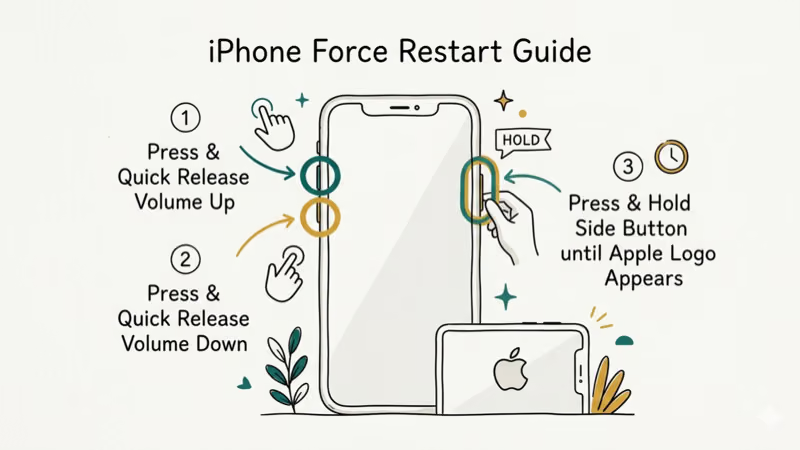
iPhone 8 and newer (including iPhone 16 series): Press and release Volume Up, press and release Volume Down, then hold the Side button for about 10 seconds until the Apple logo appears.
iPhone 7 / 7 Plus: Hold Volume Down and the Side button together for 10 seconds.
iPhone 6s and earlier: Hold the Home button and Top button together for 10 seconds.
According to Apple’s force restart instructions, this doesn’t erase data. It resets the processor, memory, and all hardware controllers, giving the system a clean starting point.
If your iPhone gets stuck on the Apple logo after the force restart instead of booting normally, that’s a different problem.
#Update All Your Apps
Open the App Store, tap your profile icon in the top right, and scroll down to see pending updates. Tap Update All to install everything at once.
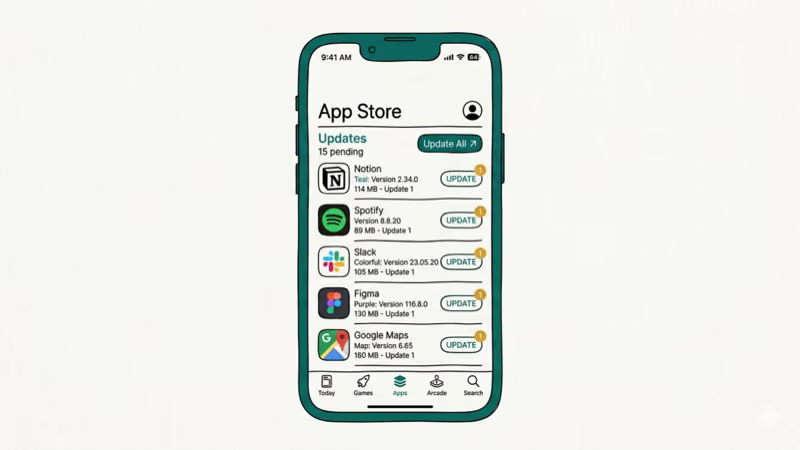
Apps built for an older iOS version can crash in the background repeatedly, and each crash can trigger a system restart. VPN apps, email clients, and banking apps are common suspects because they run background services.
If your iPhone alarm isn’t working or Reminders stopped syncing after the update, outdated apps are almost certainly the cause.
#Reset All Settings
Go to Settings > General > Transfer or Reset iPhone > Reset > Reset All Settings. Enter your passcode when prompted.
This restores Wi-Fi, Bluetooth, display, notification, and privacy preferences to factory defaults. Your photos, messages, and apps stay untouched. The whole process takes about 2 minutes, and your iPhone reboots automatically when it’s done.
Corrupted settings transferred from a previous iOS version are a top cause of restart loops. VPN profiles, network preferences, and privacy settings can survive an iOS update and keep crashing system services. You’ll need to re-enter Wi-Fi passwords afterward.
#Should You Remove and Reinsert Your SIM Card?
Yes, especially if restarts happen alongside cellular signal drops or the “No Service” indicator. A SIM card that can’t properly authenticate with your carrier after an iOS update forces the modem into a crash-restart cycle.
Power off your iPhone. Use the SIM eject tool (or a paperclip) to pop open the SIM tray. Remove the SIM card, wait 30 seconds, then reinsert it firmly and power on.
Apple’s SIM card support page covers removing and reinserting the SIM when your iPhone shows SIM or cellular connection errors. If restarts appear alongside signal drops, reseating the SIM is a reasonable next step.
#Restore Your iPhone Through iTunes or Finder
If the restart loop survives force restarts, app updates, and settings resets, a full restore reinstalls iOS from scratch.
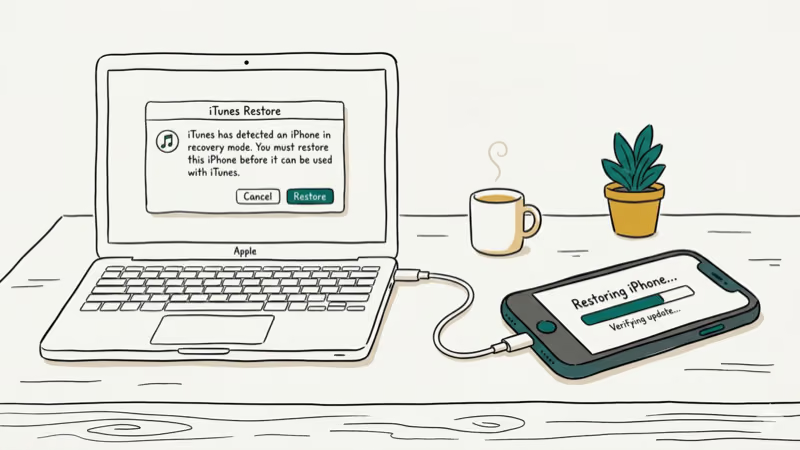
- Connect your iPhone to a Mac or PC using a USB cable
- Open Finder (macOS Catalina or later) or iTunes (Windows)
- Click your iPhone in the sidebar, then click Restore iPhone
- Follow the prompts to download and install a fresh copy of iOS
This erases everything. Back up your iPhone to iCloud or your computer first. The restore takes 15-30 minutes depending on your internet speed and the iOS download size.
If the restore fails with an error, our guide on iPhone restore problems covers error codes and fixes. Restoring through Tenorshare ReiBoot is an alternative that can fix system issues without a full wipe using its Standard Repair mode.
Some links on this page are affiliate links, which means fone.tips may earn a commission at no extra cost to you.
#When to Visit an Apple Store
Take your iPhone to Apple if the restart loop continues after a clean iOS restore on a freshly wiped device. That pattern points to hardware, not software.
Common hardware causes:
- Battery health below 80% creating unstable voltage during processor load
- A damaged logic board from a previous drop or water exposure
- Faulty NAND storage corrupting system files during the update process
Check your battery health at Settings > Battery > Battery Health. Apple considers anything below 80% maximum capacity degraded enough to cause performance issues. Apple’s battery service page states that out-of-warranty battery replacement costs about $99 for most current iPhone models, with the exact fee shown before you commit.
If your iPhone is stuck in a boot loop or on a spinning wheel, those require different troubleshooting steps.
#Bottom Line
Start with a force restart and update all your apps. Reset all settings if restarts continue, try reseating the SIM card, and use iTunes restore as the last software fix. Hardware problems need Apple’s diagnostic tools to confirm.
#Frequently Asked Questions
Will a force restart erase my iPhone data?
No. A force restart cuts power and reboots cleanly. All your photos, messages, apps, and settings remain intact. It’s the safest first step for any restart loop.
Why does my iPhone restart only at night?
Background app refresh and iCloud sync run overnight. An app crashing during background processing triggers a restart you won’t notice until morning. Check Settings > General > Background App Refresh and disable it for apps you don’t need updating overnight.
Can a bad battery cause restart loops after an update?
Yes. iOS updates temporarily increase processor load during indexing and optimization. A degraded battery below 80% health can’t deliver enough power under that load, causing shutdowns that look like restarts. Check your battery health in Settings > Battery > Battery Health.
Should I wait before installing iOS updates?
Waiting 1-2 weeks lets Apple patch early bugs with a point release. Major iOS versions often get a .1 or .2 update within the first month that fixes stability issues. Back up before any update regardless of timing.
Does resetting all settings delete my photos and apps?
No. It only resets system preferences like Wi-Fi passwords, Bluetooth pairings, display brightness, and notification settings. Your photos, messages, contacts, and apps are completely untouched.
How long does an iTunes restore take?
About 15-30 minutes total. The iOS firmware download takes the most time depending on your internet connection speed. The actual restore and installation takes 5-10 minutes on most models.
Can I downgrade to the previous iOS version?
Apple stops signing older iOS versions within 2-4 weeks of a new release. After that, downgrading isn’t possible through official channels. Check ipsw.me to see which iOS versions Apple currently signs for your model.
My iPhone restarts when I open a specific app. Is that the same issue?
Not exactly. A single app triggering restarts means that app has a bug. Delete it, restart your iPhone, and reinstall from the App Store. If the crash persists after reinstalling, contact the app developer or wait for their next update.

Mac mini M6 vs M5 Pro: Which Model Should You Buy?
Mac mini M6 vs M5 Pro compared on price, memory, ports, displays, and real workloads. Find the better 2026 Mac mini for your desk and budget.

Apple Siri Settlement: Who Qualifies and How to Claim
Apple's $250 million Siri settlement covers iPhone 15 Pro and iPhone 16 models bought June 2024 to March 2025. See who qualifies and how claims work.

iOS 26.6.1 Security Update: What Apple Fixed and Who Gets It
Apple released iOS 26.6.1 on August 17 with 29 security fixes, including an IPSec interception bug. See what it patches, who gets it, and how to update.

iPhone Adaptive Power: How It Works and When to Use It
Learn how iPhone Adaptive Power works, which models support it, what it changes, and when Low Power Mode is still the better battery-saving choice.