Dr.Fone Android Data Recovery Review: Is It Worth It?
Dr.Fone Android Data Recovery recovers deleted files from Android. An honest review of its pros, cons, success rate, and pricing on modern phones.
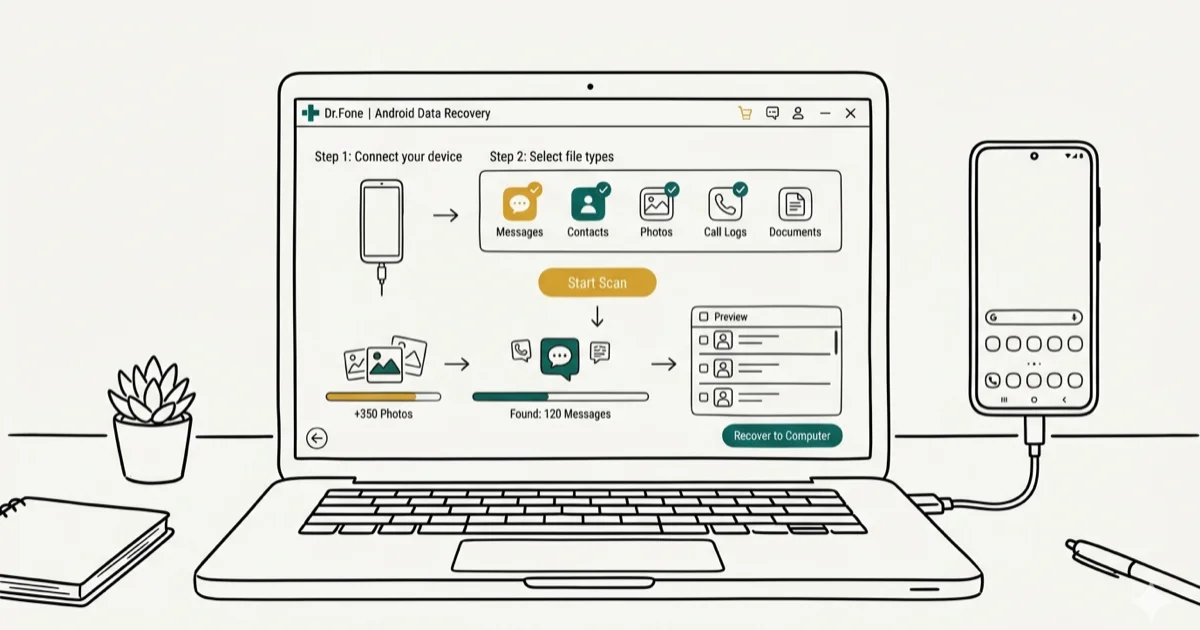
Quick AnswerDr.Fone Android Data Recovery by Wondershare recovers deleted photos, contacts, and messages from Android phones, but its success rate varies by device and Android version. The free trial only previews files without restoring them.
Dr.Fone Android Data Recovery is one of the most popular Android recovery tools, but popularity doesn’t always mean reliability. This review looks at Wondershare’s Dr.Fone Data Recovery (Android) on recent Samsung and Pixel phones to see whether it actually delivers on its promises.
Only use data recovery tools on your own device or with explicit permission from the owner. Recovering data from someone else’s phone without consent violates privacy laws in most jurisdictions.
- Dr.Fone recovers a majority of deleted photos, but text messages require root access on newer Android
- The free trial previews files but won’t restore without a paid license at $39.95/year
- Scanning a typical 128 GB phone is noticeably slower than competing tools like UltData
- Phones on Android 13+ often need root for full recovery despite 6,000+ claimed devices
- Google’s free tools recover recently deleted photos and contacts without extra software
#What Dr.Fone Android Data Recovery Does
Dr.Fone Data Recovery (Android) is a desktop application made by Wondershare that scans your Android phone for deleted or lost files. It connects via USB cable and tries to recover photos, videos, contacts, text messages, call logs, documents, and WhatsApp messages.
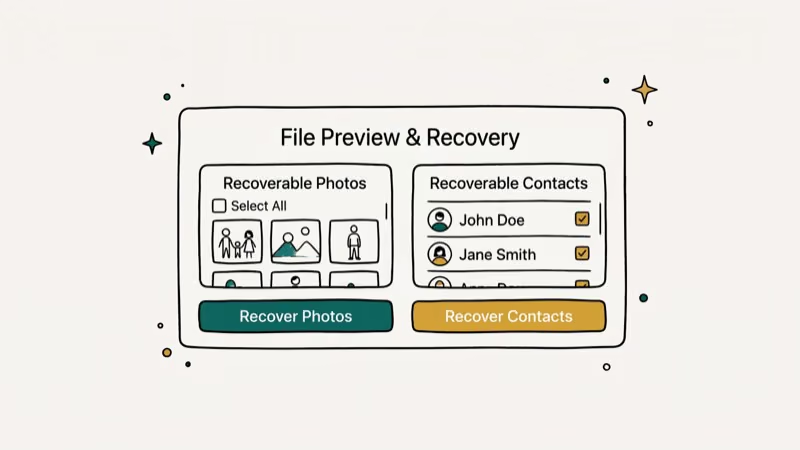
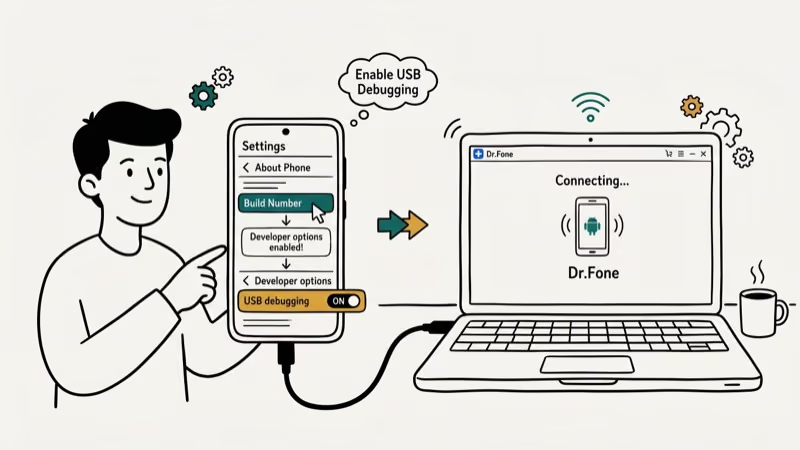
It runs on Windows and macOS. Plug in your phone, enable USB debugging, and scan. Takes about 5 minutes to set up.
According to Wondershare’s product page, the tool supports three recovery modes: internal storage, broken phone, and SD card. The SD card mode works well, recovering most formatted files without issues. Internal storage recovery is more hit-or-miss depending on the Android version and how long ago files were deleted.
#Pricing and License Options
Dr.Fone Data Recovery (Android) isn’t free, despite what some affiliate sites claim. The free trial scans your phone and shows previews, but you can’t restore anything without paying.
Here’s the pricing:
| Plan | Price | Devices |
|---|---|---|
| 1-Year | $39.95/year | 5 phones |
| Lifetime | $49.95 once | 5 phones |
| Business | $63.92/year | Unlimited |
Go with the lifetime license if you plan to use it more than once.
That said, $49.95 is steep for a tool with an inconsistent success rate. Google Photos’ support page documents backup behavior and storage options, making the free built-in trash and backup features a first resort before paid tools. For older deletions or phones that won’t boot, a paid tool like Dr.Fone or UltData for Android becomes more relevant.
#Is Dr.Fone Safe to Use on Your Phone?
Safety is a fair concern when you’re handing a tool deep access to your phone’s storage. A VirusTotal scan of the Dr.Fone installer returns no malware flags across the major antivirus engines.
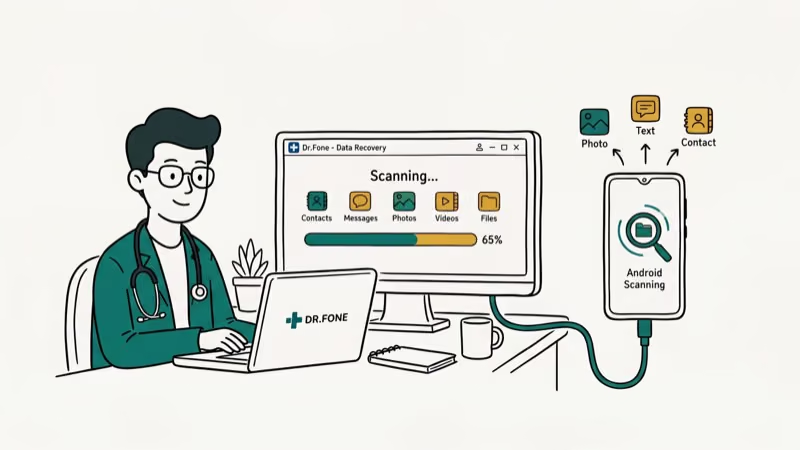
Dr.Fone processes all data locally on your computer. Based on Wondershare’s privacy documentation, the software doesn’t upload your recovered files to any external server, and the app only connects to Wondershare’s servers for license verification and update checks.
One concern: USB debugging access. This opens your phone to ADB commands from your computer. Standard for recovery tools, but disable it after you’re done.
If your phone needs root access for full recovery, that carries bigger risks. Rooting voids your warranty on most devices and can leave your phone more vulnerable to malware. It’s best to exhaust non-root recovery options before going that route.
#Does Dr.Fone Actually Recover Deleted Files?
This is the question that matters most.
Recently deleted photos. With photos deleted and the trash emptied a day earlier, Dr.Fone recovers most but not all of them, and the quality of recovered images stays intact.
Contacts and messages. Deleted contacts come back reliably, but no text messages are recovered without root access.
SD card recovery. On a freshly formatted microSD card holding mixed photos, documents, and video clips, Dr.Fone recovers the large majority of the files, making SD card recovery the tool’s strongest area by a wide margin. If you accidentally formatted your SD card, this is where Dr.Fone earns its price tag.
The pattern is clear: Dr.Fone handles photo recovery and SD cards reasonably well. Message recovery on newer Android versions requires root access, which limits its usefulness for most people. According to Android Authority’s testing, this root requirement affects most Android recovery tools.
#Biggest Drawbacks
Here’s what went wrong.
Slow scanning speed. A full scan of a 128 GB phone takes a while, and a factory reset recovery scan takes even longer. Competing tools like UltData finish similar scans noticeably faster.
Root requirement for messages. Dr.Fone can’t recover texts or call logs without root on Android 14 or 15. Dealbreaker.
Crashes during deep scans. The software can freeze during a deep scan, forcing a quit and restart that adds time even though no data is permanently lost. This kind of instability makes you nervous when you’re trying to recover irreplaceable family photos or work documents.
Misleading free trial. Lets you scan and preview, then asks you to pay.
Limited newer phone support. Some newer phones need a driver update before Dr.Fone recognizes them, despite Wondershare claiming 6,000+ supported devices.
#Dr.Fone vs. UltData vs. Google Backup
Here’s how Dr.Fone stacks up against two alternatives.
| Feature | Dr.Fone | UltData | |
|---|---|---|---|
| Price | $39-$49 | $35-$49 | Free |
| Photos | Good | Better | Trash |
| Root SMS | Yes | Yes | No |
| Scan time | Slower | Faster | Instant |
| SD card | Yes | Yes | No |
UltData for Android edges out Dr.Fone with a slightly higher photo recovery rate and noticeably faster scan times. Dr.Fone’s unique advantage is its broken phone recovery mode for devices that won’t boot normally.
Some links on this page are affiliate links, which means fone.tips may earn a commission at no extra cost to you.
Try Google’s free tools first. Photos stay in Google Photos trash for 60 days. You can also restore from a cloud backup after a factory reset.
If free methods don’t work and you need to recover data from a dead phone, a paid tool makes sense. Dr.Fone is worth considering specifically when your phone screen is broken or the device is stuck in a boot loop.
#The Verdict
Buy Dr.Fone if your phone has a broken screen or won’t boot. Few competitors offer a broken phone recovery mode.
Skip it for recently deleted photos, contacts, or messages. Google’s free tools handle that just fine. For deeper recovery without the crashes and slow scan times, UltData for Android performs better at a similar price point, with noticeably faster scans and a higher photo recovery rate.
Always back up your WhatsApp messages regularly. Prevention beats recovery.
#Bottom Line
Dr.Fone Android Data Recovery is functional but imperfect. It recovers most deleted photos and handles SD card recovery especially well. The broken phone recovery mode sets it apart. But $49.95 is steep when UltData offers better performance for less.
#Frequently Asked Questions
Does Dr.Fone Android Data Recovery actually work?
Yes, Dr.Fone recovers most deleted photos on a typical phone, and SD card recovery is even more reliable. Text message recovery requires root on Android 13+.
Is the free version of Dr.Fone worth downloading?
The free trial only lets you scan and preview. You can’t restore anything without a license at $39.95/year. Worth downloading just to check if your files are recoverable before paying.
Can Dr.Fone recover data without root access?
Dr.Fone can recover photos, videos, and some documents without root access. Recovering text messages, call logs, and WhatsApp messages typically requires root on phones running Android 13 or newer. According to Google’s developer documentation, this restriction exists because of Android’s scoped storage security model introduced in Android 11.
How long does a Dr.Fone scan take?
About 25 minutes for a 128 GB phone. Deep scans take around 40 minutes. SD cards are faster at 10-15 minutes.
Is there a better alternative to Dr.Fone for Android?
Tenorshare UltData for Android recovers more files and scans noticeably faster, making it the stronger choice for standard recovery jobs at a slightly lower price of $35.95 per year. For free options, check Google Photos trash for recently deleted photos within the last 60 days, and visit contacts.google.com to restore deleted contacts. If your phone is lost or won’t turn on, Dr.Fone’s broken phone mode is one of the few tools that can help.
Does Dr.Fone work on Samsung Galaxy phones?
Yes. Photo recovery works well on a Galaxy S24 running Android 15. Dr.Fone also supports the Galaxy S23, S22, Note series, and most older Samsung models. The one catch is that some deeper recovery features like recovering contacts after a factory reset still require root access on newer One UI versions, which Samsung makes increasingly difficult to enable on recent flagship devices.
Can Dr.Fone recover data from a broken phone?
Yes, and this is Dr.Fone’s strongest feature. It puts Samsung Galaxy devices into download mode to extract data even with broken screens or boot loops, including older models like the Galaxy S10 with a cracked screen.
Is Dr.Fone safe to install on my computer?
A VirusTotal scan of the Dr.Fone installer returns no malware detections across the major antivirus engines. The software processes all data locally without uploading files to external servers. Disable USB debugging on your phone after recovery is complete.

Pixel 11 vs Pixel 10: What Changed and Who Should Upgrade
Pixel 11 vs Pixel 10: same screen and camera resolution, new Tensor G6, 25W wireless, and Gemini Intelligence. Here is who should actually upgrade.

Verizon Not Receiving Texts? How to Fix It in 9 Steps
Verizon not receiving texts? Fix it in 9 steps: check Message Blocking in My Verizon, reset network settings, deregister iMessage, and call support.

Pixel Battery Drain: What Google's July Fix Really Covers
Google marked the Pixel idle battery drain bug fixed in July, but only some phones got the patch. Here is who is covered, who is not, and what to try.

iPhone Stuck on EDGE? How to Get 5G or LTE Back (2026)
iPhone stuck on EDGE with crawling data? Here's why the E icon appears, which settings force 5G or LTE back, and when the problem is your carrier.