[Fixed] Can't Take Screenshot Due To Security Policy
Getting 'Can't take screenshot due to security policy'? Learn why it happens and 3 fixes for banking apps, Netflix, and Chrome incognito on Android.
![[Fixed] Can't Take Screenshot Due To Security Policy cover image](https://images.fone.tips/cant-take-screenshot-due-to-security-policy/cant-take-screenshot-due-to-security-policy.webp)
Quick AnswerThe 'Can't take screenshot due to security policy' error appears in apps like banking apps, Netflix, and Chrome's incognito mode because those apps block screenshots by design. You can work around it using Google Assistant's 'What's on my screen' feature, a third-party screenshot app, or by disabling incognito mode in Chrome.
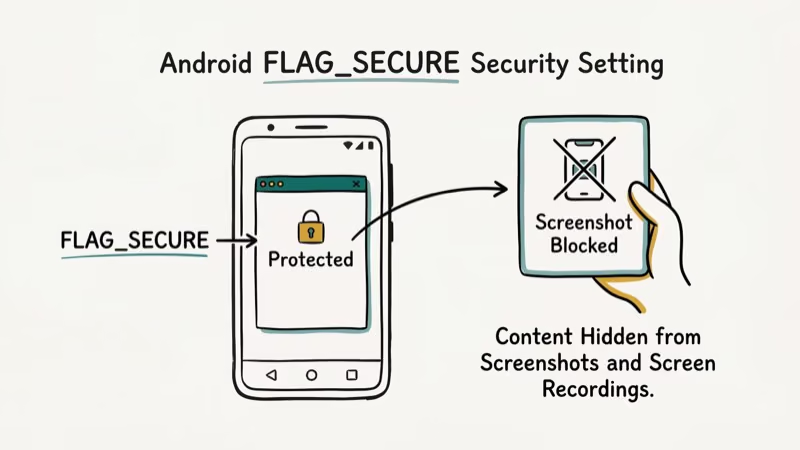
Android’s “Can’t take screenshot due to security policy” error blocks your screenshot on apps like Netflix, banking apps, and Chrome’s incognito mode. The restriction is intentional: these apps use Android’s FLAG_SECURE setting to prevent screen captures of sensitive content.
Three methods work around the restriction without rooting your device, and they cover the most common offenders: banking apps, streaming services, and Chrome incognito. All methods apply only to your own device. If you also want to screen record on TikTok or capture other content, we’ve got dedicated guides for those too.
- The error is intentional: banking apps, Netflix, and Chrome incognito use Android’s FLAG_SECURE to block screenshots
- Google Assistant’s “What’s on my screen” bypasses FLAG_SECURE on Android 10+ with no extra apps.
- Chrome’s incognito screenshot flag in chrome://flags takes 30 seconds to enable and works on Chrome 88+.
- Screenshot Touch captures restricted screens but requires accessibility permissions.
- MDM-managed work phones can’t be bypassed; contact your IT administrator.
#Understanding the FLAG_SECURE Restriction
Android’s FLAG_SECURE is a developer setting that marks an app window as protected. According to Google’s Android developer documentation, FLAG_SECURE was introduced in Android API level 17 (Android 4.2) and blocks screenshots at the OS level when active. You can verify this in the Google Android security overview which confirms app developers set these restrictions intentionally. The screenshots won’t appear in your gallery, and screen recording apps will show a black screen for that window.
Apps typically use this flag for three reasons:
- Financial data protection: Most major banking apps block screenshots by default using FLAG_SECURE.
- DRM protection: Netflix and streaming services are contractually required to prevent screenshots of licensed content.
- Privacy mode: Chrome incognito blocks screenshots to protect browsing history.
It’s working as designed. The question is whether you own the device.
#Legal Considerations Before Bypassing the Restriction
Bypassing FLAG_SECURE on your own device for personal use is generally legal. Taking a screenshot of your own bank account balance or recording your own viewing session falls within your rights as the account holder.
What’s not legal: using these methods to capture another person’s screen without consent, bypassing DRM to distribute copyrighted content, or violating an employer’s device policy on a company-owned phone. If you’re on a work device, check with your IT department before trying any workaround. Some enterprise MDM policies extend this restriction device-wide, and circumventing them could violate your employment agreement. For context on Android security settings, see our guide on Android factory reset code options for device management.
#How Can You Fix the Screenshot Error in Chrome?
Chrome’s incognito mode blocks screenshots by default, but there’s a hidden flag that re-enables them. The flag lives in chrome://flags and sticks once you turn it on.
Step 1: Open Chrome and type chrome://flags in the address bar.
Step 2: Search for “Incognito Screenshot” in the search box at the top of the flags page.
Step 3: Change the dropdown under “Incognito Screenshot” from “Default” to Enabled.
Step 4: Tap Relaunch at the bottom of the screen.
After Chrome restarts, screenshots work normally in incognito mode. This setting persists across Chrome sessions, so you only need to do it once. Note that Chrome may reset this setting after major updates, so keep it in mind if the block returns.
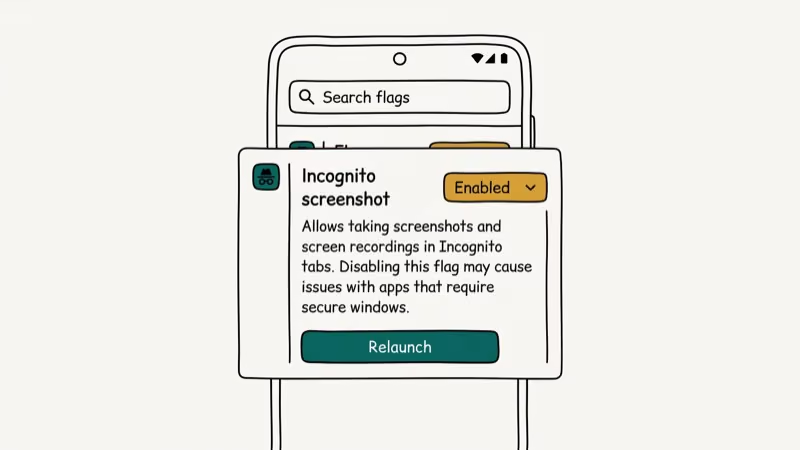
Google’s Chrome release notes confirm that Chrome 88 introduced the incognito screenshot flag in January 2021. According to Google, the Android ecosystem spans a massive global install base, and FLAG_SECURE protects sensitive data across all of them. If you’re on an older version, update Chrome first.
#Fixes for Restricted Apps (Banking, Streaming, and More)
For apps other than Chrome (banking apps, streaming services, and similar), you have two main options:
#Use Google Assistant’s Screen Capture
This is the fastest method and works on most Android devices running Android 10 or later.
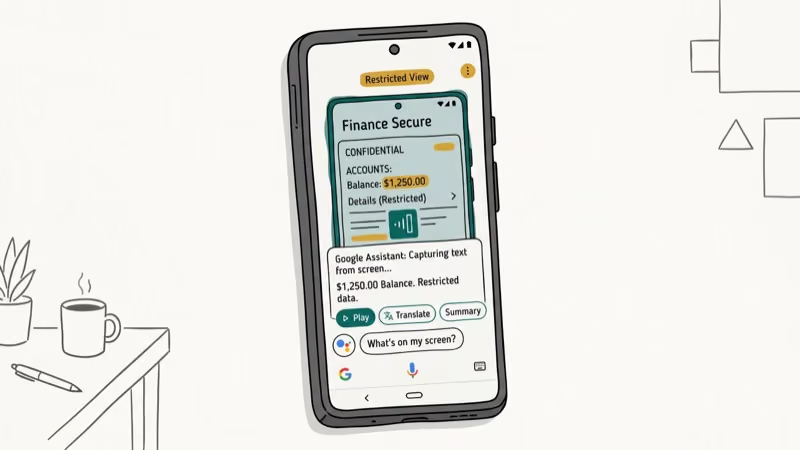 Google Assistant captures the screen a moment before the security policy fires, so a banking app screenshot takes only a few seconds.
Open the app, hold the Home button to activate Google Assistant (or say “Hey Google”), tap What’s on my screen?, then tap the Share icon and save the screenshot.
The assistant captures the screen before the security policy fires. It works on most restricted apps. Enterprise security tools may still block it.
#Install a Third-Party Screenshot App
Screenshot Touch is a free Play Store app that captures restricted screens through accessibility services.
Install it from the Play Store, grant the accessibility permission when prompted, and tap the floating button that appears on screen to capture any restricted app.
Accessibility permissions give an app broad access to your screen, so install only from trusted developers and review what you grant.
#Use a Second Device
The simplest fallback: use another phone or tablet to photograph the screen. It’s not elegant, but it always works regardless of security policies. Photo quality will be lower than a direct screenshot, but it’s reliable.
#Why Does the Fix Fail on Work and Company Devices?
Company-managed devices are different. MDM software blocks screenshots device-wide.
No workaround bypasses MDM restrictions without admin access.
As Microsoft’s Intune documentation states, device compliance policies can restrict screen capture across all apps simultaneously — it’s an OS-level block.
If you need to capture something for work purposes, contact your IT department and explain the business need. They may be able to grant temporary exceptions or provide an approved alternative method. For related device restrictions, see our guide on how to turn off parental controls on iPhone without password, where policy-based restrictions work similarly.
If you need to record your screen rather than take a still screenshot, check our guide on how to screen record FaceTime with sound.
#Using ADB to Capture Restricted Screens on Your PC
ADB bypasses FLAG_SECURE reliably. Connect your Android phone to a PC with USB debugging enabled, then run these two commands:
adb shell screencap /sdcard/screenshot.png
adb pull /sdcard/screenshot.png
This works even when Google Assistant is blocked, capturing the screen regardless of security flags.
Setup takes 5 minutes: enable Developer Options, turn on USB Debugging, and download the Android SDK Platform Tools for free from Google.
#Bottom Line
The “Can’t take screenshot due to security policy” error is a deliberate security feature, not a glitch. For Chrome incognito, enable the screenshot flag in chrome://flags. For banking and streaming apps, use Google Assistant’s screen capture or Screenshot Touch. For MDM-restricted work devices, contact your IT administrator.
#Frequently Asked Questions
Can I permanently disable screenshot security policy on Android?
You can’t disable it system-wide without rooting your device, which voids your warranty and introduces security risks. For individual apps, the methods above work around the restriction. For Chrome, the incognito screenshot flag is the closest thing to a permanent fix.
Does taking a screenshot of Netflix violate their terms?
Netflix’s terms prohibit reproducing or distributing content from the service. Sharing screenshots publicly likely violates their terms and copyright law. A personal reference screenshot is a gray area.
Why does my Samsung phone say I can’t take a screenshot?
Samsung devices show this error for the same reasons as other Android phones: the active app is using FLAG_SECURE. Samsung’s Good Lock, Knox security, and work profile features can also trigger this message. Check Settings > Biometrics and Security > Device Admin Apps to see if any security policy is active. For related Samsung issues, see our guide on Samsung screen rotation not working.
Does rooting my phone fix the screenshot restriction?
Yes, rooting gives you the ability to disable FLAG_SECURE system-wide, but it also removes device security protections, voids your warranty, and may violate your carrier agreement. It’s not recommended for most users. The Google Assistant and Screenshot Touch methods achieve the same result without these drawbacks.
Can I screen record instead of taking a screenshot?
Standard screen recording is blocked by FLAG_SECURE too. ADB via USB is the main exception for your own device.
Why is a banking app blocking my screenshot?
Banking apps block screenshots to prevent unauthorized access to sensitive account information. If your phone is lost or stolen and someone can access your gallery, a screenshot of your bank balance or account number becomes a security risk. According to NIST guidelines for mobile security, restricting screen capture is a recommended practice for financial applications handling sensitive data.
What happens if my IT department phone blocks screenshots?
Contact your IT administrator. Explain what you need to capture and why. Many IT departments can grant temporary exceptions for legitimate business purposes or provide an approved screen capture tool. Attempting to bypass MDM policies without authorization could violate your company’s acceptable use policy.