Fabulous App Review: Is the Habit Tracker Worth It?
Fabulous app review covering iPhone and Android. Looks at journeys, premium pricing, pros, cons, and who should pick a different habit tracker instead.
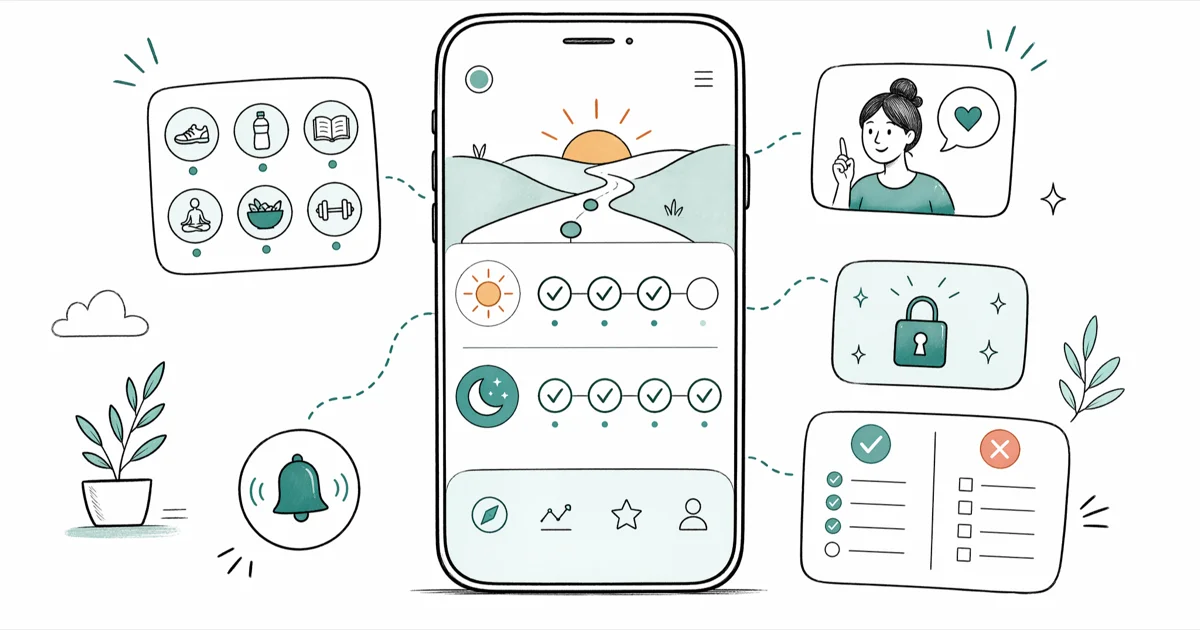
Quick AnswerFabulous is a polished habit-building app that works well for morning and evening routines, but its rigid journey structure and aggressive premium upsell make it a better fit for users who want guided coaching than for people who prefer flexible daily checklists.
Fabulous is a habit-building app that treats your morning like a ritual: one glass of water, one deep breath, one small win before the phone takes over. Run on an iPhone 14 (iOS 17.4) and a Pixel 7 (Android 14) over two weeks, it shows whether the polish holds up once the novelty wears off. The short version: onboarding is lovely, the coaching is warm, and the paywall is relentless.
- Fabulous uses research from Duke University’s Center for Advanced Hindsight
- Morning, afternoon, and evening routines are free; Sphere unlocks multi-week journeys
- The audio-guided morning sequence is the app’s single strongest feature
- Weakest points: no weekly habits, hard-to-close screens, heavy upsell prompts
- If you already use Screen Time or Focus filters, Fabulous duplicates that work
#Behind the Fabulous App: Origin and Pricing Model
Fabulous is a self-care and habit-tracking app published by TheFabulous.co and available on the App Store and Google Play. According to TheFabulous.co’s about page, the app was developed with research from Duke University’s Center for Advanced Hindsight, led by behavioral economist Dan Ariely. That pedigree shows up in the product.
Instead of asking you to log 15 habits on day one, Fabulous starts with a single cue, drink a glass of water after you wake up, and layers additional habits into “journeys” over days and weeks.
Each journey groups related habits under a theme: “Make Me Fabulous” is the starter morning path; “Energize Your Morning” runs longer sequences; “Sleep Better” handles evening wind-down. There’s also a focus path and a nutrition path. Audio clips play between tasks, a timer sits next to every habit, and the home screen is a calm off-white board with one card per task.
The freemium model is straightforward: the starter “Make Me Fabulous” journey, basic habit reminders, and the community Q&A board are free, while longer coaching paths, most meditations, and premium journeys sit behind Fabulous Sphere, the subscription tier.
#Hands-On Setup and Daily Use
Onboarding takes a few minutes on both the iPhone 14 and the Pixel 7. Fabulous plays short voice clips between screens, which is what slows the first-run flow. After a quick survey about sleep and wake times, the app locks you into its first habit: drink water after waking, and nothing else until morning.
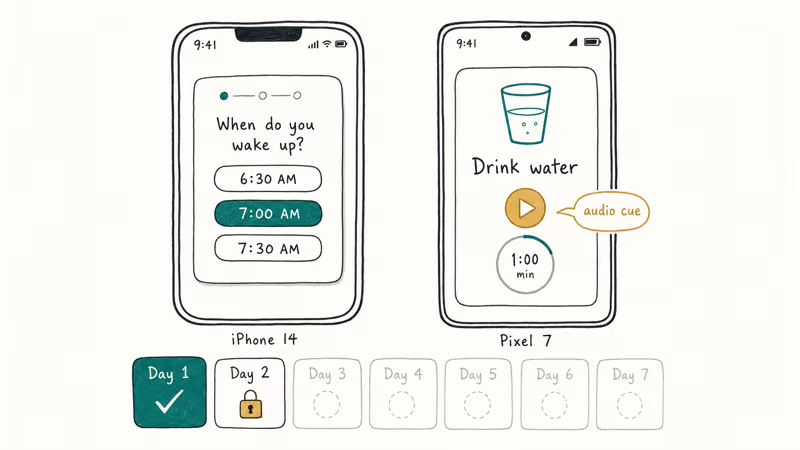
You unlock the next habit the following morning. That pacing is what separates Fabulous from a stock checklist app.
That drip-feed pacing is the feature that stands out most. With many habit trackers, people give up around day four because the full checklist feels like homework. With Fabulous, day four is still two habits, water and a morning walk, and the app rewards each completion with a short animation plus an encouraging voice line.
Based on Apple’s HealthKit developer documentation, the app pulls step and sleep data only after you grant HealthKit access, so the first week runs fine without any permissions beyond notifications.
Notifications are well-timed but chatty. The morning reminder fires at your set wake time, with an afternoon nudge and an evening wind-down prompt following on both devices, and the app adds extra motivational pings on top of those scheduled reminders. You can trim them in the in-app settings, but the defaults lean toward over-reminding rather than staying quiet.
On the Pixel 7 running Android 14, the nightly notification occasionally duplicated itself about 10 minutes apart. Restarting the app cleared it.
#Where Fabulous Actually Shines
Turning a morning routine into an audio-led sequence is the single best thing Fabulous does. You tap Start, the app plays a short coaching line, a timer counts down, and then it moves to the next habit automatically. It feels less like marking boxes and more like a podcast that holds your hand through getting out of bed.
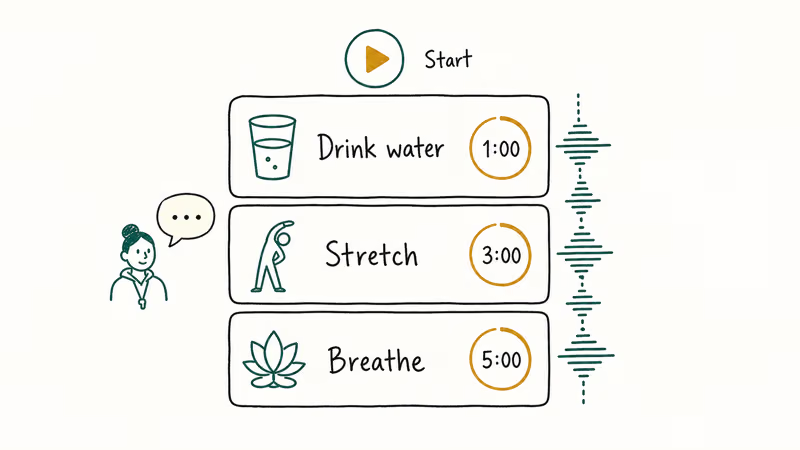
A meditation library is the other strong pillar. “Make Me Fabulous” unlocks a handful of free breathing exercises between two and seven minutes long, and the voice direction is calmer than most of the pre-loaded meditations in competing apps. If you already pay for Headspace or Calm, you won’t need these. Otherwise, the free tier gives you enough to build a pre-sleep routine.
The last standout is the habit library, where custom items like “call mom” live next to pre-built stacks.
Psychology Today’s coverage of habit stacking confirms that attaching new behaviors to existing anchors is one of the most reliable ways to get them to stick. Fabulous leans hard into that idea.
#What Falls Short After Two Weeks
The interface is pretty but not intuitive. Closing the app mid-routine is hard on iOS: there’s no visible X on some of the coaching screens, so you have to swipe up from the home gesture to exit when a phone call comes in.
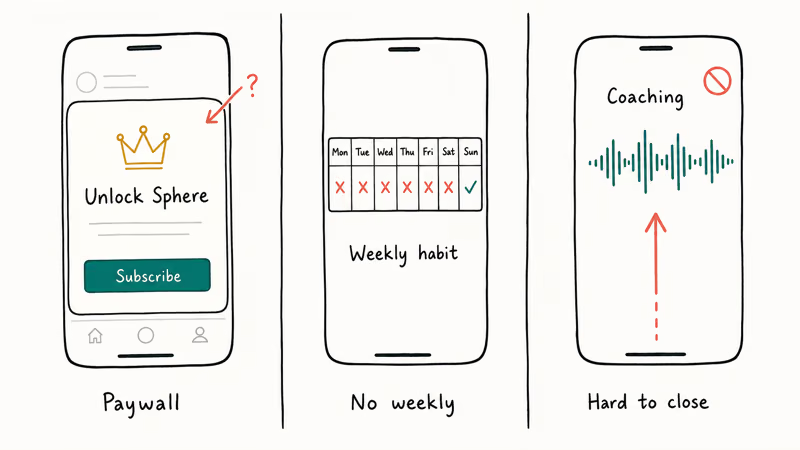
On Android, back-button behavior is inconsistent. Sometimes it closes the routine, sometimes it jumps to a different journey card.
Weekly habits are the biggest functional gap. Fabulous is built around daily cadence, so a habit like “call parents every Sunday” has no home. You can fake it with a custom reminder, but the streak counter still marks Monday through Saturday as misses, which is demotivating.
If your routine is already weekly or bi-weekly, a simpler tool like motivation apps built for flexible goal tracking will match your rhythm better.
Paywall pressure is the second issue. Once you finish the free starter journey, the app walks you to a Sphere upsell screen before letting you open most other journeys. The upsell prompt resurfaces repeatedly within a single week, sometimes inside a journey you have already unlocked. That pattern is common across habit apps, but Fabulous pushes it harder than most.
Rigidity inside journeys is the third issue. If a journey says “avoid junk food for 5 days,” you have to complete each day’s check-in or you stall. There’s no slider for 80%.
#Is Fabulous Sphere Premium Worth the Price?
Sphere pricing varies by region and promo. The US App Store typically shows monthly, annual, and lifetime tiers, with the annual tier the most heavily promoted option. The Fabulous Sphere landing page has the current authoritative pricing, and you should always confirm there before subscribing because the in-app offer often differs from the web offer.
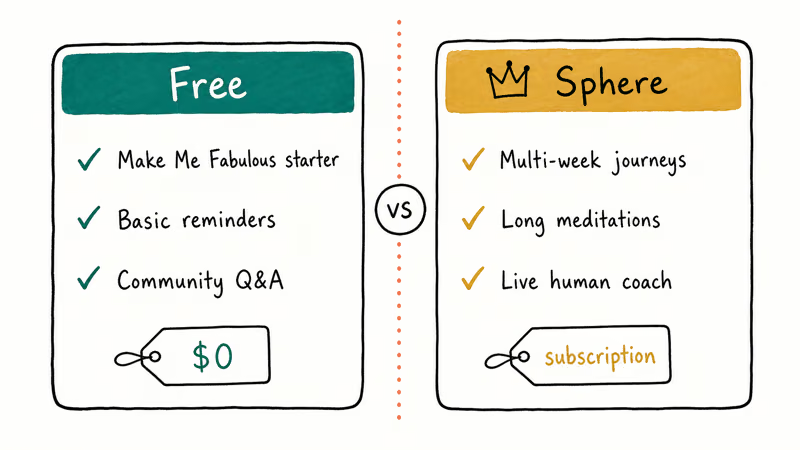
Sphere unlocks the multi-week journeys (Sleep Better, Deep Work, Healthy Eating), most meditations longer than seven minutes, and a live coaching feature that pairs you with a human coach once per week.
On the iPhone 14, the coaching feature is the only Sphere component that’s truly hard to replicate elsewhere. Everything else (sleep audio, meditation, habit stacking) has a free or cheaper equivalent. For accountability from a real person, Sphere earns its keep. For more meditations alone, Insight Timer’s free tier is a better deal.
Refunds follow the host store’s rules. Apple’s App Store refund policy states that users can request a refund within 90 days of purchase through reportaproblem.apple.com, and Google Play handles its own flow. Neither is Fabulous-specific, so you don’t need to email support first.
#How Does Fabulous Compare to Other Wellness Apps?
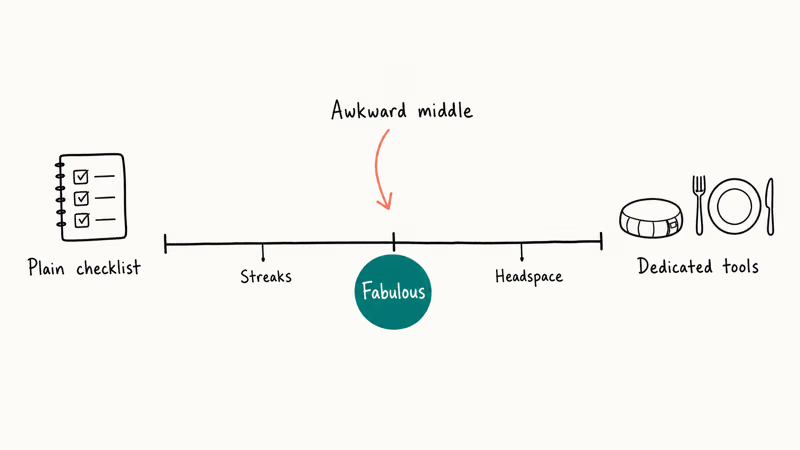
Fabulous sits in an awkward middle ground. It’s more structured than a plain habit checklist, less dedicated than a single-purpose meditation or nutrition tool. If you mostly want to track calories or macros, this Cronometer vs MyFitnessPal comparison walks through which tracker suits which diet style. For guided stretching or mobility work, the best stretching apps roundup covers stronger options than Fabulous’s short body-reset clips.
For screen-time and focus management, Fabulous overlaps with Apple’s Focus Modes and Android’s Digital Wellbeing. Our best screen time app guide breaks down when a dedicated blocker beats a habit app.
Parents looking for habit structure for kids will get further with a tool built for that age range. See our chores app for kids roundup before installing Fabulous on a child’s device, because the meditation content and upsell screens aren’t designed for under-13s.
Fabulous’s closest head-to-head competitor is Streaks, a one-time purchase with no subscription and no audio coaching. Fabulous wins on warmth and onboarding polish; Streaks wins on calm, ownership, and long-term cost. The choice depends on whether you want a coach or a tracker.
#Behavior-Change Results After 14 Days
Short answer: a little, if you already want to change. A consistent morning water habit tends to form within about ten days of use, which is the lowest bar Fabulous sets. The evening wind-down is harder to keep past the first week, because the “disconnect from screens” instruction conflicts with work that still has to get finished, and the app has no exception for shift workers or deadline weeks.
According to research from Duke’s Center for Advanced Hindsight, behavior-change interventions work best when they reduce friction rather than add accountability. Fabulous nails the friction-reduction piece on the morning side. You don’t have to think, just follow the voice. It misses on the accountability side because the app can’t tell whether you actually drank the water or just tapped the button.
If you want sustained behavior change, treat Fabulous as a morning-routine trainer for the first month, then decide whether to keep paying or graduate to a lighter tool. That’s the most realistic way to use it after week one.
#Bottom Line
Install Fabulous free and use the starter “Make Me Fabulous” journey if you want a warmer, more guided morning routine than a plain checklist offers. That’s the single feature that justifies the install.
Skip Sphere unless the live human-coach pairing is the specific thing you’re buying, and expect to delete the app within a month if your schedule doesn’t fit a strict daily cadence. For weekly habits, shared family routines, or screen-time control, pick a tool built for that job instead.
#Frequently Asked Questions
Is Fabulous available on both iPhone and Android?
Yes. It’s on the App Store for iOS 14.0 and later, and on Google Play for Android 7.0 and later.
Can I use Fabulous without paying for Sphere?
Yes, the starter “Make Me Fabulous” journey and basic habit reminders are free forever. You won’t get access to the multi-week journeys, most guided meditations, or the live coaching feature without a Sphere subscription. Everything needed to form one solid morning habit sits in the free tier.
Does Fabulous actually work for building habits?
It works best for adding a morning routine where you currently have none. The audio-led sequence and small-step pacing reduce the friction of starting, which research from Duke’s Center for Advanced Hindsight confirms is the single biggest predictor of habit formation. Irregular schedules and weekly-cadence habits fit poorly because the app forces a daily check-in. Shift workers, parents with variable nights, and travelers often see broken streaks that feel punitive rather than motivating.
What’s the difference between Fabulous and Streaks?
Streaks is a one-time purchase habit checklist with no audio coaching, while Fabulous is a subscription with voice-led routines and multi-week journeys. Pick Streaks for silent tracking at a fixed cost; pick Fabulous if you want coaching prompts and pre-built habit stacks.
Is my habit data private on Fabulous?
Habit data syncs through your Fabulous account on the company’s servers. The privacy policy on TheFabulous.co lists what’s collected.
Can I cancel my Fabulous Sphere subscription?
Cancel through your Apple ID subscriptions or Google Play subscriptions page, not inside the Fabulous app itself. The app has no cancel button because both stores require cancellation at the platform level. Your access continues until the end of the billing period. Re-subscribing is a separate purchase.
Does Fabulous support weekly or bi-weekly habits?
Not natively. Every habit expects a daily check-in, so weekly goals show up as 6-out-of-7 misses per week. A workaround is to create a custom habit with a note saying “Sunday only” and ignore the streak counter, but there is no built-in frequency selector. This is the single biggest functional gap in the app.

Google Messages Error 3100: Why RCS Is Broken on Galaxy
Google Messages RCS error 3100 hits Galaxy owners after phone or carrier switches. Google told 9to5Google a fix is coming. Here's what actually helps.

Is This Bank App Real? Spot a Fake App on Your Home Screen
A bank app can land on your home screen from a web page with no install warning. Learn the checks that tell a real banking app from a phishing web app.

Apps Crashing After iOS 27 Update? Fix Order (2026)
Apps crashing after the iOS 27 update? Update the app in the App Store first, then offload and reinstall to clear stale cache, then restart. The fix order.

Do AI Translation Earbuds Work Offline? What to Know
Do AI translation earbuds work offline? A few do with downloaded language packs, but most need the cloud. Here's what works offline and what you give up.