How to View and Export Your Coinbase Transaction History
View your Coinbase transaction history on iPhone, Android, or PC. Export a full CSV or PDF report of all crypto trades with step-by-step instructions.

Quick AnswerTo view your Coinbase transaction history, open the app and tap a cryptocurrency to see its transactions, or go to the web dashboard and select Accounts. To export the full history, go to Profile > Reports > Transaction History > Generate Report on the web.
Coinbase stores every buy, sell, transfer, and conversion in a searchable history — but it doesn’t all live in one place by default. The mobile app shows per-coin transaction lists, while the full export requires the web dashboard.
Export transaction history for tax, accounting, or personal records only through Coinbase’s official support option, account reports, or approved tax integrations. Crypto records can contain sensitive wallet and identity data, so handle downloads within legal privacy boundaries, store files securely, and share them only with authorized tax, audit, or compliance professionals.
- The Coinbase app shows transaction history per cryptocurrency under each coin’s wallet tab
- Full transaction history across all assets requires exporting a CSV or PDF report from the web
- Reports can be filtered by date range, asset type, and transaction type before downloading
- Transaction history goes back to your account creation date with no limit on how many records Coinbase stores
- The export file includes purchase price, fees, date, and confirmation ID for every transaction
#How to View Coinbase Transaction History on iPhone or Android
The mobile app shows transactions for one coin at a time. Here’s how to find them.

Open the Coinbase app and tap the Portfolio tab at the bottom. You’ll see your total balance and a list of all assets you hold. Tap any cryptocurrency, such as Bitcoin or Ethereum, to open its wallet page.
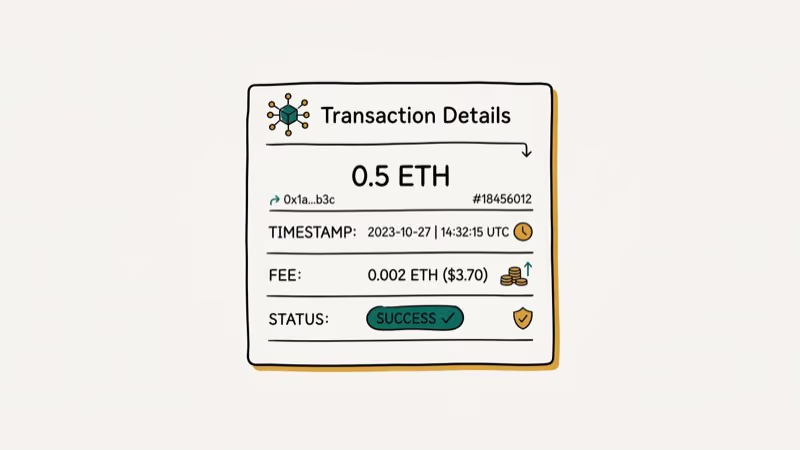
Scroll down past the price chart to see the Transactions section. Each entry shows the type (buy, sell, receive, send), the amount, and the date. Tap any transaction for the full details: confirmation ID, fee, price at time of purchase, and payment method.
Large transaction histories may take longer to load.
#How to View Transaction History on PC
The Coinbase web dashboard gives you a broader view than the mobile app.
Log in at coinbase.com and click Accounts in the top navigation. Each wallet appears as a row. Click any wallet to expand it and see your 10 most recent transactions. To see the full history, you need the export feature described in the next section.
#How to Export Your Full Transaction History
The full export is the only way to see your complete history across all coins and all dates. The Coinbase overview is the durable platform citation; for taxes, always use Coinbase’s current export screen rather than assuming a partial activity view is complete.
On desktop: Click your profile photo in the top-right corner. Select Reports, then Transaction History. Click Generate Report, set your date range and asset filter, choose CSV or PDF, and click Download.
On mobile browser (not the app): Open coinbase.com in your phone browser. Tap the 3-line menu icon, go to Settings > Reports, then tap Transaction History > Generate Report. Choose your format and tap Download.
After you generate the report, Coinbase provides a CSV or PDF download through the browser.
#What Does the Exported CSV File Contain?
The CSV export has 10 columns per transaction: Timestamp, Transaction Type, Asset, Quantity Transacted, Spot Price Currency, Spot Price at Transaction, Subtotal, Total (inclusive of fees), Fees, and Notes.
PCMag’s crypto tax guide confirms that the Coinbase CSV covers all 10 required data fields and imports directly into TurboTax, H&R Block, and TaxBit — see their tax software roundup for a full list. This saves hours of manual entry compared to using the PDF format.
The Notes column includes Coinbase transaction IDs, which you can use to verify transactions on the blockchain explorer for that specific cryptocurrency.
#Is Your Coinbase Transaction Data Secure?
Yes. All transaction data on Coinbase is protected by 256-bit AES encryption at rest and TLS in transit. Coinbase states that it complies with financial reporting regulations as a licensed money transmitter in all 50 US states.
For general device privacy, see our iPhone history guide.
#Using Transaction History for Tax Reporting
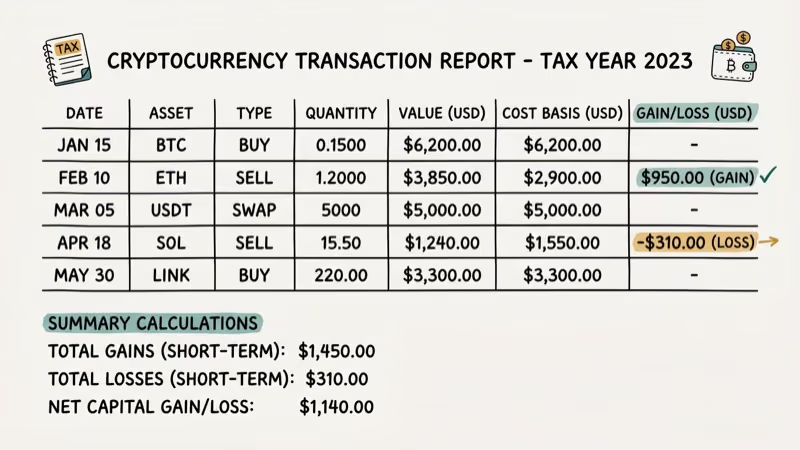
Coinbase transaction history is essential at tax time. The IRS treats cryptocurrency as property, meaning every sale, trade, or conversion is a taxable event. Your exported CSV provides the cost basis and sale price needed to calculate capital gains.
Import the CSV directly into TurboTax or TaxBit.
#Bottom Line
The Coinbase mobile app is fine for checking recent activity on a single coin. For tax purposes, audits, or a full record of all trades, use the web export. The CSV format works with major crypto tax tools and is the right format for importing records.
If you also manage device-level records alongside your crypto exports, our companion iPhone guides walk through the built-in history tools step by step: start with how to view iPhone call history for the phone log, then read how to view private browsing history on iPhone when Safari sessions matter.
On other platforms, see how to delete downloads on Android and how to delete Lyft ride history.
#Frequently Asked Questions
How far back does Coinbase transaction history go?
Coinbase stores your complete transaction history from the day you created your account with no expiration date. There’s no limit on how many transactions are stored.
Can I view my Coinbase history without logging in?
No. Transaction history requires authentication. If you’ve lost account access, Coinbase support can help you recover your account before you can view records.
What’s the difference between CSV and PDF export?
CSV is a spreadsheet format that works with Excel, Google Sheets, TurboTax, and most crypto tax software. PDF is a formatted document better for printing or sharing with an accountant who doesn’t use tax software. Most crypto tax tools accept CSV only and can’t import PDFs directly.
How do I find a specific transaction in Coinbase?
Use the export and search the CSV by date or amount.
Does Coinbase report transactions to the IRS?
Yes. Coinbase reports gains and losses to the IRS via Form 1099-MISC for users who receive more than $600 in crypto rewards and Form 1099-B for certain transactions. The CSV export contains the data you need to file accurately.
Can I delete my Coinbase transaction history?
No. Transaction records are permanent and can’t be deleted. This is a regulatory requirement for licensed financial platforms in the US.

Google Messages Error 3100: Why RCS Is Broken on Galaxy
Google Messages RCS error 3100 hits Galaxy owners after phone or carrier switches. Google told 9to5Google a fix is coming. Here's what actually helps.

Is This Bank App Real? Spot a Fake App on Your Home Screen
A bank app can land on your home screen from a web page with no install warning. Learn the checks that tell a real banking app from a phishing web app.

Apps Crashing After iOS 27 Update? Fix Order (2026)
Apps crashing after the iOS 27 update? Update the app in the App Store first, then offload and reinstall to clear stale cache, then restart. The fix order.

Do AI Translation Earbuds Work Offline? What to Know
Do AI translation earbuds work offline? A few do with downloaded language packs, but most need the cloud. Here's what works offline and what you give up.