Phone Cloning: SIM Cloning, Data Transfer, and Security
Learn what phone cloning is, how SIM cloning and data transfer work, signs your phone may be cloned, and how to protect yourself with 7 security steps.
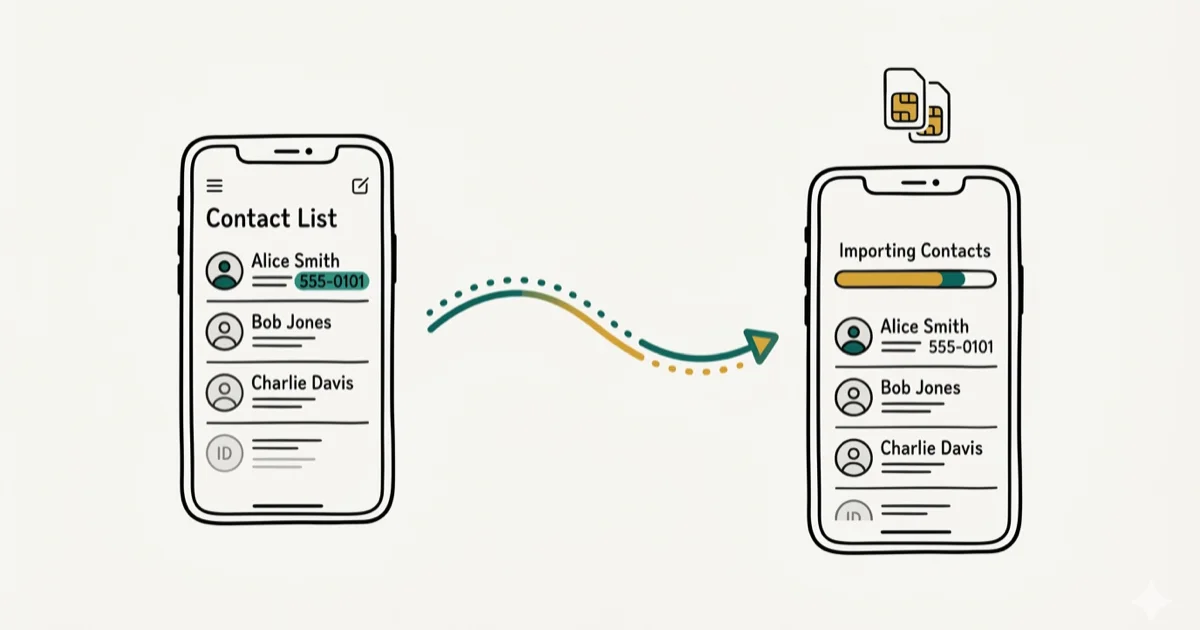
Quick AnswerPhone cloning means copying data from one device to another. Transferring your own data to a new phone is legal and easy using built-in tools. Cloning someone else's phone without consent is illegal in most countries.
Phone cloning covers two very different scenarios: transferring your own data to a new device (legitimate and common) and duplicating someone’s SIM or data without consent (illegal in most countries). For legitimate transfers, manufacturer tools like Samsung Smart Switch are the safest starting point.
- Phone cloning copies a device’s data, SIM identity, or both to create a copy on another phone
- Transferring your own data to a new phone is legal; cloning someone else’s phone without consent is illegal
- SIM cloning requires physical access and specialized hardware
- Signs of unauthorized cloning include battery drain, higher data usage, and unfamiliar apps
- Factory resetting removes cloning malware and wipes copied data from the device
#Types of Phone Cloning
Phone cloning describes 3 different technical processes that people often lump together.
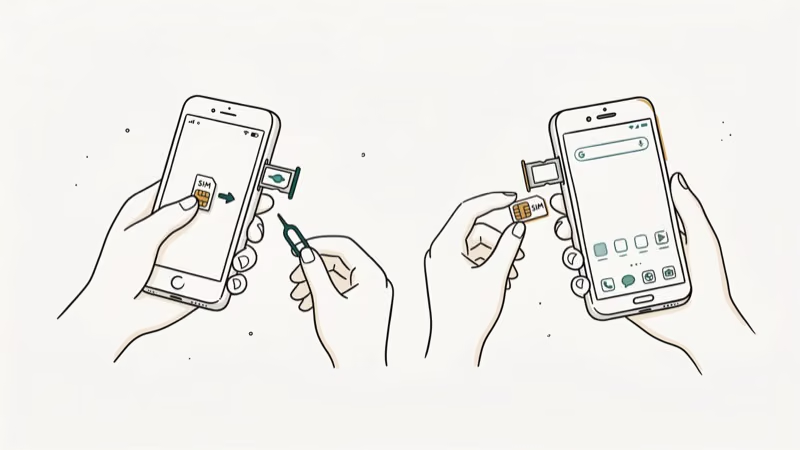
SIM card cloning copies the subscriber identity from one physical SIM to a blank card, allowing 2 phones to share the same number. This requires physical access to the original SIM and a card reader/writer device. Carriers like Verizon and AT&T have technical safeguards that flag duplicate IMSI numbers within seconds.
App data transfer moves app content (contacts, messages, photos, game progress) from one phone to another. This is the most common legitimate use case, handled by manufacturer tools and built-in migration systems.
Remote cloning uses malware to extract data without physical access. This requires the victim to download malicious software, typically through phishing links. It’s far more difficult to execute than SIM cloning and phone manufacturers patch these vulnerabilities regularly.
#Is Phone Cloning Legal?
Cloning your own device is completely legal. Cloning another person’s device without their explicit consent violates multiple laws in most countries.
As the phone cloning overview explains, unauthorized phone cloning can overlap with privacy, computer fraud, and identity-theft risks.
Penalties range from civil lawsuits to criminal charges. XDA Developers’ overview of phone privacy law describes the Computer Fraud and Abuse Act as the primary federal statute used to prosecute unauthorized device access. Parents may have more latitude over minor children’s devices, but legal boundaries vary by state.
For transferring your own data to a new phone, our guide on phone clone apps covers the best legitimate tools including Samsung Smart Switch and Apple Quick Start.
#How to Transfer Your Own Phone Data Legally
For legitimate device migrations, manufacturer tools handle the transfer without any SIM-level duplication. For iPhone-to-iPhone transfers, Apple’s Quick Start handles migration over Wi-Fi without duplicating SIM identity.
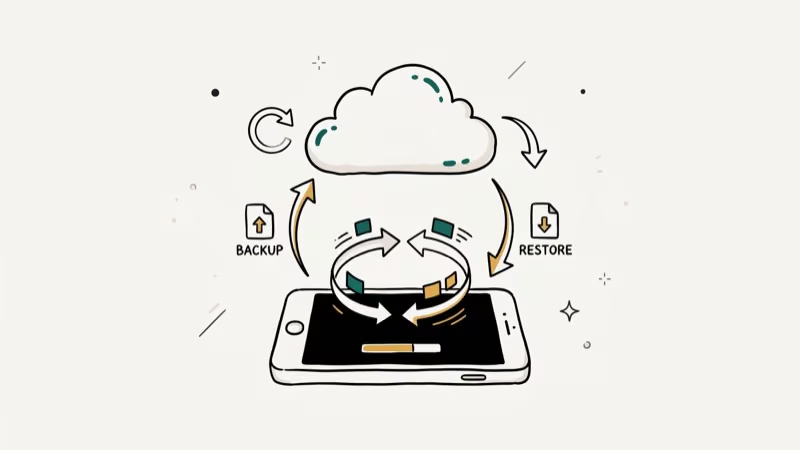
Samsung Smart Switch transfers contacts, messages, photos, apps, and settings between Android devices over Wi-Fi or USB. Google’s built-in migration tool handles Android-to-Android transfers natively. Apple’s Quick Start manages iPhone-to-iPhone transfers with no computer required. Smart Switch can complete Android-to-Android transfers over USB when both devices are connected and unlocked.
These tools copy data without duplicating the SIM identity. You end up with a new phone carrying all your data, not a fraudulent clone of your cellular account.
#What Are the Signs Your Phone Has Been Cloned?
Several symptoms suggest unauthorized cloning, particularly at the SIM or account level.
According to phone cloning background, Unexplained battery drain is one of the first signs. Check which apps are draining battery under Settings > Battery.
Higher-than-normal data usage appears when malware transmits your data to a remote server. Check Settings > Mobile Data to see which apps are sending unusual amounts of data.
Calls or texts from unknown numbers can indicate someone is using a cloned SIM on another device. Contact your carrier immediately if you notice your number appearing in calls you didn’t make.
Unfamiliar apps are a warning sign. Check your app list regularly.
#How to Protect Your Phone from Cloning
These 7 steps significantly reduce the risk of unauthorized cloning.
Avoid public USB charging stations. Free charging ports in airports and hotels can contain hardware that accesses your phone when plugged in. Carry your own charger or use a USB data blocker.
Install antivirus software. Mobile security apps like Avast and McAfee detect malware patterns associated with phone cloning attempts, especially remote cloning techniques.
Turn off USB debugging. On Android, go to Settings > Developer Options and disable USB debugging. This blocks unauthorized data transfers over USB cables.
Keep your software updated. Manufacturers release security patches that close the specific exploits that cloning malware relies on to gain persistent access. Enable automatic updates on both iOS and Android to stay protected without manual effort.
Use encrypted messaging. Apps like Signal and WhatsApp encrypt messages end-to-end, making it much harder for cloned data to include readable message content.
Enable two-factor authentication. Even if account credentials are copied by cloning malware, 2FA blocks access to banking, email, and social accounts because the attacker can’t receive your verification codes on a different device.
Set up remote wipe. Find My Device on Android and Find My on iPhone let you erase your phone’s data remotely if it’s stolen before someone can extract and clone it.
#What to Do If Your Phone Has Been Cloned
Contact your carrier to flag duplicate SIM activity.
Factory reset your phone to remove any malware. After the reset, restore only your personal files and reinstall apps manually rather than using a full backup restore, which could reintroduce the malware.
File a police report if you believe your financial accounts were accessed. This creates a paper trail needed for fraud recovery with banks.
#Bottom Line
For your own devices, phone cloning tools like Samsung Smart Switch and Apple Quick Start are fast, free, and fully legal. Unauthorized cloning is a serious crime with federal-level penalties in the US.
If you suspect your phone has been compromised, contact your carrier to flag duplicate SIM activity, factory reset your device, and change passwords for all accounts that were logged in. For related security topics, see our guides on how to track a cell phone and can you track a SIM card.
#Frequently Asked Questions
Can you clone a phone remotely without physical access?
Remote cloning through malware is theoretically possible but requires the victim to install malicious software first, usually via a phishing link. Phones don’t get cloned remotely from nowhere. Some user action is required to install the malware.
Does phone cloning steal passwords and credit cards?
It can. Cloning malware may copy autofilled passwords stored by browsers and apps, as well as credit card numbers stored in payment apps. This is why factory resetting after suspected compromise and changing all passwords is essential.
Is it illegal for parents to monitor a child’s phone?
Laws vary. Most countries permit parental monitoring of minor children.
What happens if a cloned SIM is detected?
Carriers monitor for duplicate IMSI numbers on their network. When detected, they typically deactivate one or both SIMs and may flag the account for fraud investigation. You’d be locked out of service until the carrier resolves the conflict.
How do I check if my phone has cloning malware?
Run a mobile antivirus scan and factory reset if you find anything suspicious.
Does factory reset remove cloning malware?
Yes. A factory reset wipes all data and apps including malware, returning the phone to its original software state. Back up your photos and important files first through your carrier or cloud service, then perform the reset from Settings > General > Reset > Erase All Content.

Is This Bank App Real? Spot a Fake App on Your Home Screen
A bank app can land on your home screen from a web page with no install warning. Learn the checks that tell a real banking app from a phishing web app.

Passkeys Not Syncing Between iPhone and Windows? Read This
Passkeys not syncing between iPhone and Windows is by design, not a bug. Here is why iCloud passkeys skip Windows Hello and the three ways to fix it.

VPN Not Working on Snapdragon X? Why It Fails, How to Fix
Your VPN won't install or connect on a Snapdragon X Copilot Plus PC because Windows on ARM can't emulate the network driver. Here are the fixes that work.

How to Check If a Link Is Safe Before You Click It
Learn how to check if a link is safe with official-first steps: read the real domain, use the app instead, and treat scanners as a second opinion only.