AutoCrit Review: Manuscript Editing for Fiction Writers
AutoCrit review with features, pricing, and honest pros and cons for fiction writers. See how it compares to ProWritingAid and Grammarly in 2026.
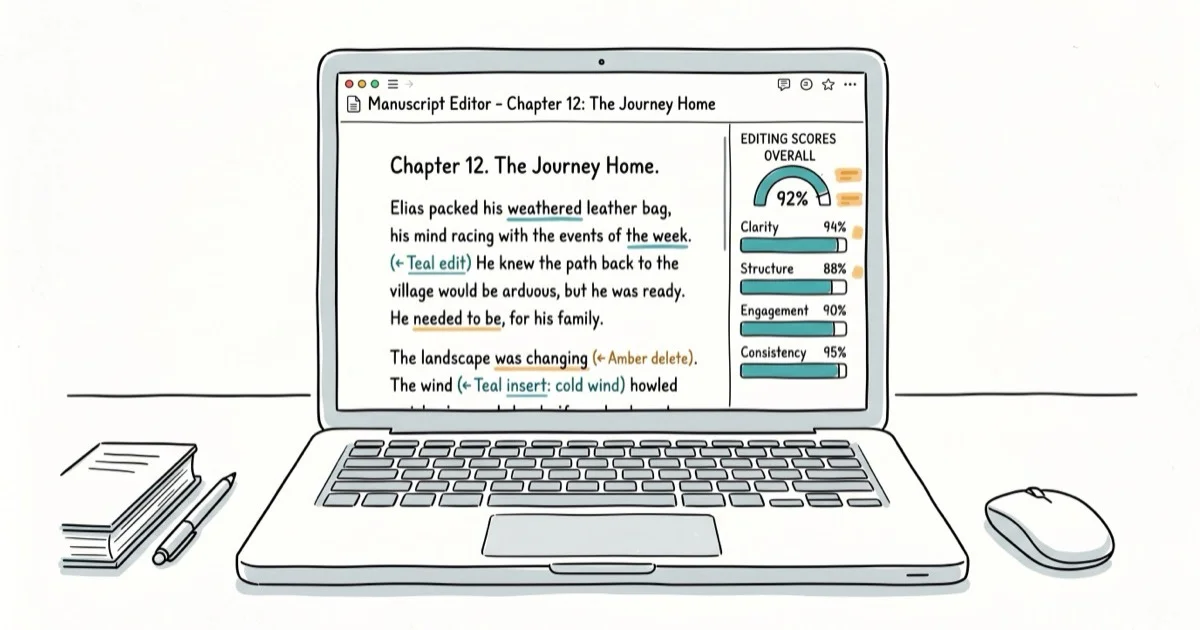
Quick AnswerAutoCrit is a web-based manuscript editing tool built for fiction writers. It costs $30 per month for the Pro plan and provides over 25 editing reports covering pacing, dialogue, word choice, and style, but it lacks strong grammar checking and has no integrations with apps like Scrivener or Google Docs.
AutoCrit is an online self-editing tool for fiction writers working on book-length manuscripts, with reports for pacing, dialogue, and genre fit.
- AutoCrit Pro costs $30/month or $297/year, and the free tier only covers adverbs, word choice, and readability
- The platform provides 25+ editing reports on pacing, dialogue, strong writing, and word choice
- Genre benchmarking compares your style against best-selling fiction in your category
- No integrations with Scrivener, Google Docs, or Word exist, so you must paste text into the web editor
- Grammar and spell checking are weak compared to dedicated tools like ProWritingAid or Grammarly
#AutoCrit’s Core Editing Tools
AutoCrit analyzes your manuscript and generates editing reports across five major categories: pacing and momentum, dialogue, strong writing, word choice, and repetition. You paste your text into the web editor or upload a file, select your genre, and the tool runs an analysis against its database of published fiction.
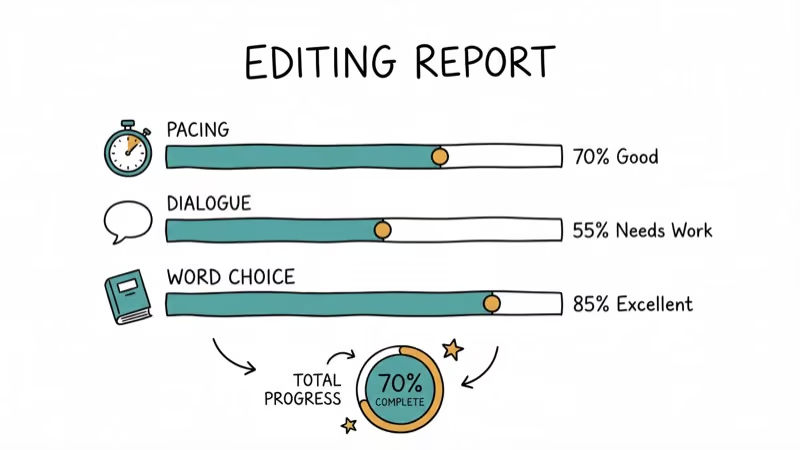
The standout feature is genre comparison. AutoCrit benchmarks your writing against best-sellers in categories like thriller, romance, sci-fi, and literary fiction. If your thriller manuscript uses far more adverbs than the average published thriller, the report flags that.
Each report highlights problem areas directly in your text with color coding. Click through suggestions one at a time and accept or skip changes.
#Who Should Use AutoCrit?
This tool works best for fiction writers handling novels, novellas, or short story collections who want data-driven editing feedback before sending work to a human editor.
It’s not for bloggers, copywriters, or anyone writing short-form content. According to Kindlepreneur’s AutoCrit review, the tool shines when you feed it at least 5,000 words so the statistical comparisons have enough data to be meaningful. PCMag’s list of writing tools confirms that AutoCrit is among its 2026 recommended manuscript editing tools for fiction writers. Blog posts don’t give the algorithm enough material.
Nonfiction writers can technically use it too, but the genre benchmarking loses most of its value since the comparison database leans heavily toward fiction. If you write nonfiction, a tool like ProWritingAid covers more ground for your specific needs and costs far less at $79 per year.
#AutoCrit Pricing Breakdown for 2026
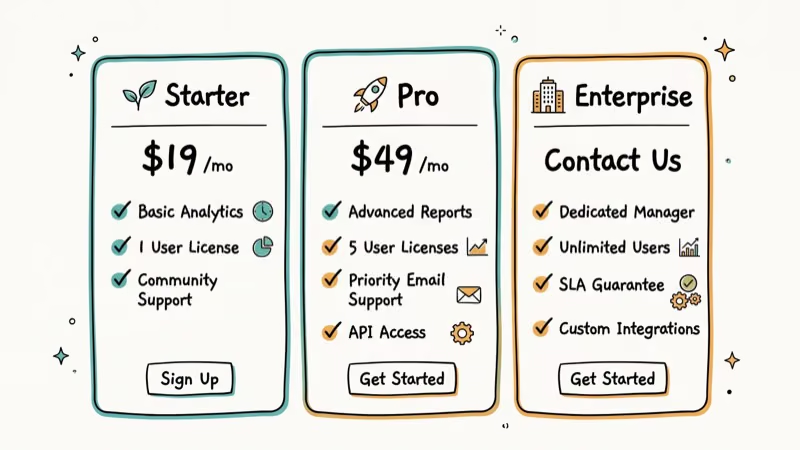
AutoCrit has three pricing tiers:
| Plan | Price | Word Limit | Features |
|---|---|---|---|
| Free | $0 | 1,000 words per check | Adverbs, word choice, readability only |
| Pro Monthly | $30/month | Unlimited | All 25+ reports, AI tools, community |
| Pro Annual | $297/year | Unlimited | Same as monthly, 17% savings |
There’s also a lifetime membership option that surfaces in promotional offers, typically around $497 for permanent access.
The free plan is too limited to be useful. According to AutoCrit’s pricing page, the free tier caps you at 1,000 words per analysis with only three basic tools.
AutoCrit offers a 60-day satisfaction guarantee on paid plans, which is generous compared to most SaaS writing tools. For context, ProWritingAid costs $79 per year for a comparable feature set that also includes grammar checking and app integrations. Grammarly Premium runs about $144 per year but focuses on grammar rather than manuscript-level analysis.
#Strongest Features Worth Paying For
Not every editing report in AutoCrit carries equal weight. These are the reports most likely to matter for fiction writers.
#Pacing and Momentum
The pacing report identifies slow paragraphs and gives you a percentage breakdown of your manuscript’s tempo. Pacing problems are one of the hardest issues to spot in your own work, especially when a chapter leans heavily on exposition.
#Dialogue Tags
This report shows your most-used dialogue tags and flags overuse of anything beyond “said” and “asked.” That’s the kind of repetition you can miss after reading the same pages over and over for weeks on end, and it’s exactly the type of mechanical pattern where automated analysis can help before human review.
#Sentence Variation
Sentence rhythm matters more than most writers realize. AutoCrit maps your sentence lengths visually and flags spots where you’ve written too many same-length sentences in a row.
#Where Does AutoCrit Fall Short?
AutoCrit has real limitations you should know about before subscribing.
The biggest problem is the lack of integrations. You can’t use AutoCrit inside Scrivener, Google Docs, or Microsoft Word. Everything happens inside AutoCrit’s own web editor, which means copying and pasting your manuscript back and forth. For a writer working on an 80,000-word novel, this workflow friction becomes a serious annoyance that disrupts the entire editing process and slows you down considerably.
Grammar checking is weak. It catches some basic errors but misses plenty that Grammarly or ProWritingAid would flag instantly.
Some reports overlap. The Phrase Frequency and Repeated Phrases tools do the same thing, and the Word Frequency and Repeated Uncommon Words tools share significant overlap too. These redundancies make the interface feel cluttered.
The Tense Consistency tool has a good concept but poor execution. It color-codes past, present, and future tense using red, orange, and green, but those colors can be hard to distinguish at a glance.
#AutoCrit vs. ProWritingAid Comparison
These two tools target similar users but take different approaches:
| Feature | AutoCrit | ProWritingAid |
|---|---|---|
| Fiction focus | Strong | Moderate |
| Grammar checking | Weak | Strong |
| App integrations | None | Word, Scrivener, Chrome |
| Pricing | $30/month or $297/year | $20/month or $79/year |
| AI story analysis | Yes | Limited |
| Word limit (free) | 1,000 | 500 |
According to Grammarist’s comparison, ProWritingAid is the better all-around choice for most writers because it combines grammar checking with style analysis at a lower price. AutoCrit wins on manuscript-level analysis and genre benchmarking specifically.
If you write fiction and care most about big-picture storytelling feedback, AutoCrit has the edge. For one tool that handles grammar and style across different writing contexts, ProWritingAid works better and costs significantly less.
Many fiction writers on the KBoards forum report using both together: ProWritingAid for line-level editing and grammar, then AutoCrit for manuscript-level analysis.
#AutoCrit’s Value Proposition
At $30 per month, AutoCrit is expensive for what it offers. The annual plan at $297 brings that down to about $25/month, but it’s still pricier than ProWritingAid’s $79 annual subscription.
The smartest approach is subscribing for one or two months when you’re actively editing a manuscript. Pay for a month, run your novel through all the reports, make your revisions, and cancel. You don’t need year-round access unless you’re editing multiple books per year, which makes the annual plan hard to justify for most independent authors who publish one or two titles annually.
The 60-day money-back guarantee reduces risk. Finish editing within that window and you can get a full refund.
For writers who also need help with shorter documents, autocorrect settings on your phone or general text formatting through apps like Discord won’t benefit from AutoCrit. Those tasks work better with a general-purpose editor.
If you’re working with PDF documents or editing files on your Chromebook, you’ll need separate solutions.
#Bottom Line
AutoCrit fills a specific niche well: it gives fiction writers data-driven manuscript analysis that general grammar tools can’t match. The genre benchmarking and pacing reports are useful for novelists preparing manuscripts for human editors or self-publishing.
But the $30/month price, lack of app integrations, weak grammar checking, and some redundant tools hold it back. For most writers, ProWritingAid at $79/year offers better overall value. Consider AutoCrit as a one-month subscription when you’re in the final editing phase of a book, not as a permanent part of your writing toolkit. If you draft long manuscripts on the road, pairing AutoCrit with one of the best laptops for writers and a grammar-focused tool delivers the best results.
#Frequently Asked Questions
Is AutoCrit only for fiction writers?
AutoCrit is designed primarily for fiction, and its genre benchmarking feature compares your work against published novels in specific categories like thriller, romance, and sci-fi. Nonfiction writers can still use the general editing reports (pacing, word choice, sentence variation), but they won’t get much value from the comparison tools. ProWritingAid handles nonfiction better at a lower price point.
Does AutoCrit check grammar and spelling?
It catches some basic errors, but grammar isn’t its strength. AutoCrit focuses on style, pacing, dialogue, and manuscript-level issues. Most users pair it with Grammarly or ProWritingAid for grammar, then use AutoCrit for deeper structural analysis.
Can you use AutoCrit with Scrivener or Google Docs?
No. AutoCrit has no integrations with external writing apps. You need to copy-paste your text into AutoCrit’s web editor or upload a file. This is one of the tool’s biggest drawbacks, especially for writers who draft in Scrivener or Google Docs and don’t want to disrupt their workflow.
How long does AutoCrit take to analyze a manuscript?
Analysis time depends on manuscript length and which reports you run. A full-length 80,000-word novel takes longer than a shorter sample. Run individual reports for faster results.
Is there a free version of AutoCrit?
Yes, but it’s very limited. The free plan caps analysis at 1,000 words and gives access to just three tools: adverbs, word choice, and readability. Serious editing requires the Pro plan at $30/month. AutoCrit does offer a 60-day money-back guarantee on paid subscriptions, so you can try it with low risk.
What is the AutoCrit Score?
The AutoCrit Score appears in the Summary Report and measures how closely your writing matches best-selling fiction patterns. Higher scores mean fewer flagged issues. It updates with each analysis run.
Can AutoCrit help with self-publishing on Amazon?
AutoCrit Pro includes AI tools that generate ad copy, Amazon book descriptions, and social media content from your manuscript. These marketing features are new. They won’t replace a professional copywriter, but they produce a workable starting draft for your listing.
How does AutoCrit compare to hiring a human editor?
AutoCrit catches pattern-based issues like overused words, pacing problems, and dialogue tag repetition faster and cheaper than any human editor could. But it can’t evaluate story logic, character arcs, or emotional resonance the way a skilled developmental editor can. Most published authors use AutoCrit as a pre-editing step: clean up the mechanical issues first, then send a tighter manuscript to your human editor. This often saves money since editors charge more for rough drafts that need heavy line-by-line work.

Best Laptop for Running LLMs in 2026: Memory Comes First
The best laptop for running LLMs is a memory purchase first. Compare MacBook unified memory against NVIDIA laptop VRAM, and see what each tier really runs.

Pixel 11 vs Pixel 10: What Changed and Who Should Upgrade
Pixel 11 vs Pixel 10: same screen and camera resolution, new Tensor G6, 25W wireless, and Gemini Intelligence. Here is who should actually upgrade.

Best Power Bank for iPad in 2026: Pro, Air, and Mini
Best power bank for iPad in 2026. Compare mAh tiers and USB-C PD wattage for iPad Pro, Air, and mini, plus airline Wh math, cables, and travel tips.

Best Power Bank With Built-In Cable: Top 2026 Picks
Best power bank with built-in cable picks for 2026. Compare single USB-C, multi-connector, and retractable laptop banks, plus airline Wh math.