Best AirPods Pro Equalizer Settings for Every Genre
AirPods Pro don't have a built-in EQ, but you can adjust sound through iOS settings, Spotify, and Apple Music. Genre-specific presets and tips included.
Quick AnswerAirPods Pro don't have a built-in equalizer. Adjust sound from Settings > Apps > Music > EQ and pick a preset, or use Headphone Accommodations under Accessibility > Audio & Visual.
AirPods Pro sound good out of the box, but the default tuning won’t fit every genre.
AirPods Pro don’t expose a traditional equalizer, but iOS, Apple Music, Spotify, and Headphone Accommodations still give you several ways to tune the sound.
- AirPods Pro lack a traditional equalizer; Adaptive EQ runs automatically and can’t be adjusted
- iOS has 24 EQ presets at
Settings>Apps>Music>EQ, but they only affect Apple Music - Spotify’s built-in equalizer lets you drag frequency dots for custom curves
- ANC doesn’t add bass; it blocks ambient noise that was masking low frequencies
- Headphone Accommodations Custom Audio Setup can help tune speech clarity
#How Does the iPhone Music EQ Work with AirPods Pro?
iOS has a system-wide Music EQ with 24 presets. These apply to Apple Music playback and most apps that use the system audio engine. The EQ doesn’t show up in your AirPods Pro settings directly. It’s buried in the Music app settings.
Go to Settings > Apps > Music > EQ and pick one.
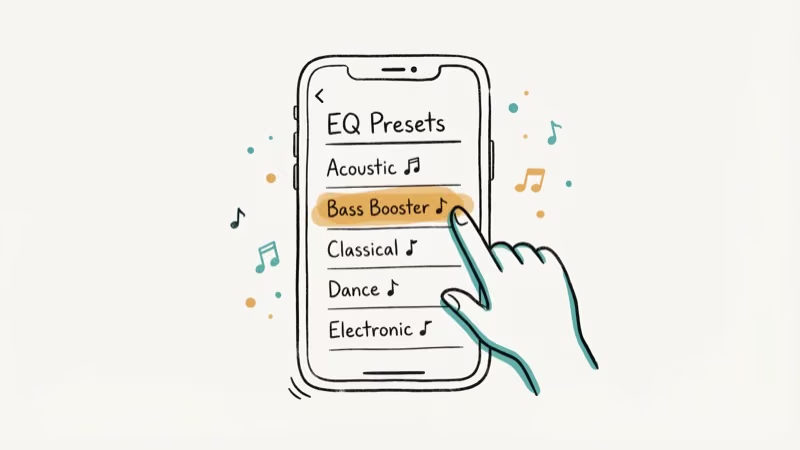
The setting sticks until you change it and works with AirPods Pro, standard AirPods, and wired EarPods alike. To turn it off, go back to the same menu and select Off at the top of the list. One catch: this EQ only affects the Music app and apps that use Apple’s audio framework. Spotify and YouTube use their own audio pipelines, so they ignore this setting completely and require their own in-app equalizer adjustments.
#Best EQ Presets by Music Genre
Use these genre presets as starting points.
| Genre | Recommended Preset | Why It Works |
|---|---|---|
| Hip-hop / R&B | Bass Booster | Adds low-end punch without muddying vocals |
| Rock / Metal | Rock | Boosts both bass and treble for energy |
| Classical / Jazz | Classical | Widens the soundstage, keeps dynamics |
| Pop | Pop | Slight bass and treble lift, clean mids |
| Podcasts / Audiobooks | Spoken Word | Cuts bass, boosts voice clarity |
| Electronic / EDM | Electronic | Heavy bass emphasis with crisp highs |
| Acoustic / Singer-songwriter | Acoustic | Balanced mid-range, natural tone |
According to Apple’s headphone audio guide, Headphone Accommodations gives you even more control for a personalized tuning. That’s covered next.
If your AirPods sound muffled even after EQ changes, that’s usually earwax on the mesh, not a software issue.
#Headphone Accommodations: The Hidden Sound Adjuster
Headphone Accommodations is an Accessibility feature that lets you shape AirPods Pro audio without a third-party app. It’s not a full equalizer, but it gives you three tonal profiles plus a strength slider.
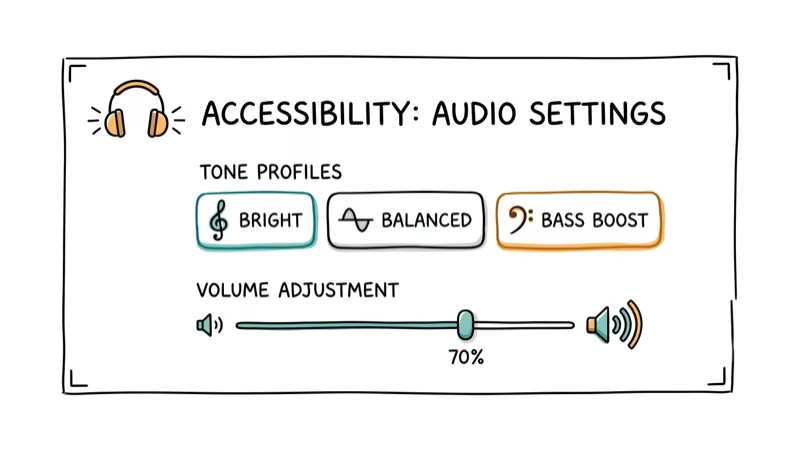
Go to Settings > Accessibility > Audio & Visual > Headphone Accommodations and turn it on. Pick a tone profile: Balanced Tone boosts frequencies evenly, Vocal Range emphasizes mids for clearer voices, and Brightness lifts highs for detail in cymbals and consonants. Then set the strength to Slight, Moderate, or Strong.
You can also tap Custom Audio Setup to run a short listening test. iOS plays a few audio samples and asks which version sounds better, then builds a profile from your answers.
The setup is designed for subjective listening choices. Speech-heavy content like podcasts and audiobooks is where the Vocal Range and Custom Audio Setup options are most useful.
According to Apple’s Headphone Accommodations documentation, this feature also works with Transparency mode, making quiet voices louder in real-world conversations.
#What Is Adaptive EQ on AirPods Pro?
Adaptive EQ is a feature built into AirPods Pro that automatically adjusts the low and mid frequencies based on the seal between the ear tip and your ear canal. Unlike the iOS Music EQ, you can’t turn Adaptive EQ off or adjust it manually. It runs constantly in the background.
The inward-facing microphone measures how sound reaches your eardrum and adjusts the output in real time. Shift an earbud or swap tips, and Adaptive EQ recalibrates within seconds.
Why does fit matter so much? A loose seal kills bass response, and Adaptive EQ compensates for that but can’t fully replace a proper seal. If bass sounds weak, try the next ear tip size up before reaching for the Bass Booster preset. If your AirPods Pro keep falling out or don’t seal properly, check our guide on how to wear AirPods Pro for the right fit technique.
According to How-To Geek’s Adaptive EQ explainer, this feature was first introduced with AirPods Pro in 2019 and has been included in every AirPods Pro model since.
#How to Use Spotify’s Equalizer with AirPods Pro
Spotify has its own built-in equalizer that works independently from the iOS Music EQ. It only affects audio played through Spotify.
To access it:
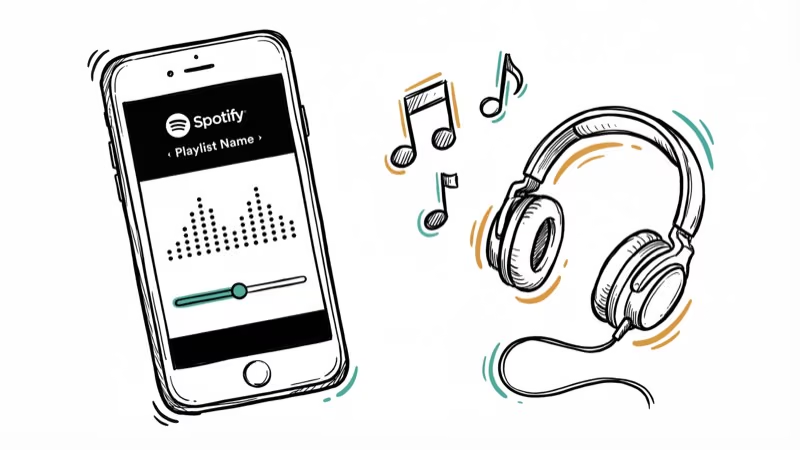
Open Spotify, tap your profile icon, then go to Settings and privacy > Playback > Equalizer. Toggle it on and pick a preset or drag the frequency dots to create a custom curve.
Spotify offers presets like Bass Booster, Treble Booster, Rock, Hip-Hop, and Classical.
For AirPods Pro, keep adjustments modest. Pushing the sliders too far can introduce distortion on bass-heavy tracks at higher volumes. Also, if you have Spotify Premium, set streaming quality to Very High (320 kbps) under Settings > Audio Quality since this single change often makes a bigger difference than any EQ tweak. The free tier caps at 160 kbps.
If your AirPods are connected but sound is coming from your phone, the Spotify EQ won’t help. That’s a Bluetooth routing issue, not an audio quality problem.
#Apple Music EQ vs. Spotify EQ
Both apps let you adjust sound, but they work differently. Here’s a quick comparison.
| Feature | Apple Music EQ | Spotify EQ |
|---|---|---|
| Where to find it | Settings > Apps > Music > EQ | Spotify > Settings > Playback > Equalizer |
| Number of presets | 24 | 7-10 (varies by platform) |
| Custom adjustments | No (presets only) | Yes (draggable frequency dots) |
| Scope | System-wide (Music app + compatible apps) | Spotify only |
| Works with ANC on | Yes | Yes |
| Spatial Audio support | No effect on Spatial Audio tracks | Spotify doesn’t support Spatial Audio |
Apple Music users who want finer control should try Headphone Accommodations. Spotify’s EQ is already more flexible.
The two EQs don’t stack since Apple Music and Spotify use separate audio pipelines. If you’re wondering why one AirPod sounds louder than the other, that’s likely a balance or hardware issue rather than an EQ problem, and adjusting the left-right balance slider in Settings > Accessibility > Audio/Visual is the proper fix.
#Noise Cancellation and EQ on AirPods Pro
Yes, but not the way most people think. Active Noise Cancellation (ANC) doesn’t change the EQ preset you’ve selected. What it does change is how you perceive bass.
With ANC on, outside noise is blocked, which makes bass frequencies more prominent. Turn ANC off, and bass feels thinner because ambient noise masks the low end. ANC doesn’t add bass. It removes the noise hiding it.
According to Apple’s AirPods settings guide, you can switch between Active Noise Cancellation, Transparency, and Off by going to Settings > Bluetooth, tapping the info button next to your AirPods Pro, and selecting your preferred mode. For the fullest bass response from your EQ settings, keep ANC on. Transparency mode lets you hear your surroundings but bass will sound slightly thinner since some low-frequency ambient noise leaks through and masks the bottom end of your music.
AirPods cutting out when switching noise modes? That’s firmware or Bluetooth interference.
#Bottom Line
Start with the iOS Music EQ. Pick a genre-specific preset, listen to a few tracks you know well, and adjust from there. If presets feel too blunt, run Headphone Accommodations’ Custom Audio Setup for a tuning that matches your hearing. For Spotify users, the in-app equalizer gives you finer control with draggable frequency dots.
If none of these settings fix your sound issue, the problem might be fit. Run an Ear Tip Fit Test (Settings > Bluetooth > tap the info button next to your AirPods Pro > Ear Tip Fit Test) before spending more time on EQ adjustments.
#Frequently Asked Questions
Do AirPods Pro have a built-in equalizer?
No traditional equalizer with sliders. AirPods Pro have Adaptive EQ that adjusts automatically based on ear fit, but you can’t tweak it. For manual control, use the iOS Music EQ, Headphone Accommodations, or Spotify’s in-app EQ.
Does changing the EQ drain AirPods Pro battery faster?
No. EQ processing runs on the iPhone, not the AirPods, so changing a preset shouldn’t meaningfully affect AirPods Pro battery life.
Can you use an equalizer with AirPods Pro on Android?
Yes, through Spotify’s built-in equalizer or a third-party EQ app from the Google Play Store. The iOS Music EQ and Headphone Accommodations aren’t available on Android.
What’s the best EQ preset for bass on AirPods Pro?
Bass Booster in either the iOS Music EQ or Spotify works well for most listeners. If you want even more low end, combine Bass Booster with ANC turned on and make sure your ear tips create a tight seal. A loose fit is the number one reason bass sounds weak on AirPods Pro.
Does Spatial Audio override EQ settings?
They’re independent. Spatial Audio and EQ run on different audio layers, so your EQ preset still applies when Spatial Audio is active. That said, the spatial positioning can make tonal changes harder to notice. Test presets with Spatial Audio off first for the clearest comparison.
Should I turn off Adaptive EQ for better sound?
You can’t. Apple provides no toggle for Adaptive EQ. It runs automatically based on your ear shape and tip fit, and in most cases it improves sound rather than hurting it.
Why does my AirPods Pro EQ reset after disconnecting?
The iOS Music EQ preset stays saved even after you disconnect your AirPods. If the EQ seems to reset, check whether you’re switching between apps. Spotify’s EQ is independent from the iOS Music EQ. If you set Bass Booster in iOS but your Spotify EQ is set to Flat, the two won’t match.
Can I create custom EQ profiles for different genres?
Not natively. Apple’s Music EQ and Spotify both limit you to one active preset. Third-party apps like Equalizer+ on the App Store let you save and switch between multiple profiles.

Mac mini M6 vs M5 Pro: Which Model Should You Buy?
Mac mini M6 vs M5 Pro compared on price, memory, ports, displays, and real workloads. Find the better 2026 Mac mini for your desk and budget.

Apple Siri Settlement: Who Qualifies and How to Claim
Apple's $250 million Siri settlement covers iPhone 15 Pro and iPhone 16 models bought June 2024 to March 2025. See who qualifies and how claims work.

iOS 26.6.1 Security Update: What Apple Fixed and Who Gets It
Apple released iOS 26.6.1 on August 17 with 29 security fixes, including an IPSec interception bug. See what it patches, who gets it, and how to update.

iPhone Adaptive Power: How It Works and When to Use It
Learn how iPhone Adaptive Power works, which models support it, what it changes, and when Low Power Mode is still the better battery-saving choice.