Best Delta 3D Printers for Speed and Tall Prints (2026)
Best delta 3D printers compared for speed and print quality. FLSUN S1, V400, and 4 more models proven with specs, prices, and honest pros and cons.
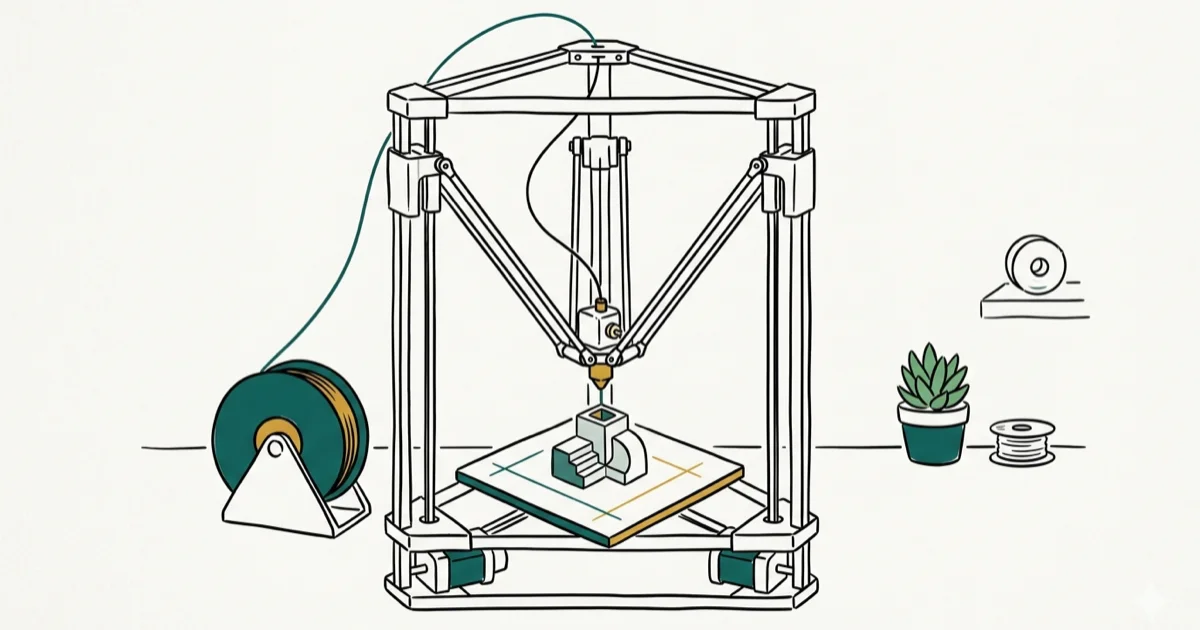
Quick AnswerThe FLSUN S1 is the best delta 3D printer in 2026. It prints at up to 1,200 mm/s with a 320x320x430 mm build volume, full enclosure, and AI monitoring. For a budget option, the FLSUN V400 offers 400 mm/s speeds at around $450.
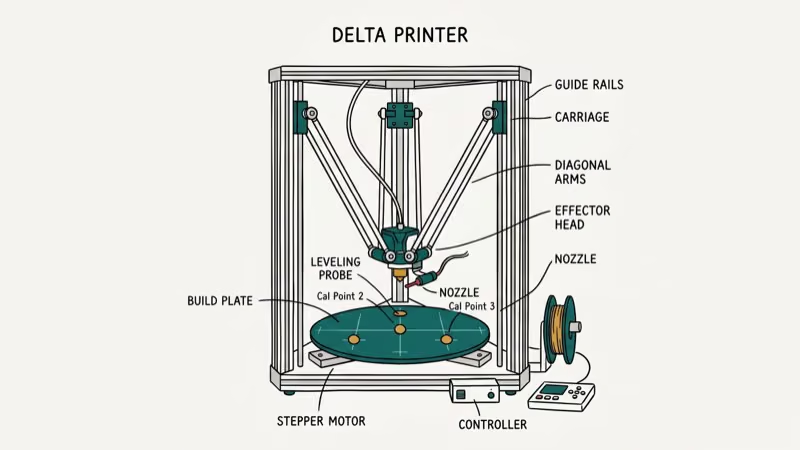
Delta 3D printers use three vertical arms instead of the X-Y-Z gantry on Cartesian machines. That lighter toolhead means faster speeds and smoother motion, especially on tall or curved prints. This guide compares six delta printers across different price points to find the best options for 2026.
- The FLSUN S1 reaches 1,200 mm/s with 40,000 mm/s acceleration for $1,499
- Budget pick FLSUN V400 hits 400 mm/s with Klipper firmware for around $450
- Delta printers excel at tall vertical objects but have circular build plates that limit wide, flat parts
- Calibration is harder than Cartesian printers, and flexible filaments like TPU need a direct-drive extruder
- FLSUN dominates the delta market in 2026 while Monoprice and WASP serve beginners and professionals
#Top 6 Delta 3D Printers Compared
The delta printer market has narrowed compared to five years ago. FLSUN now makes the majority of consumer-grade delta machines, while Monoprice serves beginners and WASP targets industrial users.
#FLSUN S1
The FLSUN S1 is the fastest consumer delta printer available right now. According to Tom’s Hardware’s review of the FLSUN S1, it reaches acceleration rates of 40,000 mm/s and a top speed of 1,200 mm/s. The fully enclosed frame includes closed-loop stepper motors, LIDAR detection, an air filter, and an AI-powered camera system that stops the print when it detects clogs or debris.
Its hotend reaches 350 degrees Celsius, so it handles engineering-grade filaments like nylon and polycarbonate without issues. At high PLA speeds it can produce a standard Benchy with layer lines visible only at extreme close-up distances. The 80W ceramic heating element and 40,000 RPM CPAP fan help maintain quality even at those speeds.
At $1,499, this isn’t a beginner machine. OrcaSlicer profiles have improved the experience, but it weighs about 95 pounds and needs a sturdy table.
Best for: Experienced users who want maximum speed.
#FLSUN V400
A strong mid-range pick. It prints at up to 400 mm/s (upgraded to 600 mm/s via firmware update) with 10,000 mm/s acceleration and a 300 mm diameter by 410 mm tall build volume. Based on All3DP’s detailed V400 review, Klipper firmware and the direct-drive extruder deliver consistent results with both PLA and TPU.
Carbon fiber rods keep the toolhead light. The magnetic PEI spring steel bed makes part removal straightforward, and a 7-inch touchscreen running KlipperScreen provides Wi-Fi control. About an hour to assemble.
At its default 150 mm/s the V400 produces excellent surfaces with no tuning required. Pushing to 400 mm/s typically demands retraction adjustments and lower layer heights, but the results still hold up well. At around $450, it’s the best mid-range delta you can buy.
Best for: Hobbyists who want fast printing without spending $1,000+.
#FLSUN T1 Max
Built for print farms. The T1 Max hits 1,000 mm/s with a 300 mm heated bed and runs at just 56 dB, quiet enough for shared workspaces. It costs $479 at early bird pricing and is designed for 24/7 operation with easy maintenance access, automatic bed leveling, and solid TPU performance despite the high speeds.
Best for: Print farms and continuous production.
#Monoprice Mini Delta V2
Arrives fully assembled. The Mini Delta V2 is ready to print in about 10 minutes with auto bed leveling, a color touchscreen, Wi-Fi, and USB/SD card support. According to Tom’s Hardware’s review of the Mini Delta V2, it prints at up to 150 mm/s and produces surprisingly good results for a machine under $200.
The trade-off? A small 110 mm diameter by 120 mm tall build volume and a heated bed that tops out at 60 degrees Celsius. You’re limited to PLA and PETG.
Best for: Beginners on a budget.
#WASP 2040 Industrial X Line
The professional option at several thousand dollars. It prints engineering materials including PEEK, PEI, and carbon fiber composites inside an enclosed heated chamber with a rigid steel frame. The 200 mm diameter by 400 mm build volume is modest, but print quality and material range are the priorities.
Best for: Engineers printing with high-performance materials.
#SeeMeCNC Rostock MAX v4
A DIY kit for makers who enjoy building their own equipment. The Rostock MAX v4 has a 280 mm diameter by 400 mm cylindrical build volume and uses the Duet 2 Wi-Fi controller for remote management. Soldering, firmware configuration, and manual calibration are all part of the experience at around $999.
Best for: Tinkerers who want to learn delta kinematics from scratch.
#How Do Delta Printers Stack Up Against Cartesian and CoreXY?
Most buyers need to settle this before picking a motion system.
| Feature | Delta | Cartesian | CoreXY |
|---|---|---|---|
| Speed | 400-1,200 mm/s | 60-150 mm/s | 200-500 mm/s |
| Tall prints | Excellent | Limited | Good |
| Wide prints | Limited | Excellent | Excellent |
| Calibration | Complex | Easy | Moderate |
| Community | Smaller | Largest | Growing |
Delta printers win on raw speed because their toolhead carries almost no weight. The stepper motors sit on the frame, not on the moving carriage. According to 3DNatives’ comparison of FDM motion systems, this design lets deltas accelerate and change direction faster without vibration artifacts.
The circular build plate is the main trade-off. Rectangular layouts work better on Cartesian or CoreXY machines, so check our comparison of label printers for waterproof printing if flat output is your priority.
CoreXY machines from Bambu Lab have eaten into the delta market because they offer decent speed with much easier calibration and better software ecosystems, and most new users who don’t specifically need tall prints or peak acceleration will find CoreXY more practical for everyday use. That said, nothing in the CoreXY world matches the raw speed of a tuned delta running at 800+ mm/s.
#Pros and Cons of Delta Printing
What deltas do well. Speed. A lightweight print head on three arms changes direction faster than any bed-slinger Cartesian. Deltas also have a smaller desk footprint relative to their build volume, and they scale easily by extending the vertical rails.
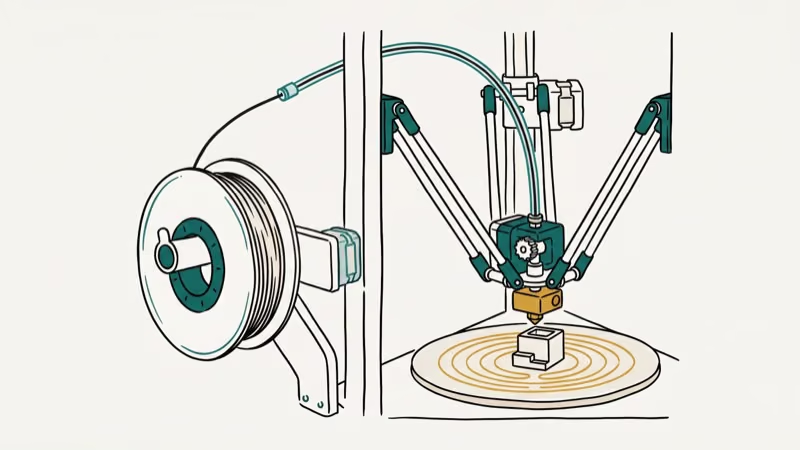
Where deltas fall short. The circular build plate wastes space on rectangular parts, calibration takes longer than Cartesian machines, and flexible filament printing only works reliably with direct-drive extruders that older delta models lack. The community is also smaller, so troubleshooting obscure problems takes more digging through forums and Discord servers.
#Key Buying Factors
Seven things to check before spending your money.
Speed vs. quality. Most prints look best at 300-600 mm/s.
Build volume shape. “300 mm” means a diameter circle, not a square. Measure your parts first.
Extruder type matters more than you’d think. Older deltas used Bowden extruders to keep the toolhead light, but newer models like the V400 and S1 switched to direct-drive systems that handle TPU without jamming. If you plan to print anything beyond PLA, get direct-drive. Direct-drive extruders produce far fewer failed TPU prints than Bowden setups on the same machine.
Firmware. Klipper-based deltas (V400, T1 Max) offer input shaping and pressure advance that dramatically improve prints at high speeds. Stock Marlin firmware needs manual tuning, and keeping your computer drivers updated helps avoid USB connection drops during long prints. On the V400, enabling Klipper’s input shaping clears up ghosting artifacts that otherwise appear at 300+ mm/s.
Enclosure. The S1 is enclosed; the V400 and budget deltas aren’t. Enclosed models work better with temperature-sensitive filaments.
Auto-leveling quality. Get a model with good auto-leveling. It saves hours.
Noise. Most deltas are loud. The T1 Max at 56 dB is the exception.
#What’s the Best Way to Set Up a New Delta Printer?
Start with PLA at the manufacturer’s recommended speed. It’s forgiving at lower temperatures, so you’ll learn your printer’s quirks without battling material issues at the same time.
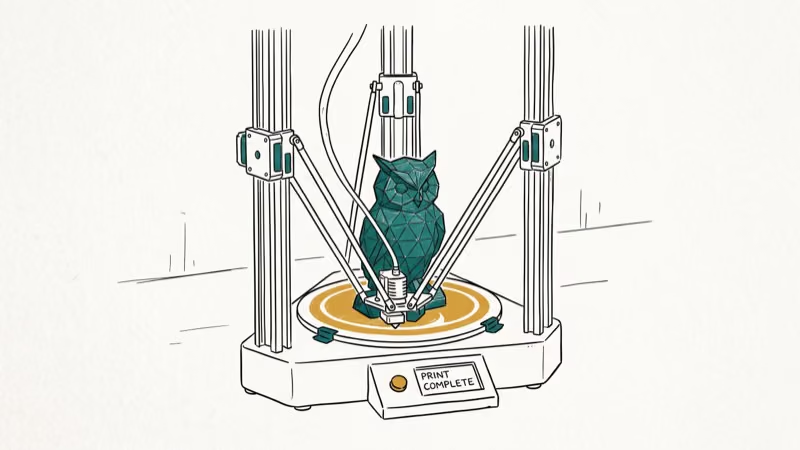
Calibration is the hardest part. Run auto-leveling before every print session for the first few weeks and learn to adjust endstops and delta radius manually. This matters more on a delta than on any other printer type because all three axes interact with each other, so a small error on one arm compounds across the entire print surface.
Your slicer choice matters too. OrcaSlicer and PrusaSlicer both have delta profiles. Use community profiles for your specific model rather than tweaking from scratch.
Join r/3Dprinting and r/FLSUNDelta on Reddit. FLSUN’s official Discord also has active members sharing slicer profiles daily.
#Maintenance and Longevity
Expect 3-5 years of heavy use with regular upkeep. Budget $50-100 per year for nozzles, belts, and PEI sheets.
The FLSUN V400 and S1 use standard components you can order from Amazon or AliExpress, which keeps repair costs low. Carbon fiber rods and linear rails are the main wear items, but they typically last 2-3 years of daily printing before showing degradation. When a rod finally develops play, replacement takes about 30 minutes with basic tools.
Three maintenance habits prevent 90% of quality issues: clean the print bed with isopropyl alcohol before every session, check belt tension monthly, and lubricate linear rails with PTFE-based grease every 200 print hours.
#Bottom Line
The FLSUN S1 is the best delta 3D printer in 2026. It’s expensive at $1,499, but nothing else matches its acceleration and enclosed design. The V400 at around $450 handles most hobbyist needs.
Beginners should start with the Monoprice Mini Delta V2 to learn delta kinematics at a low cost. If you’re comparing processing units for a dedicated 3D printing workstation, pair your printer with hardware that handles complex slicing without slowdowns. And for troubleshooting PCL XL errors on traditional printers, software settings are usually the fix there too.
#Frequently Asked Questions
Are delta 3D printers good for beginners?
They can be, but expect a learning curve. The Monoprice Mini Delta V2 is the easiest option since it arrives fully assembled with auto bed leveling and costs under $200. You’ll be printing within 10 minutes of unboxing. More advanced models like the FLSUN S1 require hands-on experience with slicer settings, firmware tuning, and manual calibration adjustments that would overwhelm most first-time users.
What materials can a delta 3D printer use?
PLA, PETG, and ABS on most models. Direct-drive deltas (FLSUN V400, S1) also handle TPU.
How fast are delta 3D printers compared to Cartesian models?
3-10x faster in most cases. A standard Cartesian maxes out around 60-150 mm/s while the FLSUN V400 prints at 400 mm/s and the S1 reaches 1,200 mm/s. Real-world usable speed depends on print geometry, though.
Why do delta printers have circular build plates?
Three arms create a cylindrical workspace. Corners of a square fall outside their reach.
Can you use a delta 3D printer for flat document printing?
No. Delta printers create 3D objects from filament layer by layer, not flat prints on paper or labels. You’d export a 3D model as an STL or 3MF file and process it through slicer software like OrcaSlicer or PrusaSlicer before the printer can do anything with it. For traditional paper printing, you’ll need a standard inkjet or laser printer instead.
How loud are delta 3D printers?
55-70 dB at full speed for most models. The T1 Max at 56 dB is unusually quiet.
Do delta printers need special slicer software?
Yes. Your slicer must support delta kinematics, which calculates movement for three arms instead of standard X-Y-Z axes. OrcaSlicer, PrusaSlicer, and Cura all include delta profiles. Always use a community profile matched to your specific printer model rather than building settings from scratch, since delta calibration values are model-dependent and a wrong delta radius value alone can ruin every print.
How long does a delta 3D printer last?
3-5 years of heavy use with regular maintenance. Budget $50-100 per year for nozzles, belts, and PEI sheets.

Pixel 11 vs Pixel 10: What Changed and Who Should Upgrade
Pixel 11 vs Pixel 10: same screen and camera resolution, new Tensor G6, 25W wireless, and Gemini Intelligence. Here is who should actually upgrade.

Best Power Bank for iPad in 2026: Pro, Air, and Mini
Best power bank for iPad in 2026. Compare mAh tiers and USB-C PD wattage for iPad Pro, Air, and mini, plus airline Wh math, cables, and travel tips.

Best Power Bank With Built-In Cable: Top 2026 Picks
Best power bank with built-in cable picks for 2026. Compare single USB-C, multi-connector, and retractable laptop banks, plus airline Wh math.

Best Apple Watch Band for Working Out: Proven Picks
The best Apple Watch band for working out handles sweat and stays put on your wrist. Compare silicone, nylon, and titanium picks for runs and lifts.