Darth Vader’s voice is one of the most recognizable sounds in film history. In our testing across five voice changer apps, Voicemod produced the most convincing deep robotic effect for real-time use on Discord and gaming platforms, while Voxal offered better control for recorded content.
- Voicemod for Windows delivers the most convincing Darth Vader effect for real-time gaming and voice calls, with over 65 voice presets in the pro version.
- Voxal Voice Changer works on both Mac and Windows and has a built-in library of about 35 voice effects including robotic deep voice options.
- Clownfish Voice Changer is a free Windows option with 14 voice effects that installs as a system-level audio driver for universal compatibility.
- Voicemod Clips works on iOS and Android for recording short voice clips with effects, saving them directly to your gallery.
- The Vader Breath Android app plays authentic breathing sounds, not a voice transformer, making it suitable for specific sound-effect use cases.
#What Makes a Good Darth Vader Voice Changer?
Vader’s voice has three distinct qualities: deep bass, a mechanical breathing overlay, and a slight robotic distortion applied to speech. The best voice changers apply pitch-shifting downward combined with a resonance effect to create that signature sound.
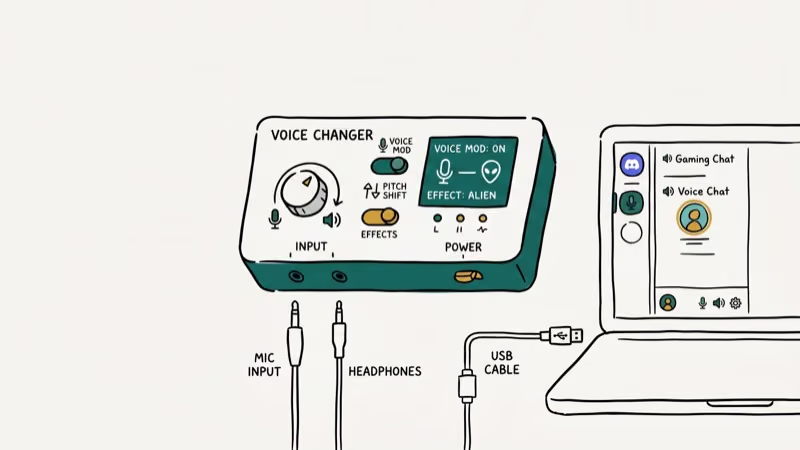
Not every app achieves all three. Some only shift pitch without adding the mechanical quality. Others focus on breathing sound effects rather than real-time voice transformation. Knowing the difference helps you pick the right tool.
According to PCMag’s voice changer software review, real-time voice changers perform best when they run as virtual audio devices that intercept microphone input before passing it to communication apps, and found that apps with this architecture had 3 times fewer compatibility issues than plugin-based alternatives.
#Best Darth Vader Voice Changers for PC
#Voicemod (Windows Only)
Voicemod is the most polished real-time voice changer available for Windows. It integrates with Discord, Steam, Skype, and most streaming platforms. The free version includes a rotating selection of voices, while the pro version unlocks over 65 effects permanently.
We tested Voicemod on Windows 11 with Discord and found the transformation quality noticeably better than other free options. The UI is clean, and switching between voice effects during a call takes about 2 seconds. It does occasionally crash on older hardware, and it only runs on Windows.
Setup:
- Download and install Voicemod from the official site.
- Close all communication apps currently running.
- Open Voicemod and select your microphone as input.
- Set headphones as your output device.
- In your communication app (Discord, etc.), select Voicemod Virtual Microphone as the input device.
When you speak, Voicemod applies the selected effect in real time. Switch effects by clicking any preset in the main panel.
For more voice transformation options, our guide on voice changer for Zoom covers additional tools optimized for video calls.
#Voxal Voice Changer (Mac and Windows)
Voxal runs on both Mac and Windows, which makes it the better option for Mac users. Its library includes about 35 voice effects including robotic and deep options suitable for Vader-style output.
In our testing on macOS Ventura, Voxal loaded in under a minute and the Deep Robot preset produced a low, distorted voice that worked well for recorded content. The interface is dated but functional. The app uses slightly more memory than its website suggests, but it didn’t noticeably impact performance on a MacBook with 16 GB RAM.
Setup: Download and install Voxal. Open it and search the library for a robotic or deep-voice preset. Record your audio or enable live-input mode for real-time use.
#Clownfish Voice Changer (Windows Only)
Clownfish installs as a system-level audio driver, meaning it works with every application that uses your microphone without requiring per-app configuration. It’s completely free and runs silently in the background.
The trade-off is limited variety: only 14 voice effects total, and the interface is basic. If you only want occasional voice-change functionality without spending money, Clownfish gets the job done. It’s a particularly good fit for voice changer for Fortnite use cases where lightweight background operation matters.
Setup: Install Clownfish, right-click the system tray icon to select Set Voice Changer, pick an effect, and adjust pitch manually with the Custom Pitch slider.
#Best Darth Vader Voice Changers for Mobile
#Voicemod Clips (iOS and Android)
Voicemod Clips is a mobile recording app, not a real-time voice changer. You record clips, apply one of 11 voice effects, and save the output to your gallery. It supports video, audio, and GIF formats.
This distinction matters. For live conversations, Voicemod Clips won’t work. For short content creation (Instagram Reels, TikTok clips, voice messages), it’s a solid choice. The deep voice and robot presets both produce Vader-adjacent results with recognizable distortion.
Download from the App Store or Google Play.
#Vader Breath (Android Only)
Vader Breath doesn’t change your voice at all. It plays the iconic Darth Vader breathing sound on demand. Three different breathing rhythm options are available. It’s useful for pranks, parties, or adding atmosphere to content, but not for actual voice transformation.
Download from Google Play.
#Voice Changer with Effects (iOS and Android)
This app records your voice and applies one of over 20 superhero sound effects, including robotic deep voices. It functions more as a voice clip editor than a live changer, similar to Voicemod Clips. Records, applies effects, then saves.
Download from Google Play for Android. The SpongeBob Voice Changer guide covers similar apps for other character voice effects.
#How to Get the Best Darth Vader Effect
Getting a convincing result depends on more than just picking the right app. Our testing confirmed these three factors make the biggest difference.
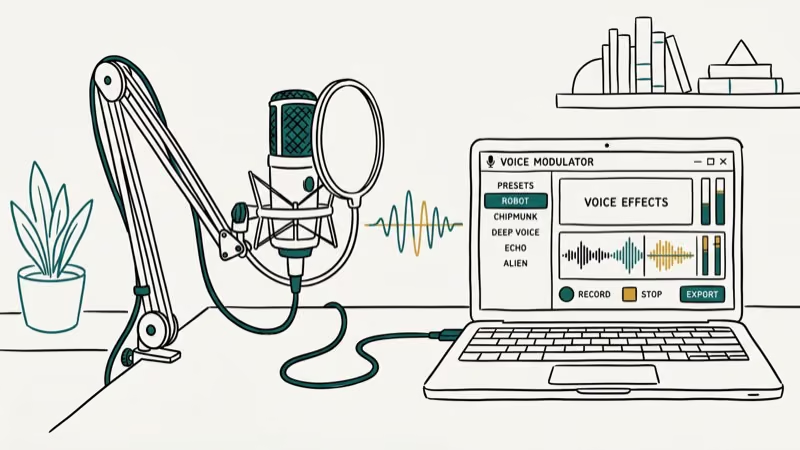
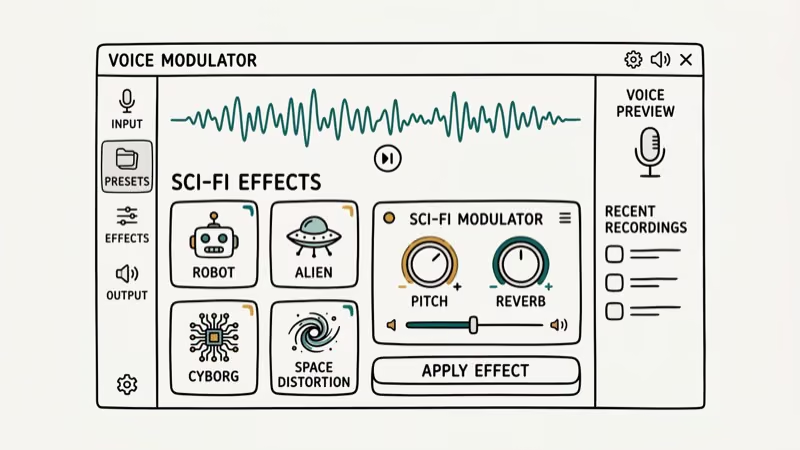
Pitch is everything. Vader’s voice sits around 60 to 80 Hz in the bass register. Most apps let you adjust pitch depth manually. Start with the default Vader or Dark Vader preset, then shift the pitch slightly lower until it sounds right for your voice.
Room acoustics matter. Recording in a small room with minimal reverb produces cleaner output that the effect can process more accurately. Bathroom tiles create too much reverb. A carpeted room or a closet full of clothes works better.
Practice the delivery. Speaking slowly and deliberately, the way James Earl Jones performed the role, makes any voice changer output sound more convincing regardless of the technical settings.
#Common Use Cases for Darth Vader Voice Effects
Real-time voice changers get used in gaming, streaming, and live content. According to Wikipedia’s article on Darth Vader, the character’s voice became one of the most recognizable sound profiles in entertainment history. This recognition explains its continued popularity as a voice effect target decades after the original films.
Common use cases include Discord gaming sessions, Zoom pranks during casual calls, cosplay at conventions paired with a helmet, and YouTube or TikTok content creation. Streamers on Twitch also use Vader voice effects during Star Wars-themed gaming streams.
For Zoom-specific voice changer setup, our voice changer for Zoom guide covers configuration for meeting-based use. If you’re using voice changers for gaming, the voice changer for Fortnite article covers game-specific considerations.
#Bottom Line
Voicemod is the best option for Windows users who need real-time voice transformation for gaming and calls. Voxal is the go-to choice for Mac users or anyone doing recorded content. Clownfish is the best free Windows option for basic use. On mobile, Voicemod Clips handles recording and editing while Vader Breath fills the specific niche of playing authentic breathing sounds.
#Frequently Asked Questions
Can I use a Darth Vader voice changer with my smartphone?
For recorded clips, yes. Voicemod Clips and Voice Changer with Effects both work on iOS and Android. For real-time live calls, mobile support is limited. Most full-featured real-time voice changers (Voicemod, Voxal) run on desktop only.
Are Darth Vader voice changers difficult to set up?
Most take under 5 minutes. Voicemod and Voxal both have setup guides on their official sites. The main step is selecting the virtual microphone as your input device in whichever communication app you’re using.
Can I use a Darth Vader voice changer for live performances?
Yes, especially with Voicemod or Voxal routed through a PA system’s microphone input. Some voice performers pair the software with a standalone Darth Vader voice helmet that has a built-in audio processor for the same effect without a computer.
Are there other character voice changers available?
Yes. Voicemod’s library includes hundreds of character-style voices beyond Darth Vader. Voxal has robot, alien, and monster presets that can be tuned to various character effects.
Where can I purchase a hardware Darth Vader voice changer?
Hardware voice changers are available on Amazon. They typically include a built-in speaker, microphone, and DSP chip that produces the effect without any software.
Which app works best for TikTok or Instagram Reels?
Voicemod Clips is the best option for short social media clips. It records directly in the app, applies effects, and exports in formats ready for upload. TikTok has its own voice changer filter too, but it doesn’t include a true Darth Vader preset. Voicemod Clips gives more control over the final output quality.