CBR vs. VBR: Understanding the Differences in File Formats
Constant Bit Rate (CBR) Definition and Explanation Constant Bit Rate (CBR) is an encoding method where the bit rate remains consistent throughout the entir
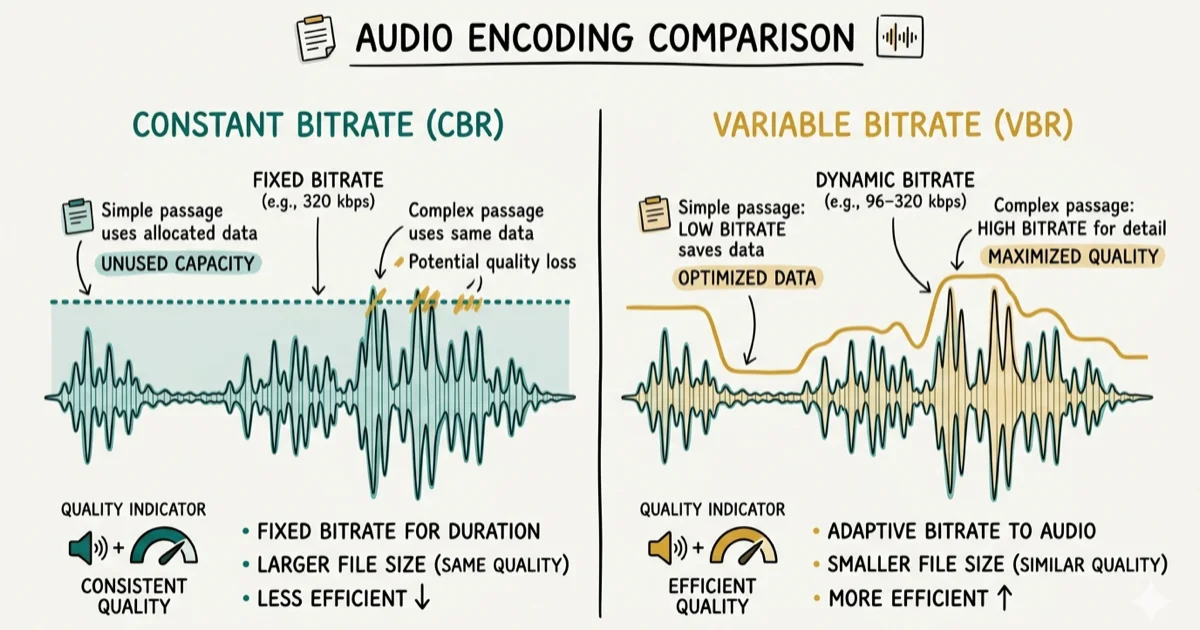
Quick AnswerCBR locks in a fixed bitrate for every frame, making files predictable for streaming. VBR adjusts the bitrate based on scene complexity, delivering better quality at smaller file sizes. Use CBR for live streaming and VBR for offline encoding where quality matters most.
Choosing between CBR and VBR comes up any time you encode audio or video for streaming, local playback, or broadcast, and the right answer depends on your use case more than which format sounds better on paper. Typical offline encodes can make VBR smaller at equivalent visual quality. CBR’s advantage is bandwidth predictability, which matters most for live scenarios.
- CBR keeps a fixed bitrate throughout a file, making bandwidth predictable but wasteful on simple scenes
- VBR adjusts bitrate per scene, often reducing file size at equivalent quality
- Streaming platforms prefer CBR because it prevents buffer stalls during bandwidth fluctuations
- Video editors should default to VBR exports since storage efficiency beats predictability for offline files
- Modern devices support both, but some legacy hardware has limited VBR compatibility
#Constant Bit Rate (CBR) Explained
Constant Bit Rate (CBR) is an encoding method where the bitrate stays fixed throughout the entire file. Every second of video gets the same number of bits, whether that second shows a fast-moving action sequence or a completely still background shot.
Simple frames receive more bits than they actually need. Complex frames may get fewer bits than ideal. This is CBR’s core limitation.
CBR provides predictable, consistent bandwidth usage throughout playback. This stability is critical in applications where network capacity is fixed, such as video conferencing or live broadcasting. According to Wikipedia’s data compression article, CBR is the standard for broadcast applications where the transmission channel has strict bandwidth limits, because the decoder’s buffer never overflows or starves.
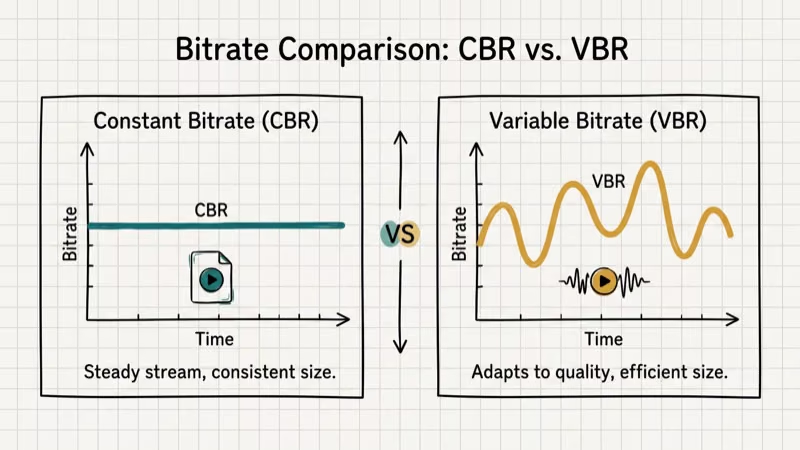
One major drawback is inefficient bit allocation. Since every frame gets the same fixed number of bits, simpler frames consume bandwidth they don’t actually need, while complex frames are capped at the same limit even when more bits would meaningfully improve quality. Over a long video, this inefficiency can make the file larger than a comparable VBR export at the same visual quality target.
#Variable Bit Rate (VBR) Explained
Variable Bit Rate (VBR) is an encoding method that dynamically adjusts bitrate based on scene complexity. Complex frames with fast motion or rich detail get more bits; simple frames with minimal change get fewer. This produces better quality per bit than CBR.
During VBR encoding, the encoder analyzes each frame’s content and assigns bits accordingly. A static talking-head segment might run at 1 Mbps while a fast-panning sports clip gets 8 Mbps in the same file.
VBR achieves better visual quality at smaller file sizes, especially in content with mixed complexity. At a given average bitrate, VBR can produce a smaller file than CBR held constant at that same rate, especially when the video mixes static shots with fast-motion sequences. The total bitrate savings over a long video project adds up fast.
VBR’s main drawback is unpredictability. A sudden spike in bitrate can overwhelm a network with limited bandwidth, causing buffering during live delivery. That’s a dealbreaker for real-time broadcasting.
#Is CBR or VBR Better for Streaming?
CBR is more reliable for live streaming. Networks and streaming platforms with limited bandwidth need predictable bit delivery. CBR-encoded files don’t suddenly spike in bitrate, which prevents buffer stalls and reduces encoding complexity on live hardware.
According to Wowza’s CBR vs VBR guide, two-pass VBR isn’t available live, so CBR fits real-time streams.
For on-demand streaming of pre-encoded files, VBR is often preferred since the server can deliver the file at a controlled rate regardless of the bitrate variance inside the file.
#CBR vs. VBR: Quality and File Size
VBR wins on quality. It allocates more bits where the scene demands them, producing sharper motion and better detail than CBR at the same average bitrate. CBR keeps a consistent look but can’t adapt to demanding content.
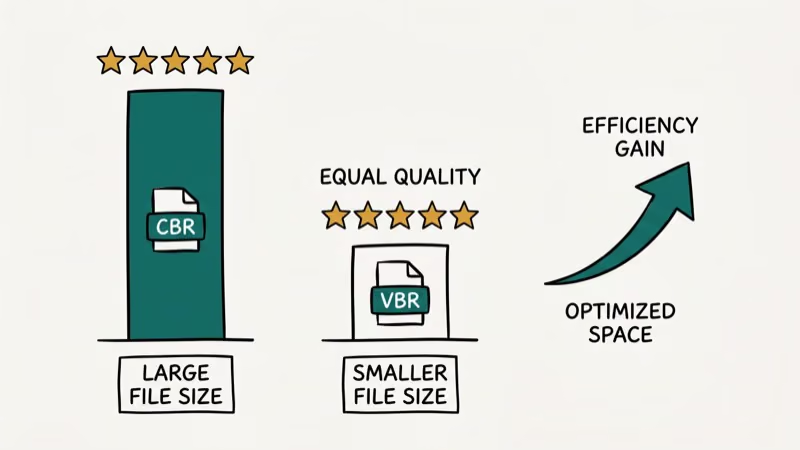
For file size, VBR wins clearly. CBR-encoded videos often run larger than VBR exports at equivalent perceptual quality. Wikipedia’s comparison of audio coding formats confirms that MP3 tops out at 320 kbit/s while VBR-capable codecs scale far higher. VBR spends more bits on complex passages, then pulls back during static content, which is exactly where CBR wastes bandwidth.
For predictable storage, CBR makes sense when each file must fit a fixed allocation, such as broadcast archives. VBR is better when you want the smallest possible file at a given quality level and storage size isn’t fixed.
#How to Choose the Right Encoding Method
When deciding between CBR and VBR, match the choice to your delivery method and use case.
Live streaming or video conferencing: use CBR. Predictable bandwidth prevents real-time buffering and dropped frames.
Offline video storage and editing exports: use VBR. Smaller files at better quality are worth the unpredictability when no live network is involved.
On-demand video upload to platforms like YouTube: use VBR. The platform re-encodes your upload anyway, and VBR gives it a better source to work with.
Legacy device compatibility: use CBR. Older devices handle constant bitrate more reliably because they have simpler buffer management. Their decoders expect predictable loads, and VBR spikes can cause stuttering on hardware more than 5 years old.
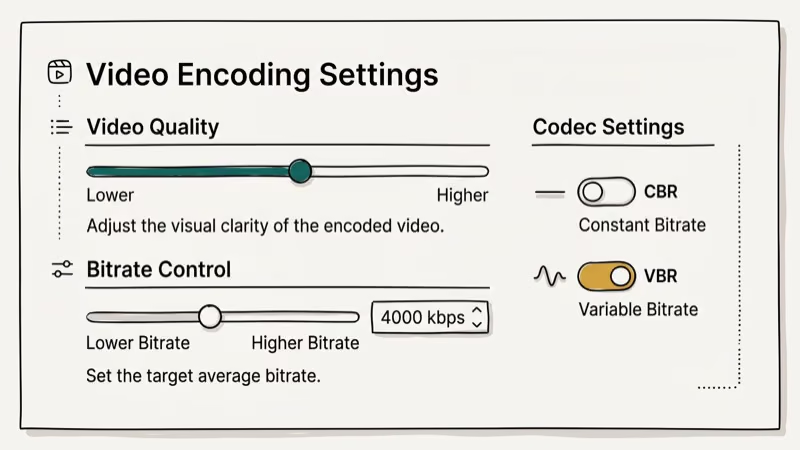
Based on the specific use case and requirements, content creators and digital media professionals can choose the most appropriate encoding method for their videos.
Two related guides: convert ISO and IMG disc images and convert any videos to MP4.
For compressing video files before sending, see how to compress video for email. If you’re working with container formats, MP4 vs MOV differences covers related decisions.
For deeper conversion workflows, understanding MKV to DivX conversion helps when targeting legacy playback devices.
#Does CBR or VBR Matter for Audio Encoding?
The CBR vs. VBR debate applies equally to audio. Dynamic music passages benefit most from VBR, which allocates extra bits exactly where they’re needed instead of wasting them on silence.
For MP3 audio, VBR at a quality target (V0-V5 in LAME) typically outperforms CBR at the same average bitrate in listening tests. The difference is most audible in classical music or podcasts with varying volume levels. For background music on basic speakers, CBR at 192 kbps is a simple, compatible choice that works everywhere.
#Bottom Line
CBR and VBR are tools with different strengths. CBR is the right choice for live streaming, broadcasting, and anywhere consistent bandwidth matters more than file size or peak quality. VBR belongs in offline encoding, video editing exports, and file storage where you want the best quality per gigabyte.
For most people encoding home videos or YouTube content, VBR is the right default. For anyone streaming live to a platform or conference tool, CBR is the safer choice.
#Frequently Asked Questions
What is the main difference between CBR and VBR?
CBR maintains a constant bitrate throughout the video, allocating the same number of bits per second regardless of scene complexity. VBR dynamically adjusts the bitrate based on content, using more bits for complex scenes and fewer for simple ones. The result is that VBR achieves better quality at smaller file sizes, while CBR is more predictable for streaming.
Which encoding method is better for streaming videos?
CBR is generally better for live streaming where maintaining a consistent bitrate is essential to prevent buffering. For on-demand streaming of pre-encoded files, VBR often delivers better quality since the server controls delivery rate separately from the file’s internal bitrate variation.
Can I switch between CBR and VBR during encoding?
Most video encoding software, including HandBrake, FFmpeg, and Adobe Media Encoder, lets you choose the encoding mode before export. You can’t switch mid-stream in live encoding, but for file-based encoding you simply set the preference before starting the job.
Does VBR always produce better video quality?
VBR generally produces better quality per bit, especially in scenes with high motion or fine detail. However, at very high bitrates well above what the content actually demands, CBR and VBR quality become indistinguishable to the human eye. VBR’s advantage is most visible at moderate to lower target bitrates where bit allocation efficiency determines whether fast-panning shots look sharp or smeared. For typical YouTube exports at 8-12 Mbps, VBR produces noticeably better results than CBR at the same average bitrate.
Are there compatibility issues with CBR or VBR files?
Both CBR and VBR files are widely supported by modern media players and platforms. Some older devices, particularly embedded systems, older Smart TVs, and budget players, handle CBR more reliably because they have simpler decoders that expect predictable buffer loads.
Which format is better for MP3 audio?
For MP3 audio, VBR at a quality target (V0-V5 in LAME) typically outperforms CBR at the same average bitrate in listening tests. The difference is noticeable on dynamic content like classical music or podcasts with varying volume levels. For background music or content you’ll play on basic speakers, CBR at 192 kbps is a simple, compatible choice.

Best Laptop for Running LLMs in 2026: Memory Comes First
The best laptop for running LLMs is a memory purchase first. Compare MacBook unified memory against NVIDIA laptop VRAM, and see what each tier really runs.

Pixel 11 vs Pixel 10: What Changed and Who Should Upgrade
Pixel 11 vs Pixel 10: same screen and camera resolution, new Tensor G6, 25W wireless, and Gemini Intelligence. Here is who should actually upgrade.

Best Power Bank for iPad in 2026: Pro, Air, and Mini
Best power bank for iPad in 2026. Compare mAh tiers and USB-C PD wattage for iPad Pro, Air, and mini, plus airline Wh math, cables, and travel tips.

Best Power Bank With Built-In Cable: Top 2026 Picks
Best power bank with built-in cable picks for 2026. Compare single USB-C, multi-connector, and retractable laptop banks, plus airline Wh math.