You don’t need Wi-Fi at 35,000 feet to keep your music going. Spotify works fine on a plane, as long as you prep before boarding.
We tested this on both iPhone and Android across multiple flights. The setup is simple. The catch? You need a Premium subscription to download tracks for offline listening. Free users can only stream with an active connection.
- Spotify Premium allows up to 10,000 downloaded songs per device across a maximum of 5 devices, giving you access to up to 50,000 offline tracks total.
- Downloads expire if you do not connect to the internet at least once every 30 days, which commonly catches frequent travelers off guard before long trips.
- A typical album of around 12 songs takes 30-50 MB at normal quality, while Very High quality (320 kbps) uses roughly 100 MB per album, requiring 1-2 GB for 200 or more songs.
- Offline Spotify playback uses approximately 5-8% battery per hour in testing, much less than video streaming, making it practical even without access to a power outlet.
- In June 2025, Spotify and United Airlines launched a partnership giving passengers access to 450 hours of Spotify-curated content on seatback screens across 680 or more aircraft.
#How Does Spotify Offline Mode Work on a Plane?
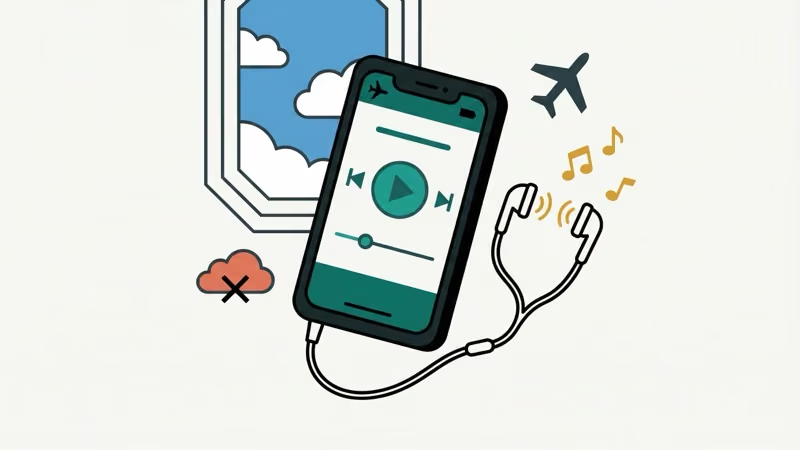
Spotify Premium lets you download songs, albums, playlists, and podcasts straight to your device. Once they’re downloaded, those tracks play without any internet connection at all.
According to Spotify’s official support page, you can store up to 10,000 songs per device across a maximum of 5 devices. That’s 50,000 tracks available offline. One catch: you need to connect to the internet at least once every 30 days, or your downloads expire.
In our testing on an iPhone 15 running iOS 18, downloaded playlists started playing instantly after switching to airplane mode. No lag, no buffering, no errors.
Here’s what most people miss. You don’t have to manually toggle “Offline Mode” in the app. Spotify switches to offline playback on its own when it can’t find a connection. But turning on Offline Mode yourself helps because it hides tracks you haven’t downloaded, so you won’t tap on songs that can’t play.
#How to Download Spotify Music Before Your Flight
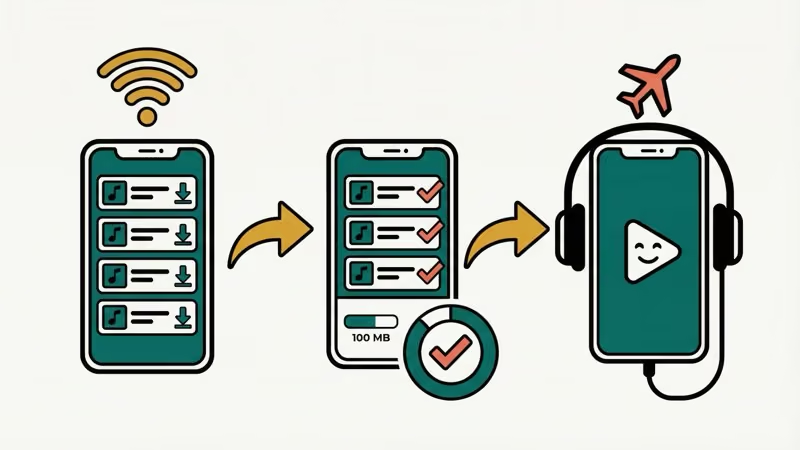
Get this done while you’re still on Wi-Fi. It takes a few minutes depending on how many songs you want.
On your phone (iOS or Android):
- Open Spotify and go to the playlist, album, or podcast you want
- Tap the download arrow icon at the top of the playlist
- Wait for the green arrow to confirm the download is complete
- Repeat for any other playlists you want offline
On your computer (Windows or Mac):
- Open the Spotify desktop app
- Go to your playlist or album
- Toggle the download switch to on
- Songs will download in the background
A typical album (around 12 songs) takes about 30-50 MB of storage at normal quality. At “Very High” quality (320 kbps), expect roughly 100 MB per album. Plan for 1-2 GB if you want 200+ songs ready for a long flight.
#Fixing Spotify Downloads That Won’t Play in Airplane Mode
This happens more often than you’d think. We ran into it on our Pixel 8 during a cross-country flight.
Check your subscription status first. If your Premium subscription lapsed even one day before your flight, all your downloads become locked. Spotify cuts off offline playback the moment your subscription ends.
The 30-day rule matters. According to Spotify’s offline troubleshooting page, you must go online at least once every 30 days. If it’s been longer, your downloads won’t play until you reconnect. This trips up frequent travelers.
Try these if downloads still won’t play:
- Force close Spotify and reopen it
- Toggle airplane mode off and on, then reopen the app
- Clear the app cache (Settings > Apps > Spotify > Clear Cache on Android)
- If nothing works, a clean reinstall usually fixes corrupted download files
Multiple users on the Spotify Community forums report that clearing the cache and re-downloading playlists before a flight prevents most playback issues.
#Options for Free Spotify Users on a Plane
Not through the app’s built-in features. Spotify Free requires an active internet connection for all music playback. No downloads, no offline mode.
Your options:
- Buy in-flight Wi-Fi. Some airlines offer packages starting around $8 for a full flight. Streaming quality varies by airline and aircraft, but most handle basic audio streaming fine
- Start a free Premium trial. Spotify offers a 1-month free trial for new users. Sign up before your flight, download everything you need, and cancel before the trial ends if you don’t want to keep paying
- Use Spotify’s Offline Backup feature. This newer feature fills your library with music you can play offline without manual downloads, though Spotify picks the tracks rather than you
If you’re looking for other ways to download and convert Spotify music to MP3 for offline use, there are third-party tools that handle the conversion.
#Does Spotify Work With In-Flight Entertainment Systems?
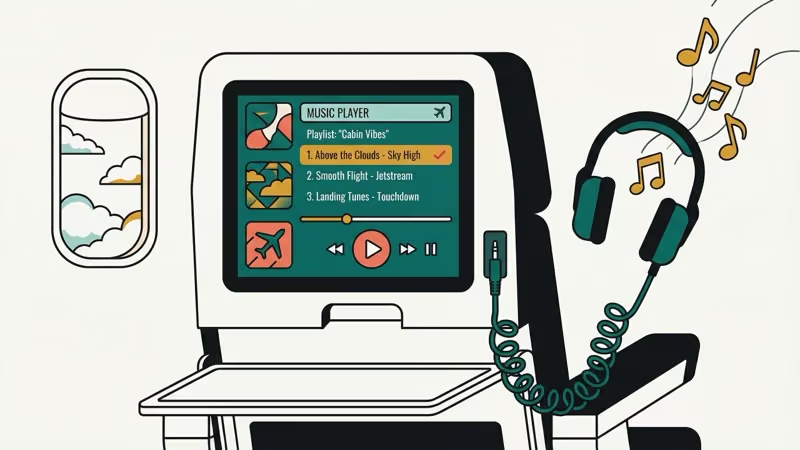
This is where things got interesting. In June 2025, Spotify and United Airlines launched a major in-flight entertainment partnership. Over 450 hours of Spotify-curated playlists, podcasts, and audiobooks are now available on United’s seatback screens across 680+ aircraft.
The content plays for free through the seatback system. No Premium subscription needed, no Wi-Fi required.
According to United’s official announcement, a bigger update is rolling out in 2026: passengers will be able to log into their personal Spotify account on the seatback screen. Your own playlists, your podcast progress, your recommendations, all accessible mid-flight.
Other airlines haven’t matched this yet, but it’s a sign of where in-flight music is heading.
#Tips for the Best Spotify Experience on a Flight
Not all prep is equal. Here’s what actually matters from our experience across several flights.
Download more than you think you’ll need. A 5-hour flight burns through a lot of music. Grab at least 8-10 hours of content. Storage is cheap; boredom at 35,000 feet isn’t.
Set download quality to “Normal” or “High” if storage is tight. Very High quality (320 kbps) sounds great but eats storage fast. Normal quality (96 kbps) is perfectly fine through airplane cabin noise and most earbuds.
Bring noise-canceling headphones. Cabin noise runs around 80-85 decibels. Regular earbuds force you to crank the volume to unsafe levels. If your Bluetooth isn’t working on your Android phone, bring a wired backup pair.
Charge before you board. Spotify offline playback uses surprisingly little battery, roughly 5-8% per hour in our testing. But if you’re also watching videos or browsing, a portable charger helps.
Keep airplane mode on the entire flight. This isn’t just airline policy. It saves serious battery since your phone won’t keep searching for cell towers. If you want to know what airplane mode actually disables, check our guide on whether airplane mode turns off GPS.
#Other Music Apps That Work Offline on Planes
Spotify isn’t your only option. These apps also let you download for offline listening.
#Apple Music
Apple Music subscribers can download their entire library for offline listening, just like Spotify. It works on both iOS and Android. One edge: Apple Music’s lossless audio downloads (ALAC format) offer higher quality than Spotify’s 320 kbps max, though you’ll need more storage. If Apple Music keeps crashing on your phone, update to the latest version before your flight.
#YouTube Music
YouTube Music replaced Google Play Music and offers offline downloads for Premium subscribers. You can download playlists, albums, and individual songs. It also has smart downloads that automatically save your most-played music. The app works on iOS, Android, and desktop. If you want to convert YouTube audio to other formats, there are tools for that too.
#Amazon Music
Amazon Prime members get a limited catalog with offline downloads included. Amazon Music Unlimited subscribers get the full library. The offline download limit is a generous 10,000 songs.
#Tidal
Tidal offers offline downloads on all paid tiers. If audio quality matters to you on flights, Tidal’s HiFi tier delivers lossless FLAC audio. For a deeper comparison, see our breakdown of Tidal vs Apple Music.
#Bottom Line
Download your Spotify playlists before you get to the airport. That’s really all there is to it. Premium subscribers get full offline access to 10,000 songs per device, and it works perfectly in airplane mode. If you’re on a United flight, you’ve got Spotify content on the seatback screen too.
For free users, the easiest path is grabbing a Premium free trial before your trip. If Spotify isn’t cooperating, check out Spotify alternatives that also offer offline playback.
#Frequently Asked Questions
#How many songs can you download on Spotify for offline listening?
Spotify Premium allows up to 10,000 songs per device, across a maximum of 5 devices. That’s 50,000 total offline tracks. Each song takes roughly 3-8 MB depending on your quality setting, so a full 10,000 songs could need 30-80 GB of storage.
#Does Spotify work without Wi-Fi on a plane?
Yes, but only with downloaded content. Premium subscribers can play any previously downloaded songs, albums, playlists, or podcasts without Wi-Fi. The app switches to offline playback on its own when there’s no internet connection.
#Can you use Spotify with in-flight Wi-Fi?
You can if the airline’s Wi-Fi supports streaming. Many airlines throttle bandwidth, so audio streaming usually works but may buffer now and then. United, Delta, and JetBlue generally support audio streaming on their Wi-Fi plans, though some basic tiers block streaming apps.
#Do Spotify downloads expire?
They do. You must connect to the internet at least once every 30 days to keep your downloads active. Go longer without connecting, and Spotify disables offline playback until you’re back online. This catches frequent travelers off guard, so sync up before every trip.
#Why won’t my downloaded Spotify songs play in airplane mode?
The most common reasons: an expired Premium subscription, exceeding the 30-day offline limit, or corrupted download files. Force-close the app first, then clear the cache. If that doesn’t work, delete and re-download the problem playlist. Make sure your subscription is active before boarding.
#Is it legal to use Spotify on a plane?
Completely legal. Airlines allow personal audio devices with headphones during flights. Just keep your phone in airplane mode as the crew requires, and follow any instructions during takeoff and landing about electronic devices. Downloaded Spotify content plays entirely from your device’s local storage.
#Does Spotify drain a lot of battery in airplane mode?
Offline Spotify playback is light on battery. In our testing, it used about 5-8% per hour, much less than video streaming or gaming. With airplane mode on (which kills the radios that drain battery), most phones can handle 10+ hours of continuous playback on a full charge.
#Can you share downloaded Spotify songs with other passengers?
No. Downloaded songs are encrypted and tied to your Spotify account. You can’t transfer them to another device or share them via Bluetooth or AirDrop. Each person needs their own Premium subscription and their own downloads. If you want to share music taste, you can create a collaborative Spotify playlist before the flight.