How to Achieve Best Equalizer Settings for a Perfect Output
Learn how to dial in the best equalizer settings for any device. Covers frequency bands, decibels, and EQ presets for music, gaming, and calls.
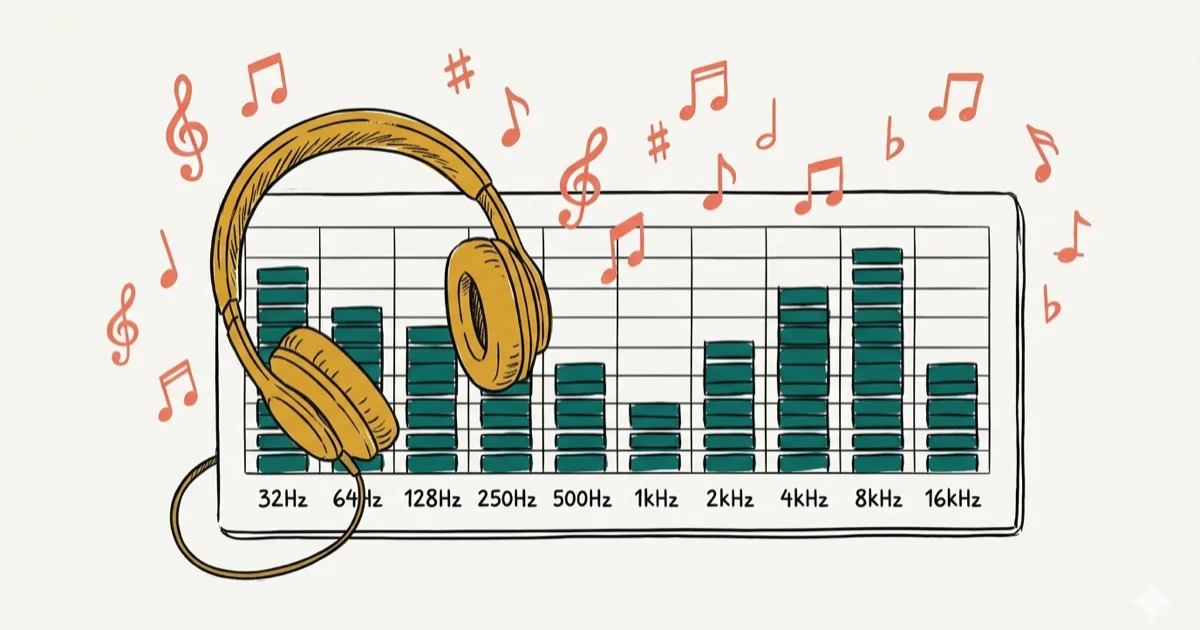
Quick AnswerStart with a flat EQ curve and make small 1-2 dB adjustments to bass (50-200 Hz), midrange (800 Hz-2 kHz), and treble (4-12 kHz) frequencies until the sound matches your listening environment and personal preferences.
Getting the best equalizer settings can transform how music sounds on your speakers, headphones, or car stereo. Audio engineers tweak EQ curves before every release, and you can use the same techniques to match your own listening environment.
A flat starting curve with small, targeted boosts is the safest way to tune an EQ. Dramatic adjustments can quickly make music sound muddy, harsh, or uneven across different speakers, headphones, and car stereos.
- Human hearing ranges from 20 Hz to 20,000 Hz, but most music sits between 50 Hz and 15,000 Hz
- Small 1-2 dB EQ adjustments produce noticeable results because decibels follow a logarithmic scale
- Sub-bass frequencies below 50 Hz add physical rumble, while boosting 1 kHz to 4 kHz brings vocal clarity
- EQ presets like Rock, Jazz, and Pop offer quick starting points, but manual tuning delivers better results
- The presence register between 4 kHz and 7 kHz controls how forward or distant instruments sound
#What Exactly Is an Equalizer?
Let’s start with the basics. Equalization, which is also known as EQ, is the name given for the process where a person adjusts the balance that exists between the different frequency components within an electric signal. According to Wikipedia’s audio equalization overview, equalization adjusts frequency balance, so presets are only starting points for a room, headset, or genre.
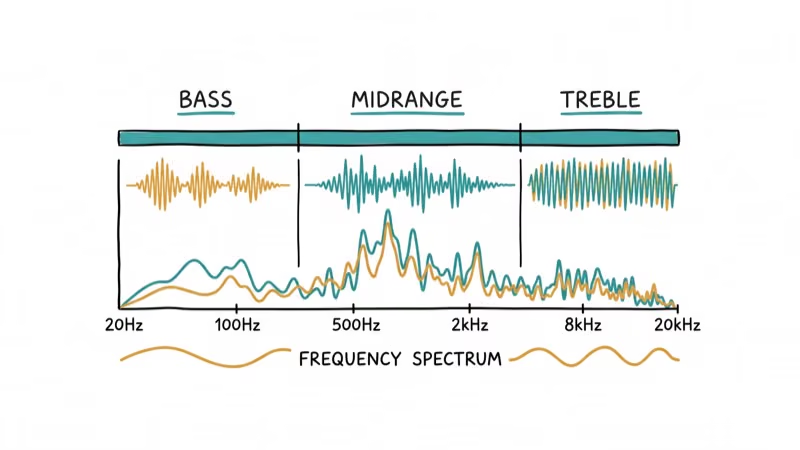
This definition is quite vague, especially due to the presence of the word balance. In simple terms, good equalization is about determining the perfect balance between the different frequencies you can discover in an audio track.
You can manipulate that balance to get the exact sound you’re after.
If you’ve used any piece of audio equipment, you’ll already recognize EQ controls. Bass and treble knobs on your Bluetooth speakers or car stereo are the simplest form.
On recording equipment and audio receivers, EQ controls get more detailed. According to Sweetwater’s audio engineering guide, a parametric EQ gives you control over specific frequency bands, center frequency, and bandwidth, letting you shape the output with surgical precision.
#Why You Need to Use an EQ
You won’t always listen to music in ideal conditions. Background noise can drown out certain frequencies.
Ambient noise and room shape both affect what you hear. An EQ lets you compensate for those differences so a track sounds right whether you’re in a quiet room or on a noisy train.
Even compressed file formats strip audio data. An EQ helps you restore some of that lost richness by boosting the affected frequency ranges.
If you prefer heavy bass, you can push the 50-200 Hz range up a few dB. And if you buy bass-heavy headphones, you might need to pull that same range down to avoid muddiness. The EQ adapts to whatever gear or environment you’re working with, giving you consistent control over your audio playback.
#How Does An EQ Work?
Every EQ has two core controls: center frequency and bandwidth (also called Q). Center frequency picks the exact frequency you want to adjust, and Q determines how wide or narrow that adjustment is.
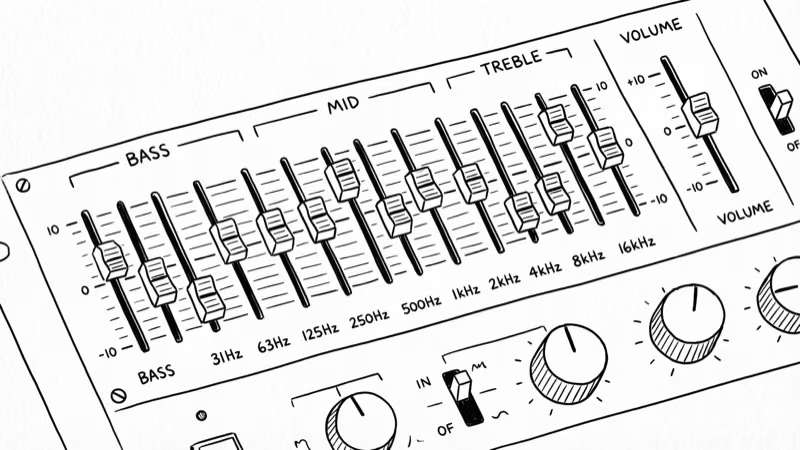
Car stereo knobs use a broad Q, so turning up bass affects a large range of low frequencies at once. A narrow Q on studio equipment targets a precise band, showing up as a sharp spike on the graph. As Headphonesty’s EQ guide confirms that narrow Q adjustments of 1-2 dB produce cleaner results than wide boosts.
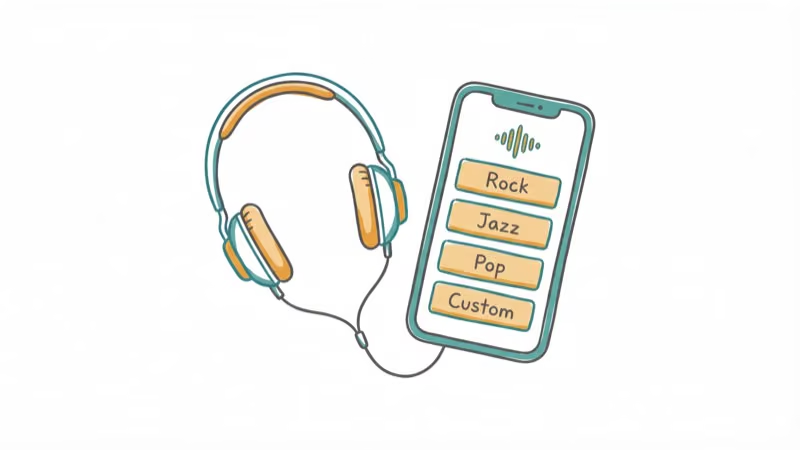
Most EQs ship with presets like Concert, Jazz, and Rock. These apply pre-configured curves optimized for specific genres, giving you a fast starting point.
A graphical EQ shows decibels on one axis and frequencies on the other, with sliders you can drag up or down. Bass frequencies sit on the left, midrange in the center, and treble on the right.
Use the EQ effectively, and you’ll smooth out harsh peaks or fill in weak spots across the frequency spectrum. When you’re streaming audio between devices, the right EQ settings prevent quality loss at both ends of the chain.
#Understanding Frequencies
You can’t dial in good EQ settings without understanding frequencies first.
All sound is vibration. Fast vibrations produce high-pitched treble. Slow vibrations produce deep bass. Each musical note corresponds to a specific frequency measured in Hertz (Hz), which counts how many wave cycles happen per second.
If 60 waves complete a cycle in one second, the frequency is 60 Hz. According to the National Institute on Deafness and Other Communication Disorders, human hearing ranges from 20 Hz to 20,000 Hz, though age-related hearing loss typically reduces the upper limit to around 15,000 Hz for most adults.
#Understanding Decibels
Decibels (dB) measure loudness by frequency relative to the rest of the mix.
Small adjustments matter here. Because decibels follow a logarithmic scale, a 3 dB boost doubles the perceived loudness. Start with changes of 1-2 dB and listen carefully before going further.
A 5 dB swing can completely transform a mix, so treat the sliders with restraint. If you’re working with Spotify or other streaming apps, even minor dB tweaks make a noticeable difference through headphones.
#Achieving the Best Equalizer Settings
Now that you understand frequencies and decibels, here’s how to apply that knowledge across each part of the spectrum.
Below is a breakdown of each frequency band and what it controls.
#Sub-bass (Between 20 Hz and 50 Hz)
As mentioned earlier, the lowest frequency humans can hear is 20 Hz. Sub-bass starts from that frequency and goes up to 50Hz.
These frequencies feel more physical than audible in deep effects and bass-heavy music.
Sub-bass adds rumble and weight, but too much muddies the mix. If you want more clarity, cut this range slightly.
#Bass (Between 50 Hz and 200 Hz)
This is where the punch of kick drums and bass guitars lives. Hip-hop tracks typically center their bass around 60 Hz, while the warm body of acoustic guitars, pianos, and lower brass sits closer to 200 Hz.
Boosting this range thickens the low end for genres like EDM or hip-hop. If your mix sounds thin, a 2-3 dB boost here fills it out without overwhelming the mids.
#Lower Midrange Bass or Upper Bass (Between 200 Hz and 800 Hz)
Past 200 Hz, instruments gain body and warmth.
Cutting this range slightly opens up space and reduces muddiness. Near 800 Hz, you start affecting the fundamental tone of most instruments, so tread carefully.
#Midrange (Between 800 Hz and 2 kHz)
Handle this range with care. Small changes here produce big tonal shifts, and pushing the top end too far creates a metallic, ear-fatiguing sound that ruins extended listening sessions.
Keep boosts under 2 dB.
#The Upper-middle-range (Between 2 kHz and 4 kHz)
Your ears are most sensitive to this range, which directly controls how prominent trumpets, snares, and vocals sound in the mix. Go too high and vocals get harsh, but a gentle 1-2 dB cut can tame piercing instruments without dulling everything else.
#Presence Register (Between 4 kHz and 7 kHz)
This is where acoustic instruments naturally peak. Boosting low presence brings instruments forward, while cutting 6-7 kHz can reduce sibilance.
#Brilliance Register (Between 7 kHz and 12 kHz)
A small boost here adds clarity and sparkle. It’s the sweet spot for making tracks sound open and alive, but overdoing it creates a painfully sharp tone over longer sessions. Stick to 1-2 dB boosts and test with different headphones before committing to a setting.
#Open Air (Between 12 kHz and 16 kHz)
This range adds air and space. The effect is subtle, largely subjective, and entirely imperceptible to most listeners over 40 who can’t hear above 14-15 kHz.
#Bottom Line
Start with a flat EQ curve and make small 1-2 dB adjustments to the frequencies that matter most for your music and environment. Focus on cutting problem areas rather than boosting everything, and always test changes with familiar tracks before locking in your settings.
#Frequently Asked Questions
What’s the best equalizer setting for enhancing vocals?
Boost the 1 kHz to 4 kHz range by 1-2 dB to bring clarity and presence to vocals. Avoid pushing past 3 dB, since over-boosting this range makes voices sound thin and nasal.
Can equalizer settings improve the soundstage of headphones?
EQ adjustments can widen the perceived soundstage to some degree. A slight boost in the 7-12 kHz brilliance range adds air, while cutting the 200-500 Hz range reduces muddiness and creates more separation between instruments.
Are there equalizer apps for smartphones?
Yes. Equalizer FX and Poweramp are popular on Android, while iOS users can try Boom or the built-in Apple Music EQ. For wireless headphones, the AirPods Pro equalizer guide walks through per-genre presets that work on iPhone.
How do I reset equalizer settings on my music player?
Most apps and devices have a “Reset” or “Flat” button inside the EQ menu. On Windows, go to Sound Settings > Device Properties > Enhancements. On mobile, check the audio or sound section in your app’s settings.
Should I use different equalizer settings for different genres?
Many listeners prefer genre-specific EQ profiles. Rock benefits from boosted mids around 1-3 kHz, while hip-hop sounds better with extra bass in the 50-100 Hz range. Try both approaches and keep whichever sounds better to your ears.
Does EQ drain battery on mobile devices?
Software EQ processing uses a small amount of extra CPU power, but the impact is minimal on modern phones. You’ll typically see less than 2% additional battery drain during a full day of listening.

Best Laptop for Running LLMs in 2026: Memory Comes First
The best laptop for running LLMs is a memory purchase first. Compare MacBook unified memory against NVIDIA laptop VRAM, and see what each tier really runs.

Pixel 11 vs Pixel 10: What Changed and Who Should Upgrade
Pixel 11 vs Pixel 10: same screen and camera resolution, new Tensor G6, 25W wireless, and Gemini Intelligence. Here is who should actually upgrade.

Best Power Bank for iPad in 2026: Pro, Air, and Mini
Best power bank for iPad in 2026. Compare mAh tiers and USB-C PD wattage for iPad Pro, Air, and mini, plus airline Wh math, cables, and travel tips.

Best Power Bank With Built-In Cable: Top 2026 Picks
Best power bank with built-in cable picks for 2026. Compare single USB-C, multi-connector, and retractable laptop banks, plus airline Wh math.