TikTok has taken the world by storm with its short-form, engaging video content. However, the platform’s limitations on saving and sharing videos outside the app have led many users to seek ways to convert TikTok videos to MP4 format. This comprehensive guide will walk you through the best TikTok to MP4 converters, how to use them, and important considerations to keep in mind.
- Free online tools like SSSTik.io and SnapTik download TikTok videos as watermark-free MP4 files by processing a copied video URL, with no account registration required.
- TikTok’s built-in save feature adds the creator’s username watermark to every download; third-party converters remove this watermark while preserving original video quality.
- The conversion process takes under 30 seconds for most tools: copy the video link in the TikTok app, paste it into the converter, then click Download and select MP4.
- Several converters including SnapTik also support audio-only MP3 extraction from TikTok videos, making them useful for saving soundtracks or spoken content offline.
- Downloading TikTok videos for personal viewing is generally acceptable, but redistributing or using them commercially without the creator’s permission may violate copyright law.
#Introduction
Converting TikTok videos to MP4 allows users to save their favorite content for offline viewing, edit videos using external software, or share them on other platforms. While TikTok offers a built-in save feature, it often includes a watermark and may not provide the highest quality. This is where TikTok to MP4 converters come in handy.
Before we dive into the converters, it’s worth noting that TikTok’s popularity has led to the rise of top TikTok influencers who often create content worth saving. Whether you’re looking to analyze their strategies or simply enjoy their videos offline, converting to MP4 can be incredibly useful.
#Best Online TikTok to MP4 Converters
There are several reliable online tools that can convert TikTok videos to MP4 format quickly and easily. Here are the top five options:
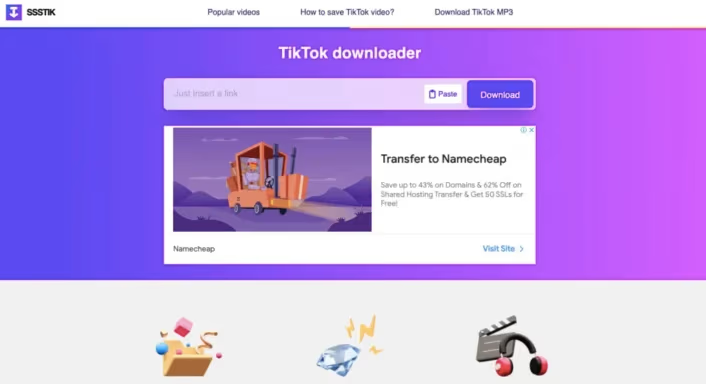
#1. SSSTik.io
SSSTik.io is a popular choice for its user-friendly interface and high-quality downloads. It offers:
- Watermark-free downloads
- Support for both MP4 and MP3 formats
- High-speed conversions
- No registration required
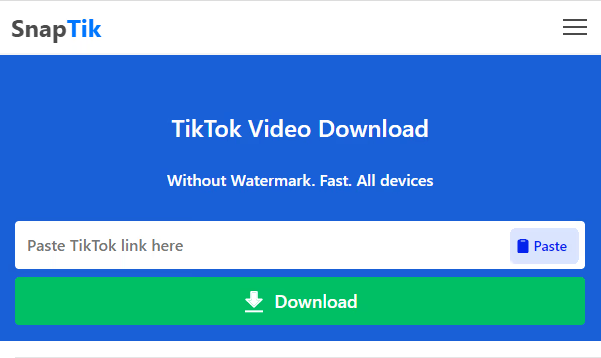
#2. SnapTik
SnapTik stands out for its ability to download TikTok videos without watermarks while maintaining original quality. Features include:
- High-definition downloads
- Support for photo slideshow conversions
- Compatibility with multiple devices
- Fast processing speed
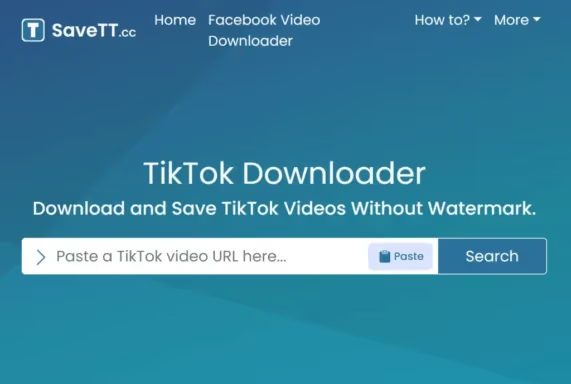
#3. SaveTT
SaveTT is known for its simplicity and efficiency. Key features:
- High-quality MP4 downloads
- No watermarks
- Fast conversion process
- Support for various devices
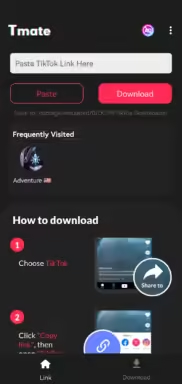
#4. Tmate
Tmate offers a straightforward solution for downloading TikTok videos. Highlights include:
- High-speed downloads
- Option to download with or without watermarks
- Support for multiple devices
- No account creation needed
#5. TikTokio
TikTokio provides a seamless experience for converting TikTok videos to MP4. Features:
- Quick downloads without watermarks
- High-quality video output
- User-friendly interface
- Free to use without registration
#How to Use TikTok to MP4 Converters
While each converter may have slight variations, the general process remains similar. Here’s a step-by-step guide using SSSTik.io as an example:
- Open the TikTok app and find the video you want to download.
- Tap the “Share” button and select “Copy Link”.
- Go to SSSTik.io in your web browser.
- Paste the copied link into the provided field.
- Click the “Download” button.
- Choose your preferred format (MP4 or MP3).
- Click “Download” again to save the file to your device.
#Features to Look for in TikTok to MP4 Converters
When choosing a TikTok to MP4 converter, consider the following features:
- No watermark: Ensure the converter removes the TikTok watermark for clean videos.
- High-quality output: Look for converters that maintain the original video quality.
- Fast conversion speed: Quick processing times save you valuable time.
- Multiple format options: Some converters offer both MP4 and MP3 downloads.
- Ease of use: A user-friendly interface makes the conversion process smoother.
#Legal and Ethical Considerations
While converting TikTok videos to MP4 is generally for personal use, it’s important to be aware of copyright issues. Always respect content creators’ rights and obtain permission if you plan to use downloaded videos for commercial purposes or share them widely.

#Tips for Converting TikTok Videos to MP4
- Choose the right converter: Test a few options to find the one that best meets your needs.
- Ensure video quality: Check the output quality before downloading large batches of videos.
- Manage downloaded files: Organize your downloaded videos to avoid cluttering your device. Creating folders on TikTok can help you organize content before downloading.
- Use a stable internet connection: This ensures smooth downloads and reduces the risk of corrupted files.
- Be aware of storage issues: TikTok can take up significant storage space on your device, so be mindful when downloading videos.
#Troubleshooting Common TikTok Issues
While converting videos is useful, you may encounter other TikTok-related issues. Here are some helpful resources:
- If you’re wondering why TikTok isn’t showing your videos to followers, it could be due to algorithm changes or content issues.
- For those who use TikTok Stories, knowing how to delete a TikTok story can be useful for managing your content.
- If you’re interested in your engagement, learn how to see your reposts on TikTok to track your content’s reach.
#Alternatives to Online Converters
If you prefer not to use online converters, consider these alternatives:
- Screen recording: Use your device’s built-in screen recorder to capture TikTok videos.
- TikTok’s built-in save feature: This method includes a watermark but is the most straightforward option.
- Third-party apps: Some apps offer additional features like video editing along with downloading capabilities.
#Conclusion
Converting TikTok videos to MP4 format opens up a world of possibilities for saving, editing, and sharing your favorite content. By choosing the right converter and following best practices, you can easily download TikTok videos in high quality without watermarks. Remember to respect content creators’ rights and use downloaded videos responsibly.
#FAQs
- Is it legal to convert TikTok videos to MP4? While converting for personal use is generally acceptable, sharing or using videos commercially without permission may violate copyright laws.
- Do I need to create an account to use these converters? Most online converters, including those mentioned in this guide, do not require account creation.
- Can I convert TikTok videos to other formats besides MP4? Yes, many converters offer additional format options, such as MP3 for audio-only content.
- Will converting TikTok videos to MP4 reduce their quality? High-quality converters maintain the original video quality, but always check the output to ensure satisfaction.
- Are these TikTok to MP4 converters free to use? The converters mentioned in this guide are free to use, though some may offer premium features for a fee.