TikTok has become one of the most popular social media platforms globally, with millions of users creating and sharing short-form videos daily. However, with this popularity comes the responsibility of maintaining a safe and positive environment for all users. As a result, TikTok implements strict community guidelines and bans accounts that violate these rules. If you’ve found yourself on the wrong side of a TikTok ban, don’t panic. This comprehensive guide will walk you through the process of understanding your ban, appealing it, and ultimately getting your account unbanned.
- TikTok issues four types of bans: shadowbans, temporary bans (24-48 hours), permanent bans, and device bans that block all new accounts from a single device.
- The fastest appeal path is through the ban notification itself — tap “Appeal” directly in the app within 48 hours of receiving the ban notice.
- Most in-app appeals receive a response within 24 to 72 hours, but complex cases can take up to one week.
- A rejected appeal can be resubmitted after some time; use the waiting period to gather additional evidence supporting your case.
- Creating a new account to circumvent a ban violates TikTok’s terms of service and risks a permanent device ban.
#Understanding TikTok Bans
Before diving into the appeal process, it’s crucial to understand the different types of bans TikTok implements and why accounts get banned in the first place.
#Types of TikTok Bans
- Shadowban: A subtle restriction where your content’s visibility is limited without notifying you. Your videos may not appear on the “For You” page or in search results.
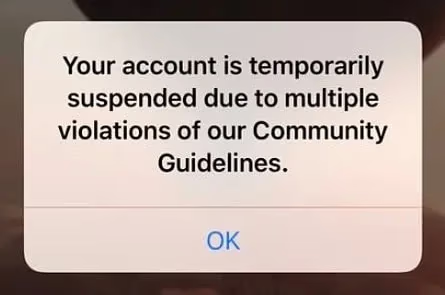
- Temporary Ban: A short-term suspension of your account, typically lasting 24 to 48 hours. During this time, you may be unable to post, comment, or like content.
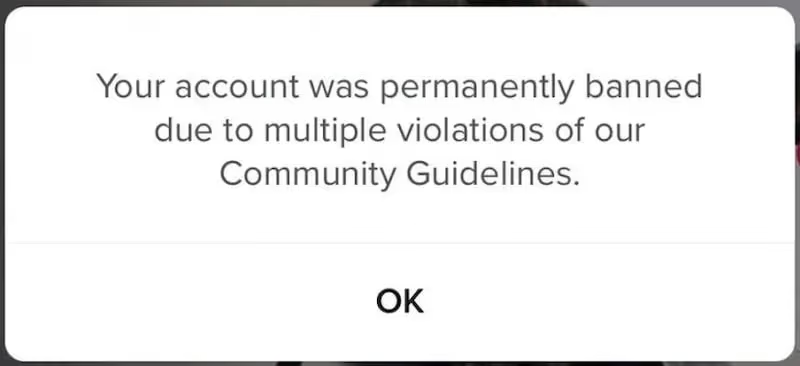
- Permanent Ban: The most severe form of ban, resulting in complete loss of access to your account and content.
- Device Ban: In extreme cases, TikTok may ban your device, preventing you from creating new accounts from that device.
#Common Reasons for TikTok Bans
- Violating Community Guidelines (e.g., posting inappropriate content, hate speech, or dangerous challenges)
- Copyright infringement
- Spam or artificial engagement (using bots or engagement pods)
- Underage users (TikTok requires users to be at least 13 years old)
- Multiple violations of TikTok’s rules
It’s important to note that the number of reports required for a TikTok ban varies depending on the severity of the violation and the user’s history. However, consistently receiving multiple reports can increase the likelihood of a ban.
#Steps to Appeal a TikTok Ban
If you believe your account was banned unfairly or by mistake, you can appeal the decision. Here’s how:
#1. In-App Appeal Process
- Open the TikTok app and go to your profile.
- Check your notifications for a message about your account ban.
- Tap on the notification and select “Appeal” or “Submit an appeal.”
- Follow the on-screen instructions to complete your appeal.
#2. Contacting TikTok Support via Email
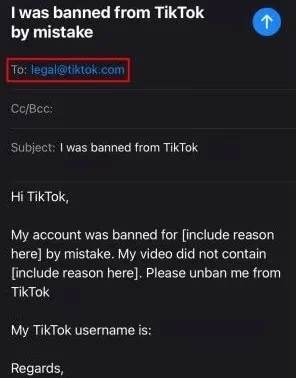
- Compose an email to legal@tiktok.com or support@tiktok.com.
- Include your TikTok username, the date of the ban, and a detailed explanation of why you believe the ban was a mistake.
- Attach any relevant evidence to support your case.
#3. Using the “Report a Problem” Feature
- Open TikTok and go to your profile.
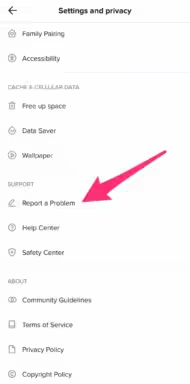
- Tap the three-line menu icon and select “Settings and privacy.”
- Under “Support,” tap “Report a problem.”
- Choose “Account ban/suspension” as the issue.
- Provide a detailed explanation of your situation.
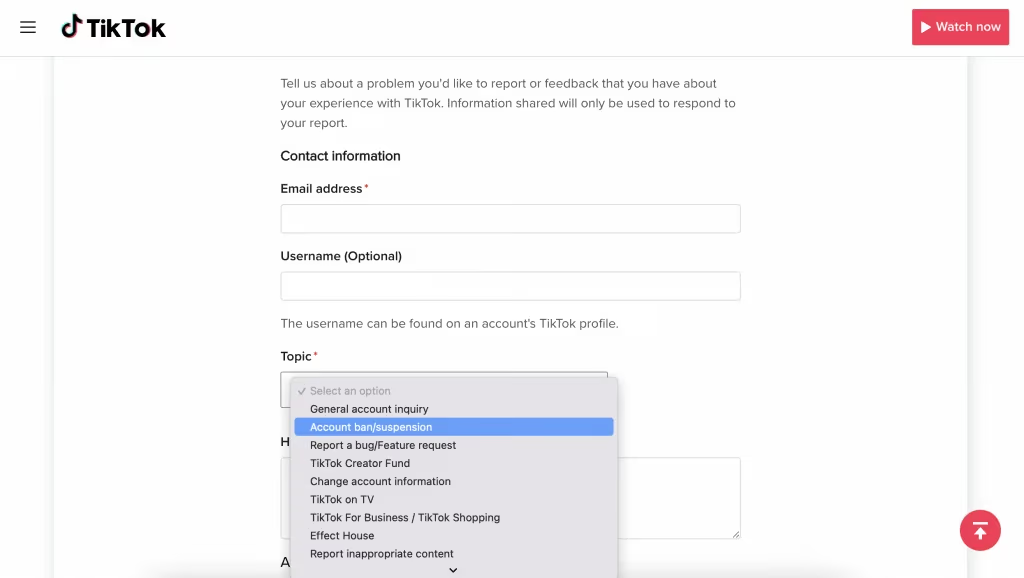
#4. Submitting an Appeal Through the Feedback Form
- Visit TikTok’s “Share Your Feedback” page on their website.
- Select “Account ban/suspension” as the topic.
- Fill out the form with your account details and a thorough explanation of your appeal.
#Crafting an Effective Appeal
When appealing your ban, it’s essential to create a compelling case. Here are some tips:
- Be honest and take responsibility for any mistakes you may have made.
- Provide context for the situation that led to the ban.
- Include any relevant evidence, such as screenshots or video clips, that support your case.
- Explain how you plan to avoid similar issues in the future.
- Keep your tone respectful and professional throughout the appeal.
#Following Up on Your Appeal
After submitting your appeal, patience is key. TikTok typically responds to appeals within 24 to 72 hours, but it may take longer in some cases. If you don’t receive a response within a week, consider following up with another message or trying a different appeal method.
If your appeal is rejected, don’t lose hope. You can usually submit another appeal after some time has passed. Use this opportunity to gather more evidence and strengthen your case.
#Preventing Future Bans
Once you’ve successfully appealed your ban, it’s crucial to take steps to prevent future issues:
- Thoroughly read and understand TikTok’s Community Guidelines.
- Think before you post: Consider how your content might be perceived by others.
- Avoid controversial or sensitive topics that may violate guidelines.
- Use only original content or properly licensed material to avoid copyright issues.
- Engage authentically: Don’t use bots or artificial engagement methods. While it may be tempting to try to get 1k followers quickly, using artificial methods can lead to bans.
- Stay updated on TikTok’s policies, as they may change over time.
To enhance your TikTok experience while staying compliant, consider these additional tips:
- Use TikTok’s dark mode on Android for a more comfortable viewing experience, especially at night.
- Add a Linktree to your TikTok profile to drive traffic to your other social media accounts or websites.
- Learn how to turn off active status on TikTok for more privacy.
- Understand how to send likes on TikTok Live to engage with your favorite creators.
- Organize your content by making folders on TikTok for better content management.
#FAQs About TikTok Bans and Appeals
Q: How long do TikTok bans usually last? A: Temporary bans typically last 24 to 48 hours, while permanent bans are indefinite unless successfully appealed.
Q: Can I create a new account if my main account is banned? A: While it’s possible to create a new account, it’s against TikTok’s terms of service to circumvent a ban. It’s better to appeal the ban on your original account.
Q: Will I lose my followers and content if my account is banned? A: For temporary bans, your followers and content should remain intact. However, permanent bans may result in the loss of your account data.
Q: How many times can I appeal a TikTok ban? A: There’s no official limit on the number of appeals you can submit. However, it’s best to make your initial appeal as strong as possible.
Q: Can I watch TikTok videos without an account? A: Yes, you can watch TikTok videos anonymously without creating an account, but you’ll have limited functionality.
#Conclusion
Getting your TikTok account banned can be a frustrating experience, but it’s not necessarily the end of your TikTok journey. By understanding the ban process, crafting a thoughtful appeal, and following up appropriately, you have a good chance of getting your account reinstated. Remember to always adhere to TikTok’s community guidelines and create content responsibly to avoid future bans. With patience and persistence, you can overcome this hurdle and continue enjoying the vibrant TikTok community.