Adobe Acrobat Sign vs DocuSign: Full Comparison 2026
Adobe Acrobat Sign vs DocuSign compared on pricing, features, and integrations. Find out which e-signature platform fits your workflow in 2026.
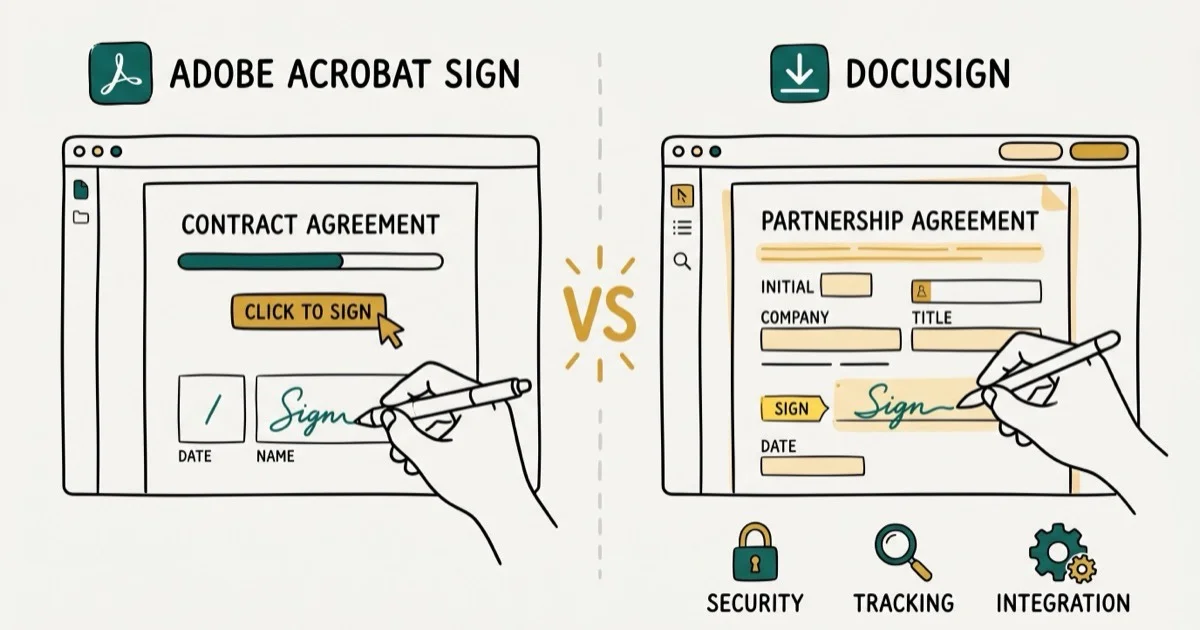
Quick AnswerDocuSign is better for teams that need deep integrations with 1,000+ apps, while Adobe Acrobat Sign is the stronger pick if you already use Adobe Acrobat for PDF editing and want e-signatures bundled in.
Adobe Acrobat Sign and DocuSign both handle electronic signatures, but they’re built for different workflows. The better choice depends on whether you value Adobe’s PDF bundle or DocuSign’s broader integration catalog.
- DocuSign starts at $10/month; Adobe Acrobat Sign starts at $12.99/month with Acrobat tools included
- DocuSign connects to 1,000+ apps; Adobe focuses on deeper Microsoft and Salesforce integrations
- Both comply with the U.S. ESIGN Act and are legally binding in 180+ countries
- Adobe bundles full PDF editing at every tier; DocuSign charges extra for document tools
- DocuSign has the broader integration catalog, while Adobe’s signing tools fit naturally inside Acrobat workflows
#Key Differences Between Adobe Acrobat Sign and DocuSign
It comes down to ecosystem. DocuSign is a standalone e-signature platform that connects to almost everything. Adobe Acrobat Sign is part of Adobe’s Document Cloud, tightly woven into PDF workflows and Acrobat tools.
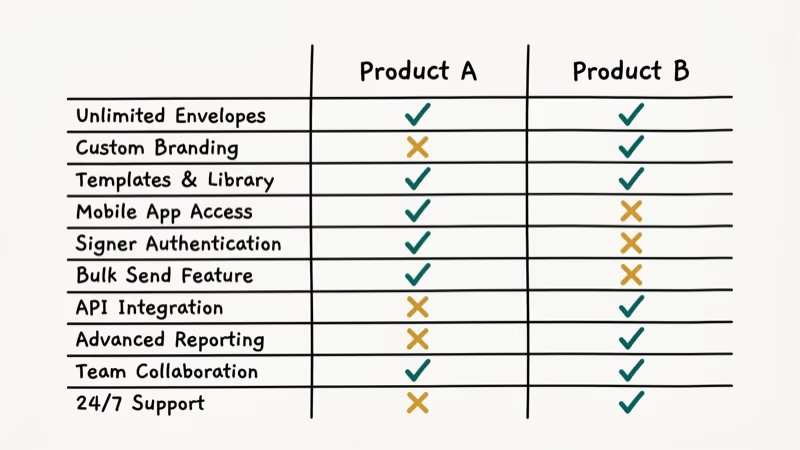
Think of it this way: if you spend your day editing PDFs, adding annotations, and then sending them for signatures, Adobe keeps everything in one window. DocuSign can’t do that without third-party add-ons. But if your team relies on Salesforce, Workday, or dozens of other business apps, DocuSign’s integration library with 1,000+ connections is hard to beat.
According to DocuSign’s integrations page, the platform now connects to over 1,000 cloud-based apps. According to Adobe Acrobat Sign’s integration hub, the platform focuses on fewer but deeper connections with Microsoft 365, Salesforce, and SAP.
#Pricing Breakdown for 2026
Pricing is where most buyers get stuck, so here’s what each platform actually costs right now.
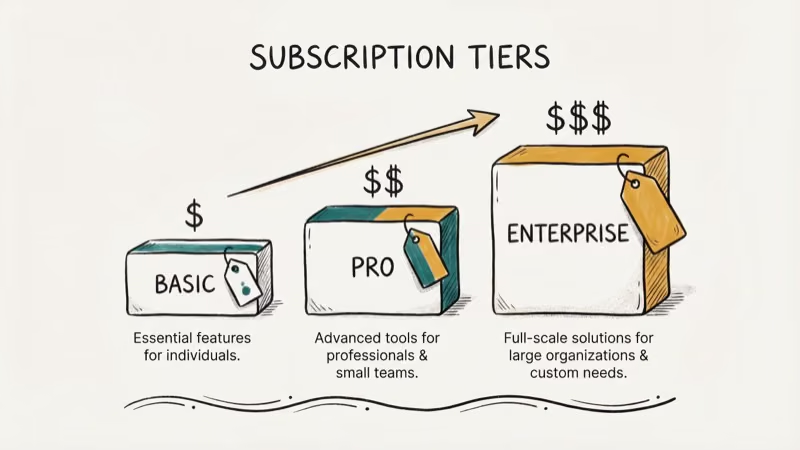
DocuSign plans (billed annually):
| Plan | Monthly Cost | Best For |
|---|---|---|
| Personal | $10/month | Freelancers, 5 envelopes/month |
| Standard | $25/user/month | Small teams needing templates |
| Business Pro | $40/user/month | Bulk send, payment collection, API |
| Enterprise | Custom quote | Large orgs, SSO, 24/7 support |
Adobe Acrobat Sign plans (billed annually):
| Plan | Monthly Cost | Best For |
|---|---|---|
| Acrobat Standard | $12.99/month | Individual PDF editing + basic e-sign |
| Acrobat Pro | $19.99/month | Advanced PDF tools + e-sign |
| Acrobat Standard (Teams) | $14.99/user/month | Team document sharing |
| Acrobat Pro (Teams) | $23.99/user/month | Full team collaboration |
| Enterprise | Custom quote | Compliance, API access |
DocuSign’s entry price looks lower at $10/month, but that Personal plan caps you at 5 envelopes per month. Adobe’s $12.99 Acrobat Standard gives you full PDF-to-other-format conversion plus e-signatures right out of the box.
For teams, the math shifts. DocuSign Standard costs $25/user but gives you more envelopes. Adobe Acrobat Pro Teams at $23.99/user bundles full PDF editing, conversion tools, and collaboration features that DocuSign doesn’t include at any price tier below Enterprise, making Adobe the better value per seat if your team already works with PDFs daily.
#How Do the Features Compare Side by Side?
The main feature differences show up in field setup, audit trails, templates, mobile apps, and bulk sending.
Signing experience: DocuSign’s drag-and-drop field placement is faster. Adobe looks cleaner but takes an extra click for custom fields.
Audit trails: Both produce detailed audit trails with timestamps, IP addresses, and signer authentication records. Based on DocuSign’s legal overview, their audit trail is designed to meet court-admissibility standards under the ESIGN Act and UETA. Adobe also provides a Certificate of Completion for completed agreements.
Templates: Both offer reusable templates. DocuSign unlocks them at $25/user/month.
Mobile signing: Both apps work on iOS and Android.
Bulk sending: Need to blast 200 contracts at once? DocuSign reserves that for Business Pro ($40/month). Adobe gates it similarly.
#Integrations and API Access
This is where DocuSign pulls ahead for most businesses. DocuSign connects natively to Salesforce, Google Workspace, Microsoft 365, Workday, ServiceNow, SAP, and hundreds more.
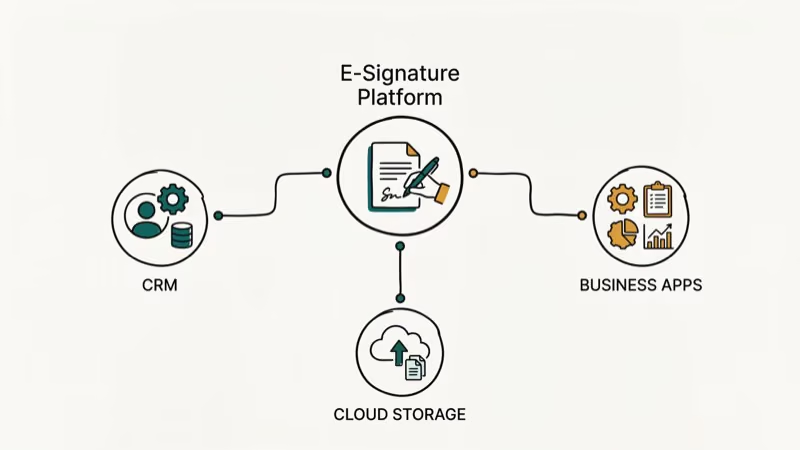 Their API has over 400 endpoints, which gives developers serious flexibility.
Adobe Acrobat Sign’s integration list is shorter but covers the big ones: Microsoft 365, SharePoint, Salesforce, Dynamics 365, Oracle, and NetSuite. If your stack already runs on Adobe and Microsoft tools, you won’t miss DocuSign’s broader catalog.
A catch on both sides: DocuSign locks CRM integrations behind their Enterprise tier. Adobe does the same for certain advanced document workflows and compliance features.
#Are Electronic Signatures Legally Binding?
Yes. Both Adobe Acrobat Sign and DocuSign produce legally binding electronic signatures in the United States and most other countries. The U.S. ESIGN Act of 2000 and the Uniform Electronic Transactions Act (UETA) give electronic signatures the same legal weight as handwritten ones.
According to DocuSign’s ESIGN Act overview, e-signatures require intent, consent, record association, and retention.
In the EU, the eIDAS regulation governs electronic signatures. Both platforms support Advanced Electronic Signatures (AES) and Qualified Electronic Signatures (QES) for European compliance, with completion certificates and audit trails available for signed agreements.
Both offer enterprise-tier security for HIPAA and finance. According to Adobe’s security documentation, the enterprise plan is certified SOC 2 Type 2, ISO 27001, and FedRAMP Tailored.
#Best Use Cases for Adobe Acrobat Sign
Adobe Acrobat Sign makes the most sense if you already pay for Adobe Acrobat or Creative Cloud. You’re getting e-signatures bundled into a tool you already use for PDF editing and management, which means one fewer subscription to manage and one fewer vendor to deal with at renewal time.
It’s also the better pick for:
- Small businesses that send fewer than 20 contracts per month
- Teams that regularly edit, annotate, and convert PDFs before signing
- Organizations locked into the Microsoft 365 ecosystem
- Users who want one subscription covering both PDF tools and secure document handling
#Best Use Cases for DocuSign
DocuSign wins when integrations and volume are the priority. If your sales team sends 50+ contracts per month through Salesforce, DocuSign’s pre-built connector saves hours.
Pick DocuSign if you need:
- Deep Salesforce, Workday, or ServiceNow integration
- High-volume sending with detailed analytics
- A developer-friendly API with 400+ endpoints
- Payment collection built into the signing flow
- Support for complex routing with multiple signers across departments
#Free and Low-Cost Alternatives
Neither platform is free. DocuSign gives 30 days to try, Adobe offers 7-14 days.
Budget tight? HelloSign (now Dropbox Sign) has a free plan with 3 signature requests per month, and DocHub handles basic PDF signing through a browser extension.
PandaDoc is worth a closer look. It includes a free e-signature tier with unlimited signatures, although templates and advanced workflows are locked behind paid plans. For freelancers or solo consultants sending fewer than 10 contracts a month, PandaDoc covers the basics without costing a dime.
PCMag’s e-signature roundup ranks both DocuSign and Adobe Sign among the dominant enterprise platforms. If you deal with digital signature errors or compatibility issues, simpler alternatives can sometimes avoid the complexity.
#Bottom Line
For most teams, DocuSign is the safer bet. More integrations, better high-volume sending, and the cheapest entry at $10/month.
Pick Adobe Acrobat Sign if PDF editing is a daily part of your workflow. The bundled Acrobat tools save you from paying for a separate PDF editor, and the signing experience itself is just as reliable. At the team level, Adobe’s $23.99/user plan actually undercuts DocuSign’s $25/user Standard while including more document tools, making it the better value for teams that already live inside Adobe’s ecosystem for creative or document work.
Start with each platform’s free trial before committing. The right choice depends on whether you need a signing tool that does everything (DocuSign) or a document tool that signs everything (Adobe Acrobat Sign).
#Frequently Asked Questions
Can I use Adobe Acrobat Sign without an Adobe subscription?
No. Adobe retired the standalone Sign product in 2020. E-signature features now come bundled with every Acrobat subscription, starting at $12.99/month for Acrobat Standard.
Does DocuSign work on Mac and Windows?
Yes. DocuSign runs entirely in the browser, so it works on macOS, Windows, Linux, and Chromebooks. The mobile apps cover iOS 15+ and Android 10+. You don’t need to install desktop software to send or sign documents.
Which platform has better security features?
Essentially tied. Adobe holds SOC 2 Type 2, ISO 27001, and FedRAMP certifications, and DocuSign matches with SOC 1/2 and ISO 27001. Both use AES 256-bit encryption and two-factor authentication. For most businesses, the security gap between them is nonexistent, though enterprises in healthcare or government should verify specific compliance certifications against their requirements before committing.
How many documents can I send per month on the cheapest plan?
Five envelopes per month on DocuSign’s Personal plan. Adobe Acrobat Standard caps e-signature transactions too (each “send for signature” counts as one). Send more than 10 documents monthly and you’ll need to upgrade on either platform.
Can I switch from DocuSign to Adobe Acrobat Sign easily?
Switching is straightforward but takes planning. Both platforms let you export completed documents as PDFs. Templates and workflows don’t transfer automatically, so you’ll need to rebuild those in the new platform. Budget about 2-3 hours for a small team migration with under 50 templates.
Do both platforms support electronic signatures outside the United States?
Yes. Both comply with e-signature laws in over 180 countries. This includes the EU’s eIDAS regulation, the UK’s Electronic Communications Act, and similar laws across Asia-Pacific.
Is there a free version of either platform?
No. DocuSign gives you a 30-day free trial, and Adobe offers 7 to 14 days. For a permanently free option, try Dropbox Sign (formerly HelloSign), which allows 3 signature requests per month at no cost.
What happens if a signer refuses to sign electronically?
Both platforms allow you to send a paper copy as a fallback. DocuSign’s “in-person signing” feature lets someone sign on your device, while Adobe supports a similar workflow through its mobile app. You can also print the document for a wet-ink signature and upload the signed copy back into either system.

Google Messages Error 3100: Why RCS Is Broken on Galaxy
Google Messages RCS error 3100 hits Galaxy owners after phone or carrier switches. Google told 9to5Google a fix is coming. Here's what actually helps.

Is This Bank App Real? Spot a Fake App on Your Home Screen
A bank app can land on your home screen from a web page with no install warning. Learn the checks that tell a real banking app from a phishing web app.

Apps Crashing After iOS 27 Update? Fix Order (2026)
Apps crashing after the iOS 27 update? Update the app in the App Store first, then offload and reinstall to clear stale cache, then restart. The fix order.

Do AI Translation Earbuds Work Offline? What to Know
Do AI translation earbuds work offline? A few do with downloaded language packs, but most need the cloud. Here's what works offline and what you give up.